
Automating review requests means using triggers from your booking, POS or CRM system to send review asks automatically after set events, instead of relying on staff to remember. Done properly, it means more timely reviews, fewer missed customers and a private route for unhappy ones. It works best for repeat‑visit or transactional businesses (restaurants, salons, clinics, shops) where each customer completes a clear, trackable event.
TL;DR:
- Automating review requests ensures all customers receive prompts at optimal times, improving response rates and reducing missed feedback.
- Routing negative feedback privately prevents public review gating and helps resolve issues before they impact online ratings.
- Using various channels like SMS, email, WhatsApp, and QR codes allows matching messaging to customer habits and event timing.
- Proper integration with booking, POS, or CRM systems through native connectors or APIs minimizes errors and ensures compliance.
- Starting with one trigger, one channel, and tracking key KPIs over 30 days helps avoid common pitfalls and optimizes review generation.
Table of Contents
- What Are the Benefits of Automating Review Requests?
- How Do Automated Review Request Sequences Work?
- Which Channels and Timing Work Best for Review Requests?
- How Do You Connect Review Automation to Your Tech Stack?
- Is Automating Review Requests Legal and GDPR‑Safe?
- How Do You Measure and Improve Review Request Performance?
- How Do Hospitality Venues Automate Review Requests?
- A 30‑Day Plan for Automating Review Requests
- A Simple Next Step With Served
- Sources
- FAQ
What Are the Benefits of Automating Review Requests?
The biggest win is consistency. A member of staff having a busy Friday night will forget to ask half the room for a review. A trigger fired from your booking system never forgets, and it never gets distracted by a full dining room or a queue at the till.
Timing does the rest of the work. Asking at the right moment, rather than whenever someone remembers, lifts both response rates and the share of people who actually leaves a public review. Automation also lets you handle the awkward part properly: unhappy customers get routed into a private recovery flow instead of a public review page, which reduces silent churn because problems get logged and fixed rather than ignored.
Automating review requests gives you:
- Consistent asking — every eligible customer gets a request, every time, with no staff memory involved.
- Better timing — requests go out when the experience is still fresh, which improves conversion to a public review.
- Closed‑loop recovery — detractors are caught privately before they post publicly, cutting churn risk.
- Trackable reputation growth — because every send is logged, you can measure review volume and star rating movement over time, not just guess at it.
How Do Automated Review Request Sequences Work?
Automated review requests run on triggers, timing and routing. Get those three right and the rest is largely templates and testing.
Triggers are the events that start the sequence. The most common ones are:
- Appointment or booking completed — the classic hospitality and services trigger.
- Invoice paid — useful for trades, freelancers and B2B service providers.
- NPS promoter signal — a high satisfaction score fires a review ask automatically; a low score fires a support ticket instead.
- Checkout completed — for retail and e‑commerce, fired once the order is marked delivered rather than the moment it ships.
Once a trigger fires, the sequence usually follows a set pattern: an immediate micro‑pulse ("Everything alright?"), then a dedicated review request 24 to 48 hours later, followed by a single reminder if there's no response, then the sequence stops. This is the same cadence hotels use for guest feedback: catch problems early with an on‑stay check, then ask for the public review once the stay is over and any issue is resolved.
Routing is where most businesses go wrong. The correct approach is to detect low scores or negative sentiment automatically, open a private support ticket, and suppress the public review ask until the issue is closed. What you must not do is filter who gets asked based on their star rating. Google's own policy explicitly bans review gating, which means only sending happy customers to your public review page while quietly diverting unhappy ones elsewhere. Every customer gets a neutral path to feedback; only the outcome of that feedback determines whether they end up in a public review flow or a private recovery one.
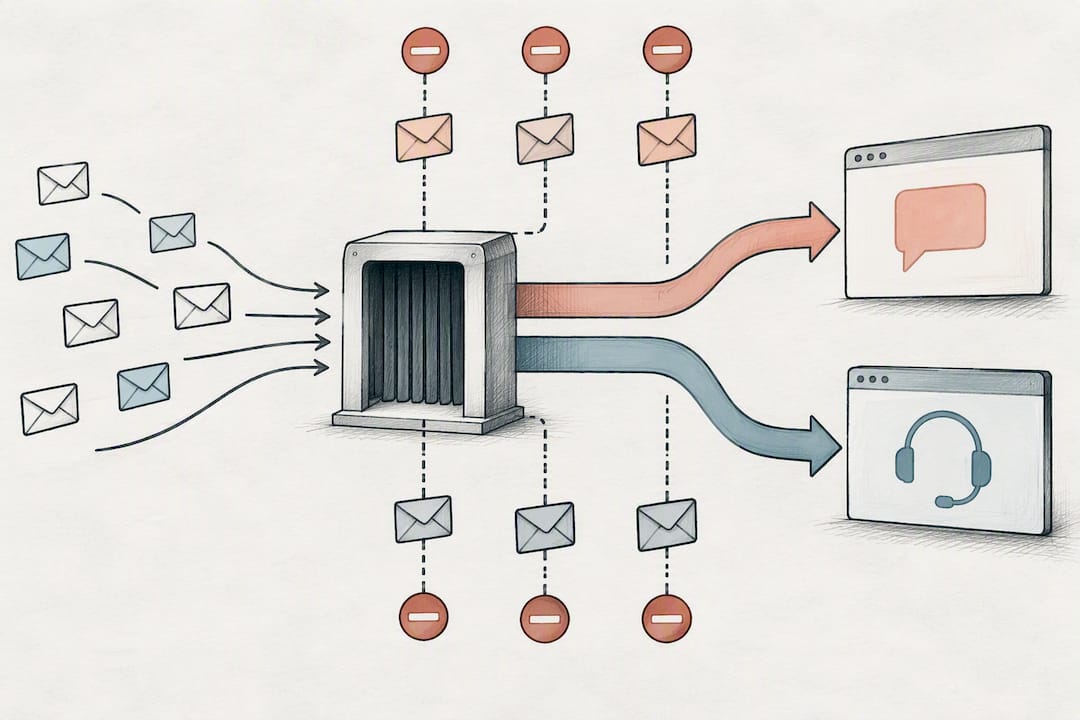
Pro Tip: Build the "stop" condition into every sequence before you launch it. A review request that keeps firing after someone has already left a review, unsubscribed, or opened a complaint ticket is the fastest way to turn a happy customer into an annoyed one.
Which Channels and Timing Work Best for Review Requests?
Channel choice depends on your customer's habits, not your preference. SMS gets opened fast and suits short, immediate asks. Email suits longer messages, surveys, or anything with a logo and a bit of brand context; many customers still prefer it over text for review requests, so it earns a place in the sequence even if SMS runs first. WhatsApp works well where it's already the default messaging channel with your customers. QR codes and in‑app prompts suit the moment someone is physically leaving your venue, table receipt in hand.
- SMS: best for immediate, short asks straight after a visit.
- Email: best for detailed asks, surveys, or when you want a trackable link with more context.
- WhatsApp: best where your customers already message your business there.
- QR/in‑app: best at the point of physical departure (till receipt, table card, checkout screen).
On timing, keep to a simple rhythm: an immediate micro‑pulse to catch problems, the actual review ask 24 to 72 hours later, and one reminder only. Anything beyond that starts to feel like nagging rather than a genuine ask.
Here are three templates you can copy and adapt today:
For promoters (direct review link): "Thanks for visiting us today! If you enjoyed it, a quick review would mean a lot: [link]. Takes 30 seconds."
For neutrals (short survey instead of a direct ask): "Thanks for stopping by. We'd love your honest feedback, good or bad: [short survey link]."
For detractors (private resolution form, never public): "We noticed something wasn't quite right. Can you tell us more here so we can fix it: [private form link]? A member of our team will follow up directly."
Keep every message short, in plain language, and localised to the customer's own language where you operate across regions. A message that needs scrolling to read is a message that gets ignored.
How Do You Connect Review Automation to Your Tech Stack?
Wiring this up doesn't require a development team for most venues, but it does require getting three things right: the trigger source, the data passed with it, and testing before launch.
There are three practical routes:
- Native connectors — many booking, POS and CRM platforms have built‑in review request tools; check this first, since it's the least fragile option.
- Zapier or Make — good middle ground for connecting a booking system to an SMS or email tool without writing code, as long as volume stays moderate.
- Direct API hooks — worth it once you're sending thousands of requests a month or routing across multiple systems, where no‑code tools start to lag or break.
Whichever route you choose, each trigger needs to carry a minimum set of data: a unique order or booking ID, the contact method, the outcome (satisfied, neutral, dissatisfied), and a consent flag. Missing the consent flag is the most common setup error, because it's what stops you legally sending a request to someone who has opted out.
Before going live, run through a short testing checklist: fire a trigger in a sandbox environment, confirm an unsubscribed contact is correctly suppressed, and check that every link in the message is tracked back to the right campaign. Skipping the suppression test is how businesses end up messaging someone who asked not to be contacted, which is a far worse outcome than a slightly slower rollout.
Pro Tip: If you're running one trigger through one channel, no‑code tools like Zapier are genuinely enough. The moment you need to route based on sentiment across two or more systems, bring in developer help, because that logic breaks quietly in no‑code tools rather than failing loudly.
Is Automating Review Requests Legal and GDPR‑Safe?
Compliance here isn't complicated, but it is non‑negotiable. Automated messages for review requests count as direct marketing in most jurisdictions, which means you need a lawful basis, usually informed consent, and a working way for people to opt out.
Keep the checklist short and actually check it:
- Record consent (and its timestamp) at the point a customer agrees to be contacted, not retroactively.
- Maintain a single, centralised suppression list that every channel checks before sending.
- Give every message a clear, one‑tap unsubscribe option, and honour it immediately.
- Never gate reviews by star rating; use neutral feedback forms for everyone and route dissatisfaction into private recovery, never into silence.
- Audit your suppression list and complaint handling at least monthly, since a stale list is where most compliance problems start.
How Do You Measure and Improve Review Request Performance?
Treat your review request sequence like any other campaign: track it, test it, and report on it monthly.
Core metrics worth watching: delivery rate, open and click rate, response rate, review conversion rate (requests that become public reviews), the split between positive and negative sentiment, and closed‑loop resolution time for detractor tickets. That last one matters more than most businesses assume, since slow resolution is what turns a fixable complaint into a lost customer.
Worth A/B testing:
- Timing of the ask (24h vs 48h vs 72h after the trigger).
- Channel (SMS vs email vs WhatsApp for the same audience segment).
- Subject line or opening line wording.
- Call‑to‑action phrasing ("Leave a review" vs "Tell us how we did").
- Single‑tap review links vs a short multi‑step survey.
To prove the programme is working, tag each review request with a campaign ID so reviews can be traced back to the specific trigger and template that produced them. That's the difference between guessing your review growth is due to automation and actually showing it.
How Do Hospitality Venues Automate Review Requests?
A practical restaurant sequence looks like this: reservation completed → post‑dining micro‑pulse ("Enjoy your meal?") → a review ask 24 to 48 hours later for guests who signalled satisfaction, exactly the pattern hotels use for post‑stay reviews. Served supports this with commission‑free booking data, Growth Scan visibility insights, and free tools venues can use to check their current review setup before automating anything.
A 30‑Day Plan for Automating Review Requests
Start small: pick one trigger, one channel, one template, and run it for 30 days while tracking four KPIs (delivery rate, response rate, review conversion, sentiment split). Resist the urge to launch five sequences at once.
The pitfalls that actually cost venues reviews are dull, not dramatic: no suppression list, gating by star rating, asking three days too late, or reminding someone twice. Two quick wins need almost no engineering: adding a 24 hour post‑visit SMS pulse, and routing anything below a neutral score straight to a private form instead of your public review link.
— Ignacy Jurkowski
A Simple Next Step With Served
Stitching together a booking tool, a review platform and an SMS sender works, until one of them changes its API and the whole sequence quietly breaks. Served takes a different approach for restaurants, bars and cafés: one commission‑free platform that handles bookings, guest CRM and visibility in the same place, so your review triggers fire off real booking data rather than a patchwork of exports.
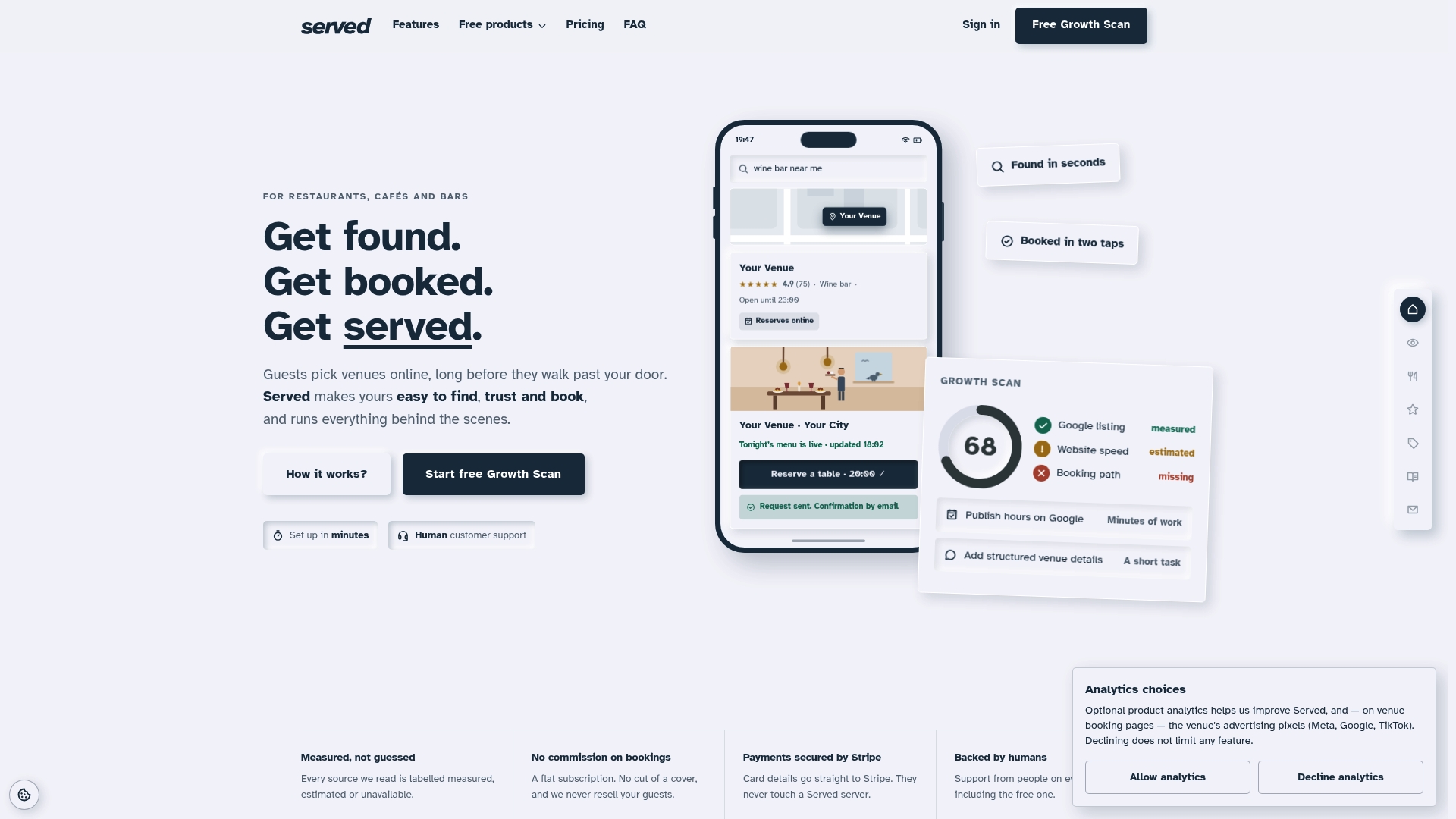
This platform charges a flat subscription fee without per-cover charges or reselling guest data, and offers human support on all plans. If you want to see where your current setup is losing visibility or bookings before you automate anything, run the free Booking Path Scan first. From there, the Visibility Brain plan at €69 per month (or €660 per year) gives you the booking, CRM and visibility tools to put a working review sequence on top of real guest data, and you can try it without a sales call.
Sources
For deeper detail beyond this guide, Google's review policy sets out exactly what counts as prohibited review gating. HotelsSEO's guide to guest feedback automation covers timing patterns in more technical depth, and Wild Foodz's piece on hospitality reviews is worth reading for the guest communication angle.
- Customer Feedback Automation for Modern CX Teams | SurveyBox
- Customer Feedback Automation: What the Best CX Teams Do Differently | Survicate
- Automating guest feedback collection | HotelsSEO
- About reviews on Google and Maps user‑contributed content policy
FAQ
Can I automate Amazon review requests?
Amazon restricts how sellers can request reviews, and blanket automated requests outside its own "Request a Review" button can breach its terms. Use Amazon's built‑in request tool for marketplace orders, and reserve broader review automation (SMS, email, WhatsApp) for your own direct customer relationships, such as a restaurant or service business.
Can I automate Google reviews?
Yes. You can automate sending customers a direct link to your Google review page after a purchase or visit, as long as you don't filter who receives that link based on their satisfaction score. Google's policy explicitly prohibits gating, which means every customer gets a neutral path, not just the happy ones.
Is review gating illegal?
Review gating breaches Google's user‑contributed content policy and can get reviews removed or a listing penalised, though it isn't a criminal offence in most places. It's treated as a platform policy violation rather than a law, but the practical consequences (lost reviews, suspended listings) are serious enough to avoid it entirely.
Can you provide some examples of review request messages?
A promoter message might read: "Thanks for visiting! If you enjoyed it, a quick review would mean a lot: [link]." A detractor message should never link to a public review page; instead try: "We noticed something wasn't quite right, tell us more here so we can fix it: [private form link]."
How much does Served cost for automating guest communication?
Served's Visibility Brain plan costs €69 per month or €660 per year and includes booking, CRM and visibility tools that support automated guest sequences. A free Booking Path Scan is available first to check where your current setup could improve.