
For most small restaurants, the best booking model is a lightweight, commission-free subscription that prioritises visibility, simple booking capture and human onboarding. Your next step: run a Booking Path Scan or start a free tier before you commit to anything. You get predictable monthly costs and a faster setup for a small team.
TL;DR:
- Small venues benefit most from a flat subscription booking system that offers visibility, captures multiple booking channels, and requires minimal staff training.
- Running a pilot during off-peak times helps identify potential system failures, such as hesitation or revert to paper booking methods.
- Combining reminders with deposits or overbooking policies can significantly reduce no-shows, especially for high-risk reservations like large parties or peak weekends.
- Verifying that the software works offline, integrates smoothly with existing POS systems, and maintains data ownership is crucial before committing.
- Ensuring staff understand data protection obligations and limit administrative access helps mitigate legal and security risks.
Table of Contents
- The core jobs your booking software actually needs to do
- How to assess booking software without chasing shiny features
- What a new system costs and how long it takes to bed in
- Practical ways to cut no-shows without annoying guests
- Data protection checks every small venue should run on a vendor
- Why commission-free, visibility-first platforms suit small venues
- Served: a practical next step for small restaurant booking
- Sources
- FAQ
The core jobs your booking software actually needs to do
Strip away the marketing and a booking system has five jobs. It captures bookings from every channel your guests use: phone, website, Google, walk-in. It confirms and reminds, cutting down the gap between booked covers and seated covers. It manages your table map so your floor team isn't guessing at turnover times. It handles waitlists when you're full, converting overflow into future business instead of lost custom. It records covers so you can actually report on performance rather than guess at it.
Each job has a direct floor impact. A restaurant that only captures phone bookings loses the guest who wants to book at 11pm from their sofa. A system with no waitlist function turns a fully booked Friday into a missed opportunity instead of a rebooking next week. A table map that doesn't reflect real turnover times means your host is apologising to a queue at the door while two tables sit half-used.
The jobs matter more than the feature list because a small team cannot staff its way around a weak booking process. A five-person floor team does not have a dedicated reservations manager to patch the gaps.
Around 2.3% of restaurant bookings in Switzerland ended as no-shows in 2024, up from 1.4% in 2019, and for a small venue with a dozen tables, a rising no-show rate removes real revenue every single week.
The jobs above only work when they're easy to run day-to-day:
- Capture bookings from phone, website, Google and walk-in without manual re-entry.
- Send automatic confirmations and reminders so guests remember they booked.
- Keep a live table map that matches real turnover, not an estimate.
- Convert a full night into a working waitlist instead of a missed booking.
- Log covers automatically so you can report on trends without extra admin.
How to assess booking software without chasing shiny features
A demo full of dashboards and AI-sounding buzzwords tells you nothing about whether the system will survive a Friday night rush. Judge it against your actual operation, not the sales pitch.
- Check staffing fit: can your existing floor team run it with no extra training beyond a short walkthrough?
- Check device needs: does it work on the tablet or phone you already own, or does it demand new hardware?
- Check the offline fallback: what happens to bookings if your internet drops mid-service?
- Check integration: does it talk to your POS and your Google Business Profile without manual syncing?
- Check data ownership: who holds your guest list if you cancel tomorrow, and can you export it?
In the demo itself, ask pointed questions rather than letting the salesperson run the script. Ask how onboarding actually works day by day. Ask what happens when a booking fails to sync, not just how it works when everything goes right. Ask who answers the phone when something breaks on a Saturday night, and whether that's a person or a ticket queue. Ask how you export your guest data if you ever leave.
Three red flags mean you should walk away: fees that aren't stated plainly up front, charges applied per cover rather than a flat rate, and any hesitation when you ask who legally owns your guest data.
Pro Tip: Run a soft-launch evening on a quieter night before you commit fully, and watch where your staff hesitate or revert to a paper pad: that's exactly where the system will fail you later.

What a new system costs and how long it takes to bed in
Three cost shapes dominate the market: flat subscription, commission per booking, and hybrid models that mix a base fee with charges for extras. Commission models look cheap at signup but scale badly: the more bookings you take, the more you pay, which punishes success. Hidden charges tend to hide in payment processing, SMS reminders and "premium" visibility placements that aren't disclosed at the point of sale.
A realistic onboarding timeline for a small venue runs over one to two weeks: menu and table map setup, staff walkthroughs, and a test period running alongside your existing process. Day-one readiness means your table map is accurate, your staff have run at least one mock booking each, and you have a manual fallback sheet printed in case of a connectivity issue.
The safest way to adopt a new system is a limited pilot:
- Run it for lunch service only in week one, keeping dinner on your existing process.
- Expand to one full day once the floor team is comfortable.
- Keep a paper fallback on hand for the first fortnight regardless of confidence.
- Review your booking capture numbers weekly before switching over fully.
This kind of progressive, low-pressure rollout matches what the RESTwithEU digital pathway guidance recommends for small hospitality businesses: start with visibility and booking facilitation before adding complexity, rather than flipping to a fully featured platform overnight.
Practical ways to cut no-shows without annoying guests
Reminders help, but they are not a fix on their own. A combination of email and SMS reminders reduces no-shows, though it does not eliminate them, and industry reporting on restaurant no-show trends shows that many operators now treat no-shows as a genuine business risk rather than a minor annoyance.
Deposits and card holds work, but they come with a trade-off. They discourage casual no-shows, but they also add friction for guests who are used to free, instant booking, so they're best reserved for high-risk slots: large parties, peak weekend sittings, and tasting menus.
A few operational habits make a measurable difference without adding guest friction:
- Call parties of six or more the day before to confirm, rather than relying on automated texts alone.
- Set a clear overbook policy for peak slots based on your venue's historical no-show pattern.
- Treat a late cancellation as a chance to rebook from your waitlist rather than a lost table.
- Reserve deposits for genuinely high-risk bookings instead of applying them across the board.
Reporting from DEHOGA-linked surveys shows many restaurateurs view no-shows as a significant problem, with reminder calls, emails and occasional prepayments cited as the most common countermeasures, and separate reporting on practitioner countermeasures found that reminders alone rarely match the effect of combining them with selective deposits.
Data protection checks every small venue should run on a vendor
The moment you take a guest's name, phone number or email for a booking, you are acting as a data controller, not just a software user. That comes with real obligations: keeping basic records of what you collect and why, setting retention limits so guest data isn't held indefinitely, and running a data protection impact assessment if your processing is genuinely high-risk. The EDPB's guidance for small businesses sets these out plainly for operators without a legal team on staff.
Before signing with any provider, demand a few minimum assurances: where guest data is stored, a list of any sub-processors involved, a stated breach notification window, and confirmation that staff accounts use two-factor authentication with audit logs kept on file. Get a data-processing addendum in writing, along with clear commitments on deletion and data portability if you leave.

Internally, limit which staff accounts can view or export guest data, and run a phishing drill every few months rather than assuming your team will spot a fake email on their own.
Pro Tip: Give floor staff view-only access to bookings and restrict exports to managers: most credential-related incidents start with an account that had more access than its job required.
Why commission-free, visibility-first platforms suit small venues
In my experience advising small operators, the commission-free model wins on something simple: predictability. You know your monthly cost in January and in December, and your guest list stays yours regardless of what the platform does next. A quick visibility scan tends to expose the same low-effort wins again and again: an out-of-date Google listing, a booking link buried three clicks deep, a menu nobody's touched in months. That said, a venue running multiple sites or heavy group bookings may genuinely need a larger, more integrated system than a small independent requires.
— Ignacy Jurkowski
Served: a practical next step for small restaurant booking
Some platforms run on a commission-free, flat subscription, so venues keep every booking without a cut taken per cover. These platforms may include features like real-time menu updates, human customer support and free tools such as a Booking Path Scan to help venues identify visibility or booking issues.
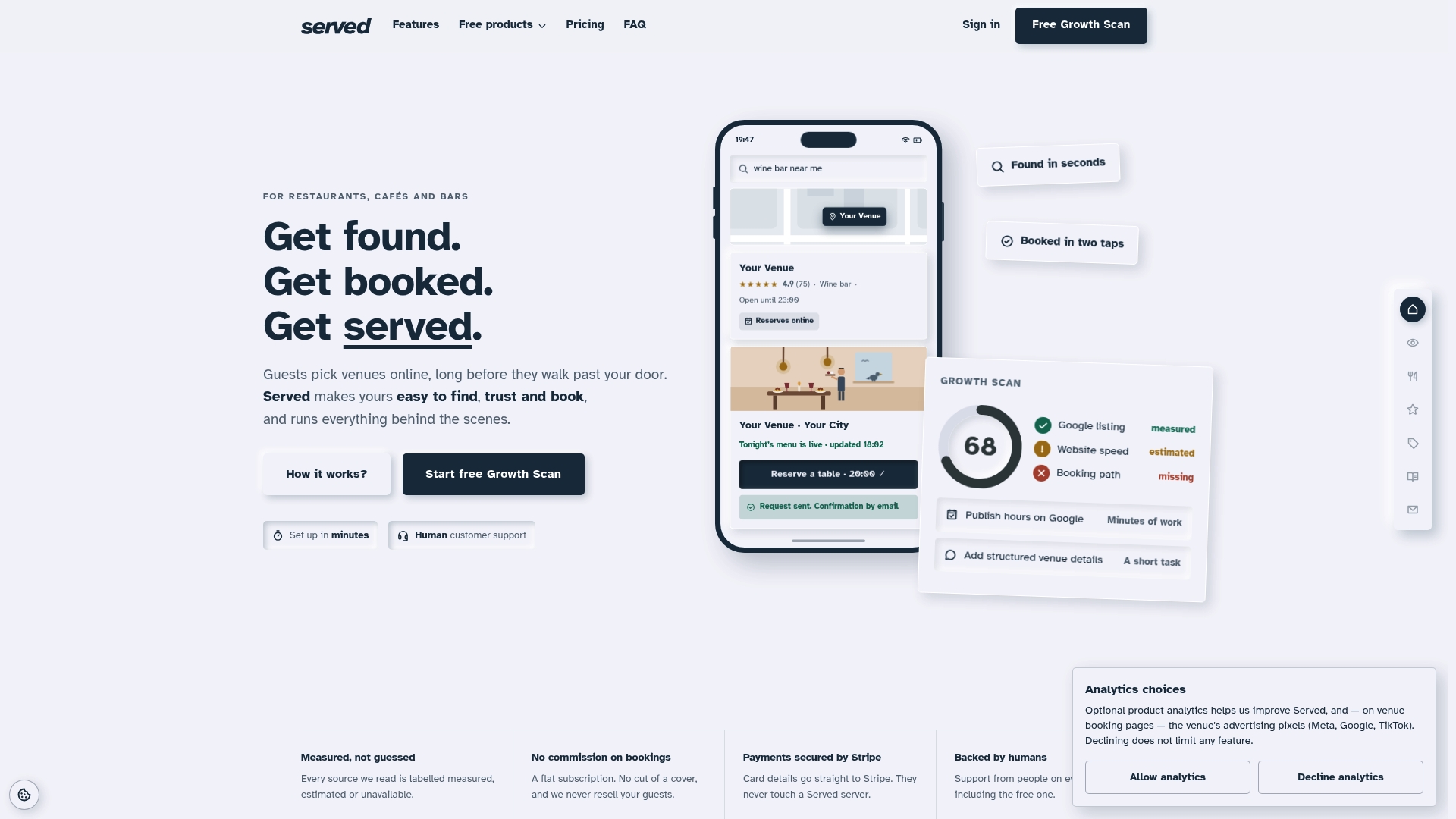
The sensible next move is to run the Booking Path Scan or start with the free tier before changing anything about how you currently take bookings. Within 30 days, a well-run setup typically shows confirmed bookings flowing in from your Google listing and website, a basic reporting view of your covers, and noticeably less time spent manually juggling the phone and a paper diary. For venues weighing up discovery against booking capture specifically, the Visibility Brain plan is built around that exact priority.
Sources
- RESTwithEU - Supporting the implementation of digital tools for tourism and in the restaurant sector | European Digital Innovation Hubs Network
- Be compliant | Data protection guide for small business | European Data Protection Board
- No-shows increase in Switzerland — NZZ
- Restaurant survey: many guests reserve and don't turn up — DIE ZEIT
FAQ
What is the best booking system for restaurants?
The best system for most small restaurants is a commission-free subscription that captures bookings from every channel, manages your table map, and includes human support when something breaks. Prioritise operational fit for your floor team over long feature lists, and test it on a quiet night before full rollout.
What is the best restaurant booking app in the UK?
There's no single app that suits every UK restaurant, since the right choice depends on your table count, staffing and whether you need POS integration. Look for a provider with transparent, flat pricing rather than a per-cover commission, and confirm their data protection practices meet EDPB guidance before signing anything.
Is Quandoo shutting down?
There's no publicly listed information confirming this within the sources used for this article. If you're reviewing your current provider's stability, it's worth checking their official communications directly and keeping an exported copy of your guest data as a precaution regardless of the answer.
What is the most used platform for restaurant reservations?
Usage varies significantly by country and restaurant size, and no single platform dominates every market. What matters more for a small venue is whether the platform fits your actual booking volume and staffing, rather than which one shows up most often in general conversation.
How do booking systems help reduce no-shows?
Email and SMS reminders reduce no-shows but don't eliminate them on their own, and industry survey data shows many operators now pair reminders with deposits for higher-risk bookings. Confirmation calls for large parties and a clear overbook policy add a further layer of protection.