The fastest fix for double bookings is simple: sync your reservation feeds or publish a booking page that writes straight into your calendar. For a single location, Google Calendar appointment schedules or an iCal feed will cover you. If you're juggling multiple channels, units, or locations, you need real-time two-way sync, whether that's a channel manager or a platform like Served built for hospitality.
TL;DR:
- Relying solely on iCal feeds can cause double bookings because they update with hours of delay, unlike real-time two-way sync solutions.
- For venues managing more than two channels or multiple units, a dedicated channel manager or sync platform provides the necessary real-time updates to avoid conflicts.
- Regularly auditing your calendar setup weekly helps identify stale feeds, time zone mismatches, or mapping errors that cause inconsistencies.
- Using a unified platform like Served consolidates all reservation flows into one real-time calendar, significantly reducing manual oversight and setup complexity.
- Ongoing maintenance, including buffer times and periodic tests, is essential to keep automatic bookings accurate and prevent double bookings long-term.
Table of Contents
- What calendar sync for reservations actually does
- Three practical setup paths, step by step
- Choosing between DIY sync and a booking platform
- Keeping your calendar sync healthy after setup
- Where a hospitality platform solves this differently
- The part most guides skip: sync is a habit, not a setup
- Try Served for commission-free, real-time booking sync
- Sources
What calendar sync for reservations actually does
Calendar sync close the gap between "someone booked a table" and "your calendar knows about it." Without that gap closed, you're one phone reservation away from seating two parties at the same 7:00 PM slot.
Two mechanisms dominate here, and they behave differently.
Appointment pages are hosted booking forms, like Google Calendar's appointment schedules, that check your availability live and drop confirmed bookings directly onto your calendar. iCal feeds work the opposite direction: a booking tool exports a feed URL in the iCalendar format, and your calendar app subscribes to it, pulling in updates on its own schedule.
That distinction matters for how fast conflicts get caught:
- One-way feed imports (iCal) refresh periodically, not instantly, so a booking made five minutes ago might not show up yet.
- Two-way sync, the kind channel managers use, pushes changes in both directions and checks availability before confirming anything.
- A single cafe taking walk-ins and phone reservations usually does fine with an appointment page alone.
- A multi-unit operator selling rooms or tables across several platforms needs the two-way version, because the refresh delay on one-way feeds is exactly where double bookings sneak in.
Three practical setup paths, step by step
Pick the path that matches how many channels you're juggling, then follow it exactly. Skipping steps is how conflicts slip through.
Method A: Google Calendar appointment schedules
- Open Google Calendar and create a new appointment schedule from an eligible Workspace account.
- Set your booking window, service duration, and daily booking caps.
- Turn on availability checks against your other calendars so the page won't offer slots you've already filled, a setting Google documents in its appointment schedule guide.
- Add buffer time before and after each booking to cover table turnover or cleanup.
- Connect Stripe if you're taking deposits or prepayments.
- Share or embed the booking page on your website; Google supports embedding on Shopify, Squarespace, Wix, and Wordpress sites directly.
Method B: iCal feed subscription
- Log into your booking tool (Airbnb, Booking.com, VRBO, Resy, or similar) and find the export or calendar settings menu.
- Copy the iCal feed URL, usually labeled "export calendar" or "calendar link."
- In Google Calendar, go to "Other calendars," choose "From URL," and paste the feed link. In Outlook, use "Add calendar" then "Subscribe from web."
- Repeat for every platform you use, mapping each feed to its own calendar rather than merging them.
- Note that Google Calendar's booking pages update in real time when a connected calendar changes, but imported iCal feeds do not refresh instantly. Most platforms cycle every several hours, not every few minutes.
Method C: Third-party sync tools and channel managers
For three or more active channels, a dedicated sync tool or channel manager is usually worth the subscription cost. These tools, sometimes listed as calendar bridge integrations on marketplaces like Microsoft's app store, authenticate directly with each booking platform and push updates both ways, closing far more of the reservation calendar integration gap than a one-way feed ever will.
Setup involves connecting each platform's account credentials, mapping each unit or room to its corresponding listing on every channel, and confirming the sync direction for each connection.
Pro Tip: Map one calendar per physical unit, room, or table section, never one shared calendar for everything. Mixing units into a single feed is the single most common cause of mapping mismatches during setup.
Choosing between DIY sync and a booking platform
The right choice comes down to how many channels you run and how much staff time you can spend babysitting calendars.
| Factor | Appointment page | iCal feed | Channel manager / platform |
|---|---|---|---|
| Setup complexity | Low | Low to moderate | Moderate to high |
| Refresh speed | Real time | Delayed (hours) | Real time |
| Cost | Free with Workspace | Usually free | Paid subscription |
| Best for | Single location, simple booking | Single user pulling from one or two sources | Multi-channel, multi-unit operators |
Run through this before you commit to a method:
- How many booking channels do you actually sell through right now?
- How many separate units, tables, or rooms need their own calendar mapping?
- Do you need integrated payments or a guest CRM tied to the booking record?
- How many staff members need calendar access, and at what permission level?
If you answered "one or two channels, one location," an appointment page or iCal feed will hold up fine. If you answered "three-plus channels" or "multiple units," move straight to a real-time synchronization solution, because the gap between hourly iCal refreshes and an actual walk-in at your host stand is where reservations collide.
Keeping your calendar sync healthy after setup
Most sync failures trace back to one of four causes, and every one of them is fixable in minutes once you know where to look.
- Stale iCal refresh: the feed hasn't pulled new data yet; check the platform's stated refresh interval before assuming the sync is broken.
- Time zone mismatch: a booking made in one time zone can land on the wrong day if your calendar's default zone doesn't match your venue's location.
- Broken feed URL: some booking tools rotate or expire feed links; if bookings stop appearing, regenerate the URL and resubscribe.
- Mapping errors: a booking assigned to the wrong unit or room calendar will show as available when it isn't.
Build a few habits around this instead of treating sync as "set and forget":
- Add buffer time between bookings so a slightly late sync doesn't cause an actual overlap.
- Block your staff or personal calendar from appointment availability checks so internal events don't eat into bookable slots.
- Run a weekly audit comparing your booking platform's list against what's showing on your synced calendar.
- Test with a real cancellation occasionally to confirm the change actually propagates across every connected system.
Pro Tip: After any new integration, book a test reservation and cancel it within the hour. If the cancellation doesn't clear across every synced calendar within your platform's expected refresh window, you've caught a mapping problem before a guest does.
Where a hospitality platform solves this differently
DIY sync works, but it asks you to manage every connection yourself. Served takes a different approach: it consolidates your booking flows into one calendar view, so a table reserved through your website, a walk-in logged at the host stand, and a phone booking all land in the same place, in real time, without a commission on any of them.
Operators who move from spreadsheets or disconnected booking tools to one unified, real-time calendar cut down on the kind of staff miscommunication that causes double bookings in the first place.
Served pairs that unified calendar with Growth Scan insights, so you can see where your online visibility needs work, and human support when something breaks, not a ticket queue. For a venue running reservations across a website, walk-ins, and a phone line, that consolidation removes most of the manual checking DIY sync still requires.
The part most guides skip: sync is a habit, not a setup
Most advice on this topic treats calendar sync like a one-time task: connect the feed, check the box, move on. That's backwards. The setup takes ten minutes. Keeping it accurate for the next twelve months is the actual work, and it's where most double bookings quietly reappear months after everything looked fine.
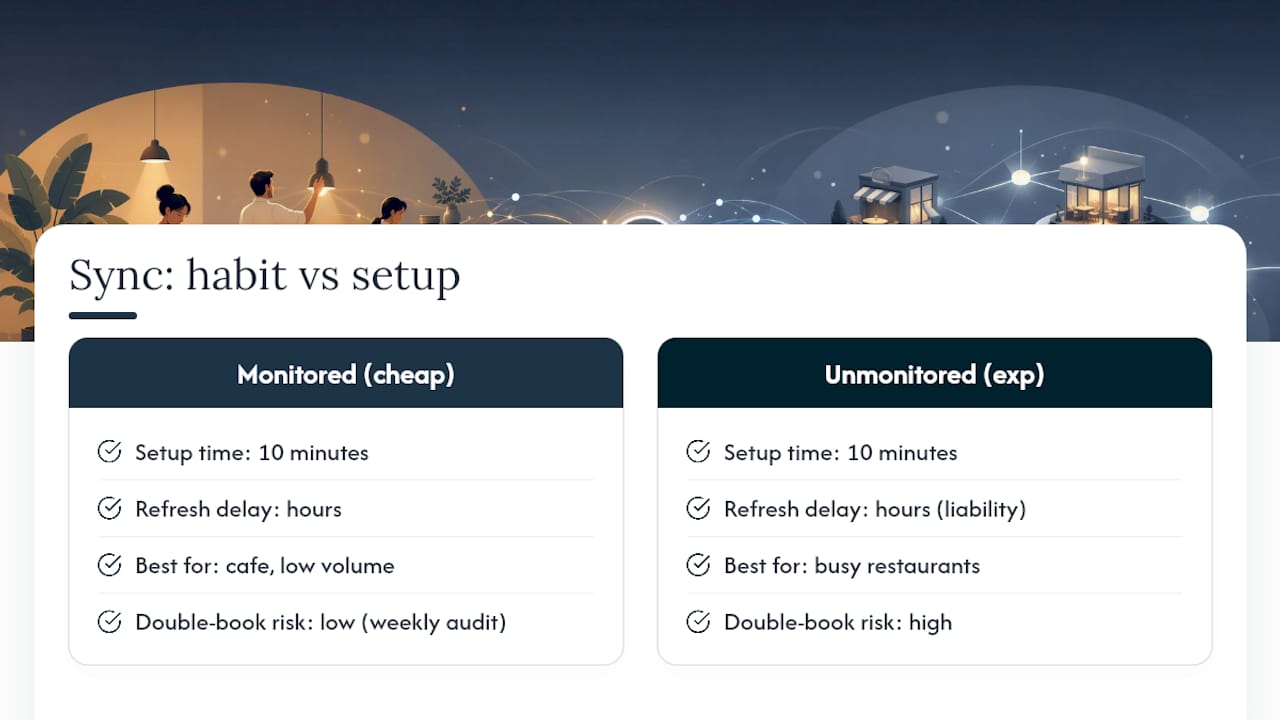
Here's what the research on refresh cadence actually supports: native iCal imports refresh on a delay measured in hours, not minutes. That delay is fine for a cafe with light booking volume. It's a liability for a restaurant running three OTAs and a walk-in line on a Saturday night. The conventional advice, "just subscribe to the feed," works until volume grows past what a delayed refresh can safely cover.
Prioritize the weekly audit before you prioritize the fanciest tool. A cheap sync method checked every week beats an expensive one nobody monitors.
— Ignacy
Try Served for commission-free, real-time booking sync
Served gives you one calendar that actually stays accurate, without taking a cut of every table you seat. Bookings made through your website, walk-ins, and phone reservations all sync in real time, backed by human support when you need to fix something fast, not wait on a chatbot.
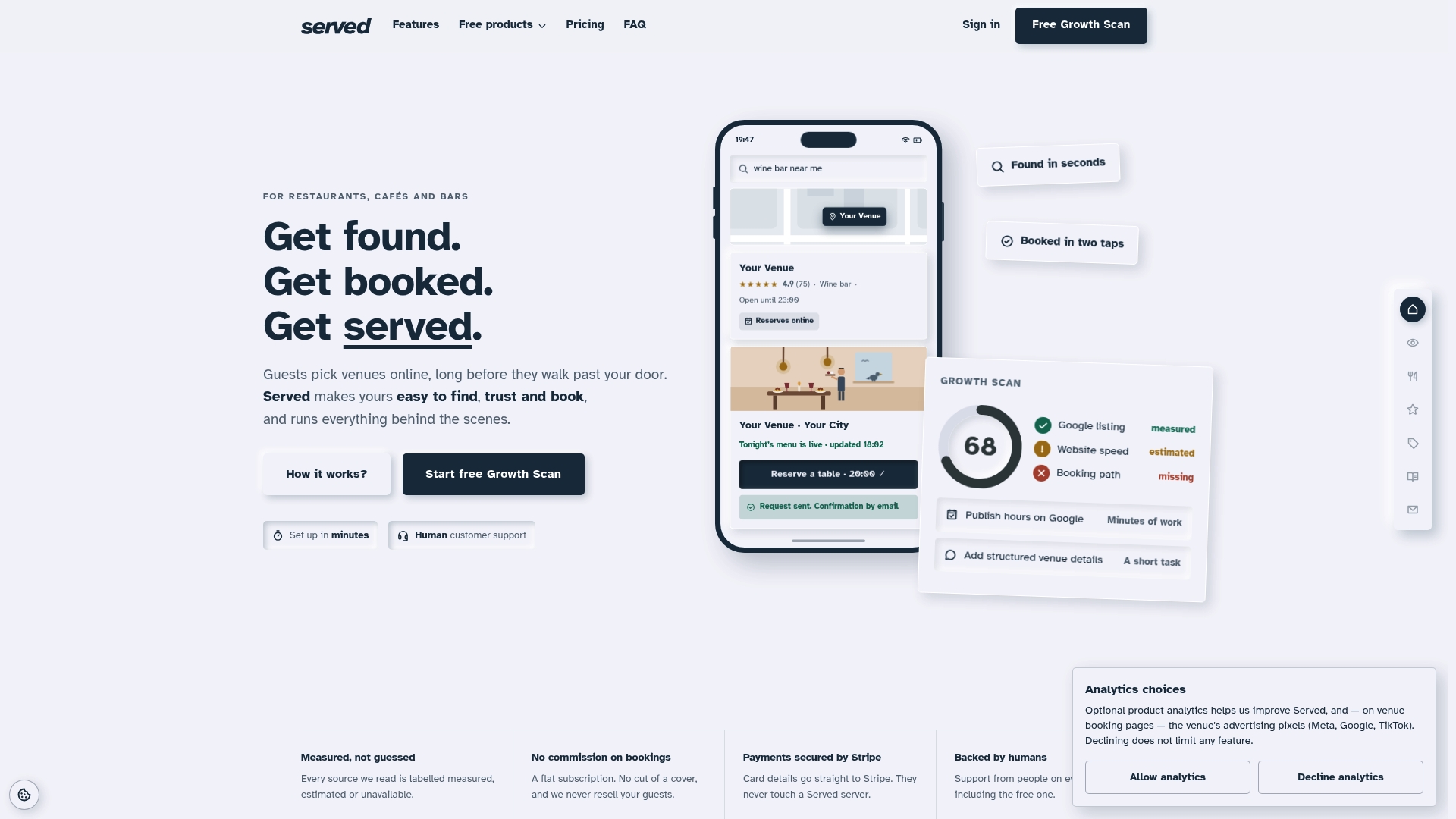
If you've been stitching together appointment pages and iCal feeds across three different tools, switching to Served consolidates that into one system built specifically for restaurants, bars, and cafes. Coming from another provider? The switching guide from OpenTable walks through migration without losing existing reservations. Not ready to commit? Run the free Growth Scan first and see exactly where your booking setup and online visibility stand before you change anything. Start there, then decide.