
A growth scan for restaurants finds the single fastest route to more bookings. It scores your visibility, booking path, menu and reviews, then ranks the fixes by impact. Expect a report of prioritised quick wins, not a wall of data. Run one, read the ranking first, and fix the top three items before anything else.
TL;DR:
- Correcting your Google Business Profile details and fixing inconsistent directory citations can significantly improve online discovery within 24 to 48 hours.
- Shortening the booking form to only essential fields and ensuring instant confirmation can quickly reduce booking abandonment rates.
- Reviewing recent negative feedback and requesting positive reviews from satisfied guests can help improve your online reputation and star ratings.
- Regular quarterly scans reveal which fixes persist and help monitor improvements in booking flow and review trends over time.
- Running the free Served Growth Scan provides a ranked list of high-impact, quick-win fixes tailored to your restaurant’s specific issues.
Table of Contents
- 1. What a restaurant growth scan checks
- 2. How to interpret scan findings and prioritise fixes
- 3. Concrete 7-day action checklist you can follow after a scan
- 4. Common problems scans find and evidence-backed fixes
- 5. How Served's Growth Scan maps to these checks and helps you act
- 6. What running growth scans regularly actually changes
- 7. Further reading and primary sources
- Sources
- FAQ
1. What a restaurant growth scan checks
A scan looks at the four places a guest decides whether to book you or move on. Get any one of them wrong, and the booking is lost before you know it happened.
Discovery signals come first: your Google Business Profile, directory listings, social snippets and basic SEO all need to say the same thing about your venue. Mismatched hours or addresses across platforms confuse both guests and search engines.
Booking funnel checks look at how easy it actually is to reserve a table on a phone: how many fields the form asks for, whether confirmation is instant, and whether the calendar syncs without double-booking. 70% of German restaurant visitors search for places to eat on digital platforms, and half have booked a table online, so a clumsy booking form loses guests who were ready to commit.
Menu signals matter more than owners expect: are dishes described clearly, are prices visible without a tap, and does the page load fast on mobile data. Reputation checks track your star rating trend, how recent your reviews are, and whether you reply to them. A scan also flags operational issues hiding inside reviews, such as recurring complaints about wait times or bookings that don't match table capacity.
- Discovery: profile accuracy, directory consistency, social presence.
- Booking path: form length, confirmation speed, calendar reliability.
- Menu: clarity, pricing visibility, mobile speed.
- Reputation: rating trend, review recency, reply rate.
2. How to interpret scan findings and prioritise fixes
Not every flag deserves the same urgency. Sort findings by impact against effort, and you'll usually find two or three fixes that take an afternoon but move the needle fast.
- High impact, low effort: correcting your Google listing hours, adding photos, shortening a booking form.
- High impact, higher effort: rebuilding a booking flow or retraining staff on wait management.
- Low impact: cosmetic menu wording that guests rarely read.
Red flags tend to cluster. A falling star rating paired with review mentions of "waited ages" usually points to a capacity mismatch rather than a service failure. A high bounce rate on the booking page paired with a long form usually means guests are giving up before they finish.
Work to three timelines: immediate fixes within 24 to 48 hours (listing corrections, form shortening), short-term fixes within one to four weeks (review response policy, menu rewrite), and strategic work over three months or more (staffing changes, capacity planning).

Pro Tip: Fix the booking form before touching anything else. It's usually the highest-impact, lowest-effort change on the list.
3. Concrete 7-day action checklist you can follow after a scan
A scan is only useful once it turns into work assigned to someone with a deadline. Here's a plan that fits around normal service hours.
- Day 1 to 2: Update your Google listing details and fix inconsistent citations across directories, then test the booking flow on your own phone.
- Day 3 to 4: Rewrite unclear menu copy, make prices visible without extra taps, and cut any booking field that isn't strictly needed.
- Day 5: Reply to your most recent negative reviews and ask a handful of happy regulars for a fresh one.
- Day 6 to 7: Send yourself a test booking to check the confirmation arrives instantly, then check early analytics for movement.
- Assign each task to one person, not "the team".
- Hand off repeat jobs, like weekly review replies, to a specific staff member once the process is proven.
By day 7 you should see fewer abandoned bookings and a visible bump in listing views. That's the signal the fixes are working, not a finished project.
4. Common problems scans find and evidence-backed fixes
Most scan results fall into a handful of recurring patterns, and each has a known fix.
- Low online discovery: usually caused by inconsistent citations across directories. Fixing your Google Business Profile, matching your name, address and phone number everywhere, and adding structured menu data closes most of the gap.
- Booking drop-offs: a booking form with minimal fields and instant confirmation reduces drop-off compared with multi-step forms that require account creation. Cut fields to the essentials and confirm the booking immediately.
- Reputation pressure: food quality, service quality and atmosphere are the primary drivers of online reputation, and long waits are a recurring negative theme in reviews. A structured reply policy paired with proactive requests for reviews from satisfied guests dilutes the effect of the occasional bad one.
- Operational complaints: repeated mentions of waiting are usually a capacity or scheduling issue rather than a service one. Adjusting table turns or being visibly upfront about wait times at busy periods tends to calm this pattern.
71% of weekly diners in Germany book their tables online, which means a broken booking path doesn't just cost you the odd guest. It costs you your most loyal ones first.
5. How Served's Growth Scan maps to these checks and helps you act
Served's free Growth Scan checks exactly the areas covered above: your Google visibility, your booking path, whether your menu is synced and readable, and what your reviews are telling you. It's the same diagnostic logic, run for you in minutes instead of an afternoon.
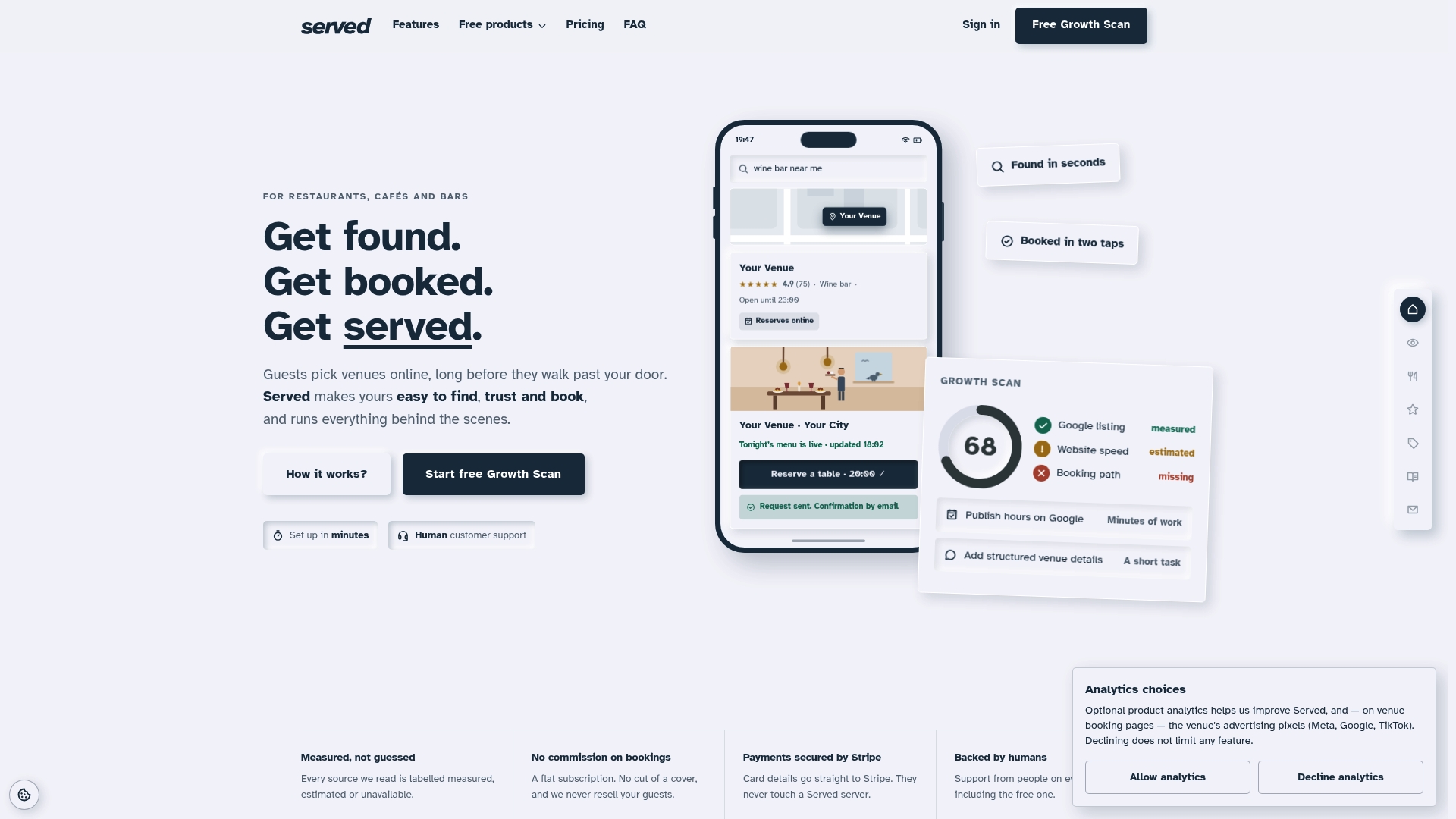
Where Served differs from a generic booking tool is what happens after the scan. Bookings run on a flat subscription without commissions, so every reservation you take stays yours. Menu changes update in real time across your listing, and support comes from a person, not a chatbot, when something needs fixing fast.
Run the free Growth Scan and you'll get a report ranking your fixes by impact, the same structure this article has walked through. If you're ready to act on it, Served for restaurants shows how the booking and visibility tools fit together.

6. What running growth scans regularly actually changes
Doing this once is useful. Doing it every quarter is where the pattern becomes visible: which fixes stick, which review issues keep resurfacing, and whether your booking abandonment is actually improving or just fluctuating with the season.
Digital tools built for this kind of tracking reduce the administrative load on staff, freeing hospitality teams to focus on service rather than admin. That's the real value of scheduling scans rather than running them once in a panic: less time spent chasing listing errors, more time spent on the floor. Once you've handed off the repeat tasks, a scan becomes a fifteen-minute quarterly check rather than a project.
Owners who treat reviews as operational intelligence, not just reputation upkeep, tend to make faster, better-targeted fixes to menus and service.
— Ignacy Jurkowski
7. Further reading and primary sources
For the figures and claims referenced above: METRO AG's survey on digital gastronomy, the study on determinants of online restaurant reputation, and research on owner attitudes to online reviews.
Sources
- Representative survey: digital gastronomy | METRO AG
- Determinants of online restaurant reputation (Central Europe study)
- Online customer reviews and restaurant owners: attitudes and strategies
- Digitalisation, AI tools, reduction in employees' workload: solutions for the future of the hotel, restaurant and catering industry
FAQ
What does a growth scan check first?
A growth scan usually checks discovery signals first, such as your Google Business Profile accuracy and directory consistency, because these determine whether guests find you at all. From there it moves to booking path friction, menu clarity and review trends.
How often should I run a restaurant growth scan?
A quarterly scan is enough for most venues to catch drift in listings, reviews and booking performance before it costs bookings. Busier venues or those mid-renovation may benefit from checking monthly until things settle.
How do online reviews affect restaurant bookings?
Food quality, service and atmosphere are the main drivers of online reputation, and long waits show up repeatedly as a negative theme in reviews. Responding to reviews and encouraging fresh ones from happy guests helps offset the impact of occasional negative ones; for more insights, see the role of customer reviews in hospitality.
What's the fastest fix after a growth scan?
Shortening your booking form and confirming reservations instantly is usually the fastest, highest-impact fix, since a large share of diners now book tables online and abandon clunky multi-step forms. Fixing your Google listing details is a close second and takes under an hour.
Is Served's Growth Scan free?
Yes, Served's Growth Scan is free to run and gives you a ranked list of fixes for your visibility, booking path and reviews. There's no obligation to subscribe to see your results.