Yes, you can add Instagram's 'Book' or 'Reserve' action button to your restaurant's profile, but it requires a professional account and a supported booking destination. Get it right and you turn casual profile browsers into confirmed diners with one tap, cutting the steps between "that looks good" and a table held in your name.
TL;DR:
- Adding the booking button requires a professional account, administrator rights on the Facebook or Meta page, and a supported reservation URL or partner integration.
- Successful setup hinges on proper partner authorization, region-specific availability, and matching domain requirements, with testing recommended before going live.
- Maintaining consistent opening hours, menus, and contact details across Instagram and booking pages significantly boosts conversion rates.
- Troubleshooting often involves reauthorizing the partner, reconnecting accounts, clearing app caches, or verifying permissions, with detailed errors providing faster fixes.
- The action button is most effective when supplemented with Stories, Highlights, and ads, all aimed at creating a seamless and trustworthy booking experience for guests.
Table of Contents
- How to add the Book or Reserve button on Instagram
- What counts as a supported booking destination
- Keep the booking journey consistent from tap to table
- Fixing a missing or broken action button
- Data protection and consent for booking flows
- Choosing between Instagram's supported booking partners
- Why the booking button matters for your reservations
- How guests actually use the button on their phone
- Promoting bookings beyond the action button
- What actually breaks when restaurants set this up
- Making your booking path work harder
- Where to check the official details
- Sources
- FAQ
How to add the Book or Reserve button on Instagram
Before you touch the app, gather what you need. Missing one of these is the most common reason setup stalls halfway through.
- Professional account: your Instagram profile must already be switched to business or creator.
- Admin access: you need administrator rights on the connected Meta or Facebook page.
- Booking details ready: a working reservation URL, an up-to-date calendar, and a menu link if your provider asks for one.
Once you have those, the in-app steps follow a fixed order, confirmed in Instagram's own action button documentation:
- Open your profile and tap Edit profile.
- Select Action buttons.
- Choose Reserve or Book from the list.
- Pick a supported booking partner, or enter your reservation URL if a partner isn't listed.
- Sign in to the partner account when prompted and confirm the link.
- Save changes and check that the button appears on your live profile.
The partner authorisation step trips up more managers than the rest combined. You choose the partner, sign into that provider's dashboard, confirm the account link back to your Meta page, and complete the connection. This is where credentials and permissions matter most: if you're not an admin on the Meta page, or you're signed in to the wrong provider account, the link often fails silently rather than throwing a clear error. Setup guidance from Koalendar confirms this authorisation pattern, selecting the partner, signing in, confirming the link, completing the connection, as the standard flow across providers.
- Use a mobile-first reservation page since the vast majority of taps happen on a phone.
- Keep your menu and opening hours synced between your booking system and your Instagram bio.
- Test the full flow yourself as a guest before telling your team it's live.
Pro Tip: Book a table on Instagram yourself, from a second phone or a logged-out browser, straight after setup. It's the fastest way to catch a broken link before a customer does.
What counts as a supported booking destination
Instagram treats two things differently: a registered booking partner integration and a plain reservation URL. A partner integration is a formal connection between Instagram and a reservation platform, OpenTable and TheFork are commonly cited examples in Instagram's own materials, and it usually unlocks richer features like live availability. A plain URL just opens your booking page in a browser when tapped. Instagram requires the partner route for some markets and account types, so what worked for another venue might not appear as an option for yours.
Most ineligibility issues trace back to one of three causes, as Koalendar's integration troubleshooting sets out:
- Unsupported domain: your booking system's URL structure doesn't match what the partner integration expects.
- Missing Meta integration: your provider hasn't completed its own connection to Meta's business tools.
- Regional restrictions: some partners only operate the Instagram integration in specific countries.
Before you assume the fault is yours, ask your provider three direct questions: do you support Instagram action-button integration, which domain must I use for the connection, and which account role do I need to assign to authorise it. Get those answers in writing before you spend an afternoon retrying the same steps.
Pro Tip: Test the partner link on a private, unlisted profile first, or ask your provider for their integration test tool. It isolates whether the fault sits with Instagram, your account, or the provider's setup.
Keep the booking journey consistent from tap to table
The action button only does half the job. What happens after the tap decides whether that click becomes a booking or a bounce.
Continuity is the biggest lever here. Your opening hours, table availability and venue name need to match exactly across your Instagram profile and your booking page, hospitality-specific data protection guidance from the WKO notes that mismatches in this chain are a leading cause of lost conversions, separate from any privacy obligation. A guest who sees "open now" on your profile but "closed" on your booking page won't wait around to figure out which is true.
- Add a menu link in your bio alongside the action button, not buried three taps deep.
- Use Stories highlights to show your dining room, so the booking feels like it matches what they'll walk into.
- Keep contact details and hours identical on your profile, Google listing and booking page.
- Design the booking page mobile-first, with a visible confirmation screen once the reservation is made.
- Add a fallback phone number for guests who prefer to call rather than fill in a form.
Continuity across the profile, booking partner and reservation calendar is the single highest-impact optimisation for restaurant Instagram bookings, according to hospitality privacy and process guidance from the WKO, because it removes the friction that causes guests to abandon a booking mid-flow.
Track click-to-book conversion where your provider allows it, and pair that with no-show rates and direct guest feedback. Small pattern shifts, a sudden drop in completed bookings after a menu change, for instance, tell you where the journey broke down faster than guesswork ever will.
Fixing a missing or broken action button
When the button disappears or won't connect, work through this order rather than jumping straight to reinstalling the app.
- Confirm your account is still set to professional, not personal.
- Check the Meta or Facebook connection is active and hasn't been unlinked.
- Verify you still hold administrator permissions on the connected page.
- Confirm your booking partner is still eligible in your region.
- Check the partner domain matches what the integration expects.
- Update the Instagram app if you're running an older version.
Most fixes fall into a short list: reauthorise the partner connection, reconnect the Meta or Facebook account, clear the Instagram app cache, confirm nothing changed in your provider's settings, and test the flow again from a private account. Koalendar's troubleshooting notes point out that most integration failures sit in the connection layer rather than in Instagram itself, so resist the urge to blame the app first.
If none of that resolves it, escalate with specifics: screenshots of the error, your Meta account ID, and any logs your provider can pull on the failed authorisation attempt. Vague reports get vague answers.
Pro Tip: Screenshot the exact error message the moment it appears. Support teams move faster with evidence than with a description of "it just doesn't work".
Data protection and consent for booking flows
If your booking flow collects names, phone numbers or email addresses, you're processing personal data, and that comes with obligations. For venues operating in the EU, hospitality-specific GDPR guidance from the WKO is explicit that generic templates aren't enough: records of processing and consent wording must be adapted to your actual venue and booking setup.
- Update your privacy notice to reflect exactly what your booking system collects and why.
- Keep a simple record of processing activities, even a one-page log is better than nothing.
- Review consent wording for any marketing opt-in tied to the booking form.
- Check your booking provider's own data processing terms before you rely on them.
Templates are a starting point only. They must be customised to reflect what actually happens at your venue. WKO hospitality data protection guidance
Booking systems rarely sit alone. They often link to newsletters, cookies and analytics, so a review of your Instagram booking flow is a natural moment to check your cookie and tracking approach too.
Choosing between Instagram's supported booking partners
Instagram's action button works with a set of named booking partners rather than any reservation link you fancy. OpenTable and TheFork appear in Instagram's own documentation as examples of the partner route, and each brings its own onboarding, its own domain requirements and its own regional availability.
Choosing between them isn't really about picking a favourite. It's about matching what you already use. If you run your reservations through a system that already has an Instagram partnership, the setup is quick, sign in, authorise, done. If your current provider isn't a recognised partner, you have two paths: switch to one that is, or use the plain URL option where Instagram allows it, accepting that you'll lose the richer partner features like live table availability shown directly in the app.
Ask any provider you're considering the same three questions before switching: do they support the Instagram integration natively, which domain does the connection require, and what account role do you need to complete authorisation. Venues that have gone through a provider switch tend to find the partner question settles quickly once those three answers are on the table.
The right partner is the one that matches your booking volume, your markets and your existing calendar, not necessarily the biggest name.

Why the booking button matters for your reservations
A booking button on your profile removes a step that used to cost you covers. Without it, a guest who wants to book has to leave Instagram, search for your name, find your website, then find the booking page, and plenty give up somewhere in that chain. With the button, the tap and the booking page are one motion.
That shortened path shows up in two places. First, in raw reservation numbers: fewer steps between interest and action generally means fewer guests dropping out along the way. Second, in how the whole customer journey feels. A guest who discovers your restaurant through a friend's tagged Story, taps your profile, and books a table in under a minute has had a smoother experience than one juggling three apps to do the same thing.
For restaurants specifically, this matters more than for most businesses on the platform. Dining decisions are often made quickly, browsing food photos on a lunch break, deciding on dinner an hour before you want to eat, and friction at that moment is friction you don't get back. The action button meets guests at the exact point of intent, which is precisely when a slow or broken booking path costs you the most.
How guests actually use the button on their phone
From a guest's side, the flow is short by design. They land on your profile, usually from a tagged post, a hashtag search or a friend's Story. If the profile looks active and the photos match what they're hoping for, they scroll down to the action button.
A tap on Reserve or Book either opens the partner's booking widget inside a browser view without leaving Instagram, or redirects to your booking page directly. From there, most guests expect to see available time slots, a simple form for party size and contact details, and a confirmation screen or message within seconds. Anything slower, or any screen that looks broken on a small phone display, and a portion of guests will simply back out and try a different restaurant.

This is where the earlier point about mobile-first design earns its place again. Guests aren't testing your booking page on a laptop. They're doing it one-handed, often while distracted, deciding in the moment whether to commit to your restaurant or keep scrolling. The fewer taps and the faster the confirmation, the more of those moments convert into an actual booking rather than a closed tab.
Promoting bookings beyond the action button
The action button is the most direct route, but it's not the only one. Instagram Stories with a link sticker pointing straight to your reservation page work well around specific moments, a quiet Tuesday, a new menu launch, a last-minute cancellation you want to fill.
Highlights are worth using too. A saved Story highlight labelled "Book a table" sits permanently near the top of your profile, giving guests a second, more visual route into your booking page alongside the action button itself.
Instagram ads add a paid layer on top. A well-targeted ad can push your booking link to people who haven't found your profile organically, useful for a launch, a slow season, or an event night that needs a push. Unlike the action button, ads cost money per view or click, so they work best as a supplement rather than a replacement.
None of these alternatives should replace the action button. They work alongside it: the button as the always-on route, Stories and Highlights for timely pushes, and ads for reach when organic traffic isn't enough on its own.
What actually breaks when restaurants set this up
Continuity matters more than button placement. Most failures I've seen trace back to permissions or domain mismatches, not the button itself. Fix the connection layer first.
— Ignacy Jurkowski
Making your booking path work harder
Getting the action button live is one piece of a bigger picture: whether your restaurant is easy to find and easy to trust before a guest even reaches your profile. Some platforms take a commission-free approach to that whole path, charging a flat monthly subscription rather than a cut of every booking, so growth in reservations doesn't increase your costs alongside it.
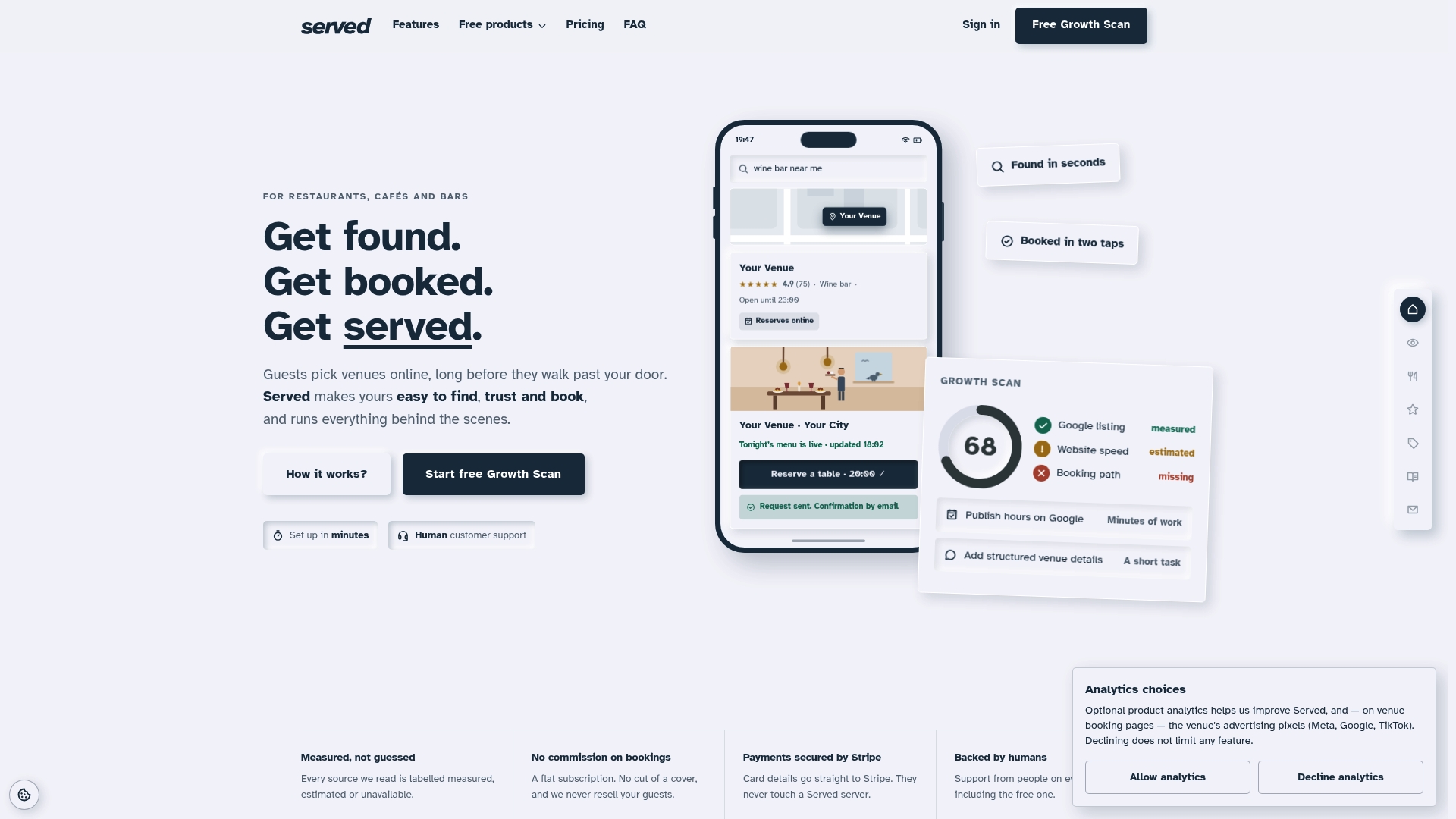
- No commission: keep every reservation you take, with pricing that doesn't move as bookings do.
- Real-time menu updates: keeping the dish list guests see up to date.
- Human support: customer support is available when your booking flow needs fixing.
If you're not sure whether your current setup is costing you bookings before guests even reach the action button, run a Booking Path Scan to see where the gaps sit.
Where to check the official details
For the exact button options, use Instagram's action button guidance. For EU-specific consent and processing templates, see the WKO hospitality data protection materials.
Sources
- About action buttons for Instagram Business profiles — Instagram Help
- How to add a Book Now button on Instagram, Facebook, Google Business and website — Koalendar blog
- Datenschutz im Tourismus (Data protection in tourism) — WKO (Austrian Chamber of Commerce)
FAQ
How do I add a booking button on Instagram?
Switch your account to professional, open Edit profile, select Action buttons, then choose Reserve or Book and connect a supported partner or reservation URL. The full sequence, including the partner authorisation step, is set out in Instagram's own help documentation.
What is the 5-3-1 rule on Instagram?
This is a content posting framework some marketers use for planning weekly posts, and it isn't part of Instagram's own booking or action button documentation. Definitions of it vary across marketing blogs, so it's worth treating any specific version with caution rather than as an official rule.
Why is my Instagram action button only showing order food?
This usually means your account or connected page defaulted to a food ordering partner rather than a reservation one, or your reservation partner hasn't completed its own connection to Meta. Check your Action buttons setting in Edit profile and deselect Reserve or Book, then reauthorise your booking partner if it still doesn't appear.
How do I add a restaurant menu on Instagram?
Instagram doesn't have a dedicated menu upload feature, so most restaurants add a menu link in their bio or attach it via their booking partner's page. Keeping that menu link synced with what's actually served, as covered in the continuity section above, matters more for conversion than where exactly it sits on your profile.