
If a review is fake or malicious, flag it via your Google Business Profile, collect clear evidence straight away, and escalate immediately if it looks like extortion. Removal depends on whether the review breaches platform policy and how solid your evidence is. Expect delays, so respond publicly and keep building genuine reviews while you wait.
TL;DR:
- The typical pattern of fake reviews includes identical wording, lack of visit details, and clustered accounts posting within a short timeframe, often from new profiles.
- Extortion attempts are characterized by threats, demands for payments or free goods, and multiple linked accounts posting similar content rapidly.
- Document all suspicious activity with screenshots, timestamps, and visit logs before flagging reviews, and only escalate with solid evidence.
- Respond publicly to disputes with brief, respectful replies that acknowledge concern and invite direct contact, avoiding threats or promising compensation.
- Use Google's Reviews Management Tool to report violations with evidence, resubmit only if new proof emerges, and avoid paying extortionists, as it rarely halts further negative posts.
Table of Contents
- How to spot fake or malicious reviews
- How to flag a review through your Google Business Profile
- What to do when Google rejects your flag
- Should you respond publicly while a review is under dispute?
- What evidence should you collect and preserve?
- How to dilute the damage with genuine reviews
- What are platforms and regulators doing about fake reviews?
- Realistic priorities for a busy restaurant manager
- Reduce your reliance on third-party review signals with Served
- Sources
- FAQ
How to spot fake or malicious reviews
Not every one-star review is fake, but certain patterns give it away. Watch for reviews with no visit detail, identical phrasing across several accounts, or a timestamp that doesn't match your opening hours. A sudden spike of 1★ or 2★ reviews in a short window, especially from brand-new accounts, is another red flag worth pulling up in your dashboard.
Extortion attempts follow their own pattern: a direct message or review threatening more negative posts unless you pay, or several linked accounts posting near-identical text within days of each other.
- Identical or near-identical wording across multiple reviewers
- No mention of a dish, table, or visit date
- A cluster of new accounts posting in a short timeframe
- Messages demanding payment, free meals, or discounts to remove a review
Triage matters. Report extortion and clearly fabricated reviews first; monitor borderline complaints (a genuinely dissatisfied guest, poorly worded) rather than flagging them.
Pro Tip: Keep a simple spreadsheet logging reviewer name, date, and reason for suspicion. It turns a gut feeling into a paper trail moderators can act on.

How to flag a review through your Google Business Profile
Google's Reviews Management Tool is the fastest legitimate route to getting a fake review looked at, and it's worth using precisely rather than in bulk.
- Open your Business Profile and go to the reviews section.
- Find the review, click the three-dot menu, and select "Report review".
- Choose the specific violation: spam, off-topic content, profanity, or conflict of interest.
- If eligible, confirm your account in the Reviews Management Tool and submit an appeal covering up to 10 reviews in one go.
- Reference concrete evidence in your report, such as mismatched visit dates or duplicate phrasing you've already logged.
Automated spam detection catches a good share of obvious fakes, but it isn't perfect, which is exactly why a documented appeal with specifics attached tends to fare better than a vague flag with no supporting detail. Google reviews each report against its prohibited content policy, which requires reviews to reflect a genuine experience and bars incentivised posts or coordinated multi-account activity.
What to do when Google rejects your flag
A rejected flag isn't the end of the process. It usually means the moderator didn't see enough evidence to act, not that the review is untouchable.
- Resubmit only if you have new evidence; repeated identical flags rarely change the outcome.
- Consolidate every review link, message screenshot, and timestamp into a single PDF or shared folder before escalating further.
- If the review involves threats or payment demands, submit everything through the Merchant Extortion Report Form rather than continuing to appeal individually.
- For stalled cases, raise the issue in Google's Business Profile product expert forums or contact support directly.
- In the EU, a coordinated or large-scale fake review campaign can be reported to a trusted flagger under the DSA, whose notices platforms must handle with priority.
Pro Tip: Never pay an extortionist, even a small amount. Google explicitly advises against it, and payment rarely stops further posts. It usually just confirms you'll respond.
Should you respond publicly while a review is under dispute?
Yes, a short, calm reply protects your reputation even before the review is resolved. It shows future diners you take feedback seriously without confirming or denying private details in public.
- Acknowledge the review briefly and state you're looking into it.
- Invite the person to contact you directly with a booking reference or receipt.
- Never threaten the reviewer, and never offer money, discounts, or a free meal in exchange for a deletion.
- Avoid revealing internal details, staff names, or evidence you're using in an appeal.
A measured public response reassures potential customers scanning your profile, even while the disputed review is still live. Silence, by contrast, often reads as guilt.
What evidence should you collect and preserve?
Systematic documentation, gathered early, is what separates a successful escalation from a rejected one.
- Save the exact review permalink and the reviewer's profile URL.
- Screenshot the review, including the timestamp, before it can be edited or deleted.
- Capture any extortion messages in full, with dates visible.
- Cross-reference the claimed visit against your booking system or receipt log.
- Store everything in one folder or PDF, keeping original file metadata intact where possible.
This bundle is what you'll attach to a Google appeal, an extortion report, or, if needed, a solicitor's letter.
How to dilute the damage with genuine reviews
The fastest way to reduce a fake review's visible weight is to outnumber it with real ones. Ask satisfied guests for a review at the point of sale or in a short follow-up message, without ever offering an incentive, which would itself breach platform rules.
- Add a review link to receipts, confirmation emails, and table cards.
- Keep your menu, opening hours, and location details accurate so reviewers describe a consistent experience.
- Encourage loyal regulars and CRM-listed guests to mention specifics (a dish, a server, an event) that add credibility.
- Never run incentivised review schemes; the risk of enforcement for buying or soliciting fake reviews is real and growing.
Genuine, detail-rich reviews also make fake ones easier for readers and moderators to spot by contrast, as covered in this look at how reviews shape hospitality bookings.
What are platforms and regulators doing about fake reviews?
Google's policy is unambiguous: reviews must reflect a genuine experience, and incentivised posts, multi-account manipulation, and coordinated fake campaigns all breach the prohibited content policy. Profiles found manipulating ratings can have reviews restricted, though owners can appeal that decision.
- The DSA's trusted flagger system speeds up handling of large or illegal campaigns in the EU.
- Consumer protection bodies have already fined businesses for buying or selling fake reviews.
- Soliciting fake reviews, even from friends or family, carries genuine legal and platform risk, not just reputational risk.
Realistic priorities for a busy restaurant manager
Evidence and escalation beat negotiation every time. Don't waste an hour drafting a reply to an extortionist when that time is better spent building a clean PDF of screenshots. Build one public-response template you can adapt in two minutes, and run a five-minute weekly review audit, the same discipline behind a Growth Scan, to catch new fake reviews before they pile up.
— Ignacy Jurkowski
Reduce your reliance on third-party review signals with Served
Served won't pull a fake review off Google for you, but it changes how much power that one review has over your bookings. Instead of leaving your visibility entirely at the mercy of third-party review threads, Served gives you verified bookings, a guest CRM, and real-time menu updates that build a stronger, first-party picture of your venue.
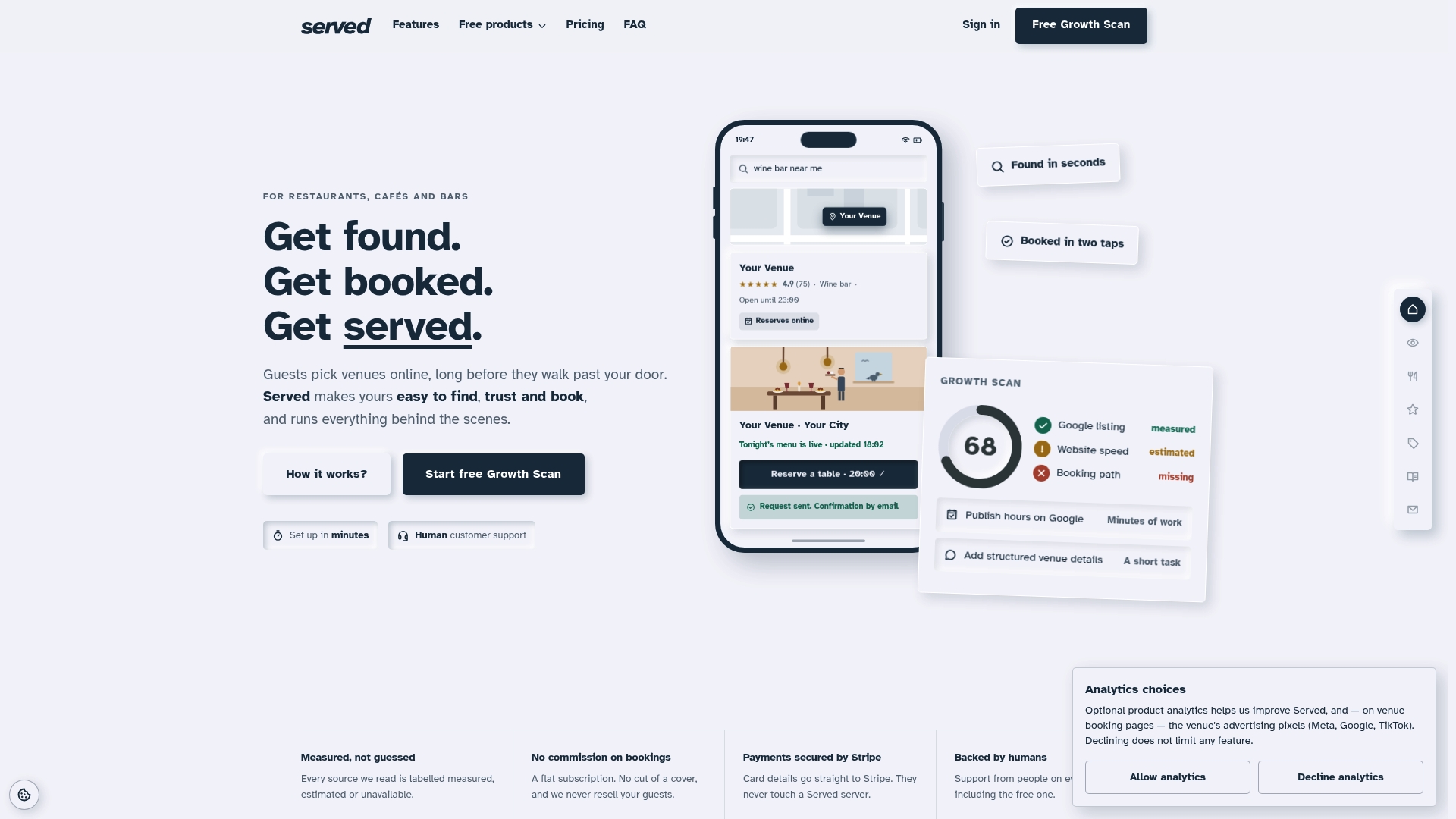
The platform's Growth Scan shows you exactly where your booking visibility is weak, often the same gaps that make a handful of fake reviews disproportionately damaging. Some platforms offer human support rather than chatbots when something needs sorting quickly. If you manage bookings for a restaurant, bar, or café and want a clearer, commission-free view of your online visibility, start with the free scan and see what it flags.
Sources
FAQ
How do I get a fake review removed?
Flag it through your Google Business Profile, choosing the specific policy violation, and attach evidence such as mismatched visit details. If eligible, submit a one-time appeal covering up to 10 reviews through the Reviews Management Tool.
Can restaurants remove bad reviews?
Restaurants can only get a review removed if it breaches platform policy, such as being fake, off-topic, or abusive; a genuinely negative but honest review generally stays live. Responding publicly and calmly is often the more realistic path when a review doesn't breach any rule.
Does Google actually remove fake reviews?
Yes, but only after review, and automated detection alone misses plenty of borderline cases. A well-documented flag with clear evidence attached has a far better chance of manual removal than a bare report.
Is it illegal to leave fake reviews?
Buying, soliciting, or posting fake reviews breaches Google's own content policy, and consumer protection authorities in several countries have already issued fines against businesses caught doing it. Rules vary by jurisdiction, so treat any purchased-review scheme as a genuine legal risk, not just a platform violation.