Yes, email marketing fills tables when you prioritize behavior-triggered automation over one-off blasts. Restaurants that build three flows, a welcome series, a birthday or anniversary offer, and a win-back sequence for lapsed guests, see stronger repeat visits than those sending only promotional broadcasts. The catch: it only works if you're actually capturing opted-in emails at the table, at checkout, or through your booking flow. A tool like Served can help by connecting that capture point directly to your guest data.
TL;DR:
- Building behavior-triggered automation flows and capturing opt-in emails at the point of contact are essential for effective restaurant email marketing, with campaigns like welcome and win-back flows providing the best results.
- A small, highly engaged subscriber list outperforms large, inactive ones because low engagement signals spam risk and damages deliverability, requiring 60 to 90 days to assess impact.
- Automated sequences such as welcome, birthday, and win-back emails should be set up first, with proper integration, domain authentication, and tracking to optimize incremental bookings and campaign attribution.
- Segmentation based on actual guest behavior like visit frequency or preferences improves personalization, but data accuracy and maintenance are critical for success.
- Following legal compliance with strict consent records, opt-in verification, and proper unsubscribe processes helps avoid costly penalties and ensures a trustworthy email program.
Table of Contents
- Should Your Restaurant Use Email Marketing?
- High-Impact Campaigns: What to Send, When, and Why
- How to Build a High-Quality Subscriber List
- Automation: The Three Flows to Build First
- Segmentation and Personalization That Increases Conversion
- Design, Copy, and Deliverability Rules
- Measuring Success and a Simple Sending Calendar
- Copy-Paste Templates for Your First Five Campaigns
- How Served Supports the Exact Workflows Described
- Compliance With Email Marketing Rules for Restaurants
- Managing Consent Records the Right Way
- Author Perspective: What Operators Get Wrong
- Served: A Direct Route to Booking-Driven Email Programs
- Sources
Should Your Restaurant Use Email Marketing?
Independent restaurants with a steady dine-in crowd get the fastest payoff, since regulars respond well to personalized nudges. Multi-location groups benefit too, but need cleaner data tagging to avoid sending the wrong location's offer to the wrong inbox. Cafes with high visit frequency are a natural fit for loyalty-style campaigns, and venues that run ticketed events or private dinners can use email almost as a direct sales channel.
Before you build anything, you need three things in place:
- A working opt-in capture point, whether that's a signup form, a reservation system, or a QR code on the table
- At least one integration between your email tool and your POS or booking system, so visit data flows in automatically
- One staff member who owns the calendar and checks performance monthly, even if it's just 20 minutes
Here's something counterintuitive: a tight list of a few hundred genuinely engaged subscribers usually outperforms a bloated list of thousands who never open anything. Deliverability providers treat low engagement as a spam signal, which drags down every campaign you send afterward. Give yourself 60 to 90 days before judging results. That's roughly the time it takes for a welcome series to run its course and a win-back flow to catch its first round of dormant guests.
High-Impact Campaigns: What to Send, When, and Why
Automated flows do the heavy lifting because they trigger off real guest behavior instead of a calendar date you picked at random. Here's the priority order that works for most restaurants:
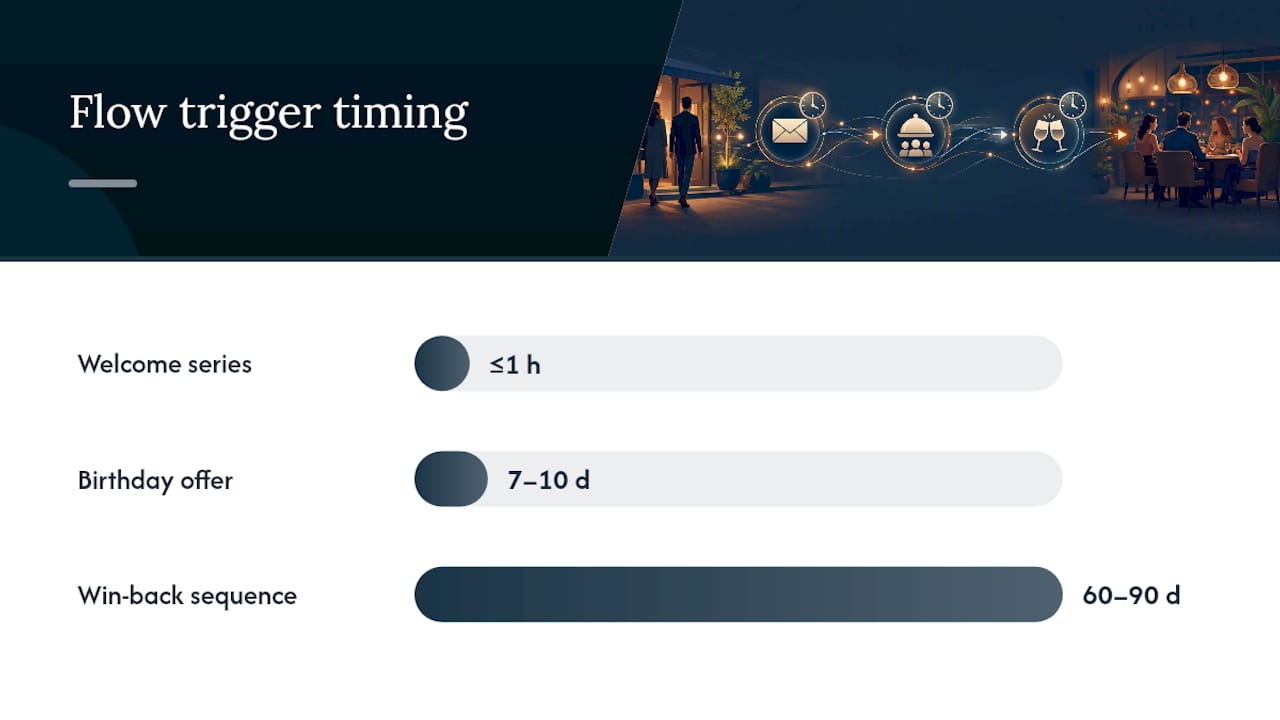
- Welcome email — sent within 1 hour of signup, while the visit is still fresh in their mind. Welcome emails for restaurants typically pull higher open rates than standard broadcasts, which makes this the single highest-leverage email you'll ever send.
- Birthday or anniversary offer — sent 7 to 10 days before the date, giving guests time to plan a visit rather than receiving a same-day offer they can't use.
- Win-back sequence — triggered at 60 to 90 days of inactivity, often the point where a guest has quietly drifted to a competitor without you noticing.
- Reservation confirmations and reminders — transactional, expected, and rarely questioned by regulators or spam filters.
- Post-visit follow-up — sent about 48 hours after the meal, when the experience is still memorable enough to prompt a review or a repeat booking.
Promotional email (flash fills for slow Tuesday nights, weekly specials, seasonal menu launches, event invites) still has a place, but treat it as seasoning, not the main course. Send too many, and your best subscribers start tuning out even the automated messages.
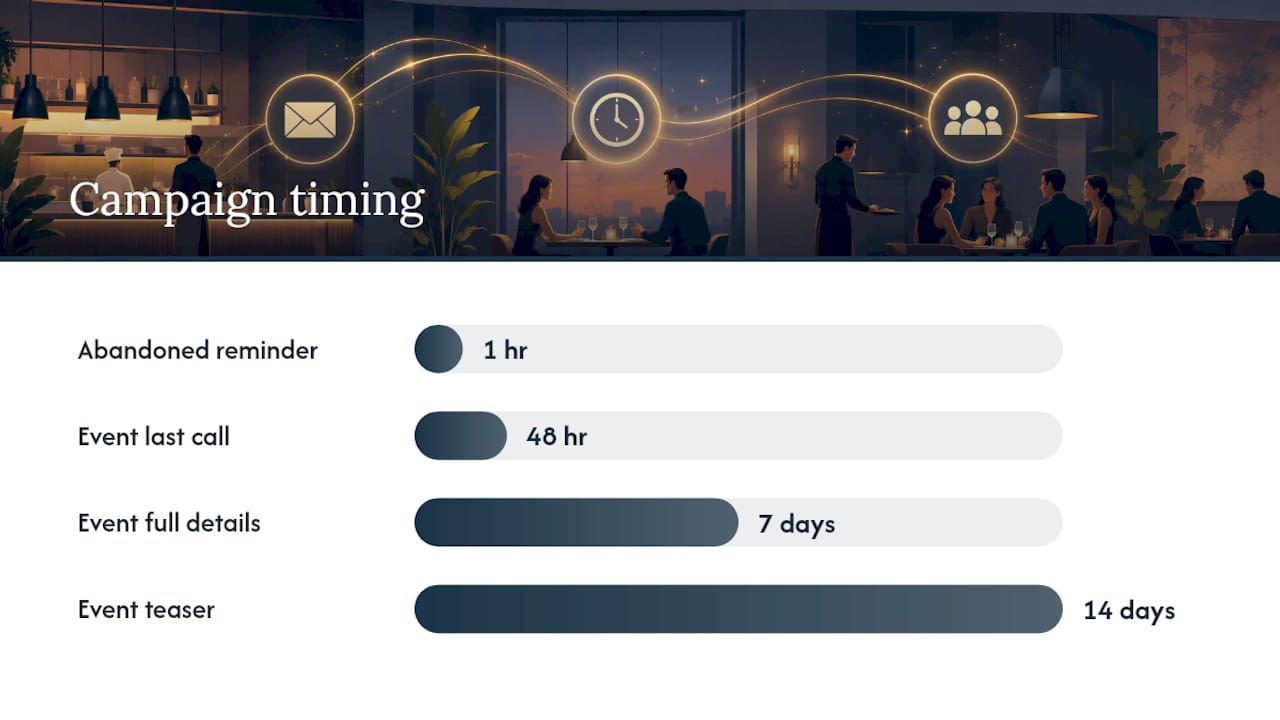
Abandoned online orders deserve their own short sequence: one reminder within an hour, and if you offer an incentive, keep it modest, a free side or small discount rather than a steep percentage off, so you're not training regulars to abandon carts on purpose. For events, chain three emails: a teaser two weeks out, full details a week out, and a last-call message 48 hours before the date.
Pro Tip: Set your win-back trigger at around two months of inactivity if you're a high-frequency concept like a coffee shop or fast-casual spot. A guest who hasn't visited in two months is a much easier save than one who's gone quiet for three.
How to Build a High-Quality Subscriber List
List-building happens in two places: at the venue and online, and the best programs treat both as equally important. The lowest-friction tactics are the ones guests barely notice they're doing.
- QR codes on table tents, printed receipts, and menus that link straight to a one-field signup form
- Wi-Fi gated signup, where guests trade an email for network access, works especially well in cafes with laptop traffic
- Opt-in checkboxes built into your reservation or online ordering flow, so capture happens automatically instead of relying on a separate ask
- Website forms with a clear, specific incentive, like 10% off a first visit rather than a vague "join our newsletter" pitch
Staff scripts matter more than most owners assume. A server who says "Want 10% off your next visit? Just scan this at the table" converts far better than a card sitting untouched by the register. Train your team to make the ask once per table, not repeatedly.
Never buy an email list. Purchased lists tank your deliverability scores almost immediately because recipients never asked to hear from you, and spam complaints follow fast. If you're exporting an old reservation system's contact list, run it through a basic cleaning pass first: remove obvious typos, drop anyone who hasn't engaged with your business in over a year, and confirm you have consent on file for each address.
Keep a short compliance checklist on hand: get explicit opt-in before sending anything promotional, include your physical business address in every email footer, and make unsubscribing a one-click action, not a buried settings menu.
Automation: The Three Flows to Build First
Set up welcome, birthday, and win-back in that order, because each one builds on lessons from the last. Here's the practical build sequence:
- Welcome series — trigger on signup, send within an hour, and include a modest first-visit incentive plus a quick introduction to what makes your restaurant worth returning to.
- Birthday offer — trigger 7 to 10 days before the birthday date pulled from your CRM, and pair the offer with a simple reservation link.
- Win-back sequence — trigger at 60 to 90 days of inactivity, and lead with a genuine "we miss you" tone rather than an aggressive discount, since the goal is to re-establish the relationship first.
Before any of this goes live, run through a short technical checklist: connect your POS or booking system so visit data updates automatically, set up domain authentication (SPF, DKIM, and DMARC records) so your emails land in the inbox instead of spam, and confirm your event triggers actually fire when a guest books, orders, or hits a dormancy threshold.
For attribution, use UTM parameters on every link and generate unique promo codes per campaign so you can trace a redeemed offer back to the exact email that sent it. Run your first 60 days as a pilot: pick one flow, measure incremental bookings against a baseline period, and only then expand to the next flow.
Automated and transactional messages typically post materially higher open rates than generic promotional sends, which is exactly why this build order front-loads automation. Once flows are live, A/B test one variable at a time, usually the subject line first, since it's the single biggest lever on whether an email gets opened at all.
Segmentation and Personalization That Increases Conversion
Segmentation only works if your tags are built around actual guest behavior, not guesses. The most useful buckets for a restaurant list look like this:
- First-time visitors, who need a warm welcome and a reason to come back
- Frequent guests with 3 or more visits, who respond well to early access rather than discounts
- Weekend brunchers, a distinct group worth a Friday-afternoon nudge
- Wine or cocktail enthusiasts, ideal for tasting-event invites
- Lapsed guests, who need the win-back tone rather than a promotional one
- Birthday-month subscribers, who convert at a different rate than any other segment
Personalization works best when it references something real: mentioning a guest's favorite dish, nudging them about a loyalty points balance close to a reward threshold, or dynamically inserting the address of their nearest location if you run multiple sites.
Keep your segments alive with basic maintenance. Use consistent naming conventions so nobody on staff has to guess what a tag means, refresh segments daily if your volume supports it, and prune contacts who've gone fully inactive for six months or more. A subject line personalized with a guest's name and preferences only works if the data behind it is accurate.
Design, Copy, and Deliverability Rules
Most restaurant emails get opened on a phone, so build mobile-first from the start. Use a single-column layout, buttons sized at least 44 by 44 pixels so they're easy to tap, compressed images that load fast on weak restaurant Wi-Fi, and alt text on every image in case it doesn't render.
Copy rules that actually move open rates:
- Keep subject lines under 50 characters so they don't get cut off on mobile screens
- Write preview text that adds new information instead of repeating the subject line
- Stick to one primary call-to-action per email, since multiple competing buttons confuse the decision
- Use high-contrast button colors so the CTA doesn't blend into your template's background
Deliverability is a slow build, not a switch you flip. Keep your list clean, confirm your authentication records are set correctly, ramp up send volume gradually if you're new to a platform, and watch your bounce and complaint rates weekly, not quarterly.
Pro Tip: If your open rates suddenly drop across every campaign, check your sender reputation before you touch your subject lines. A deliverability problem looks identical to a content problem until you dig into the actual data.
Measuring Success and a Simple Sending Calendar
Track five numbers and ignore the rest for now: attributed revenue, bookings generated from email, click-through rate, list growth rate, and engagement retention over time. Attribution comes from UTMs on every link, unique coupon codes tied to specific campaigns, and linking reservations back to a customer ID whenever your booking system supports it.
A simple cadence that works for most sit-down restaurants involves sending a campaign a few days before peak booking times, timely reminders close to meal decision times on slower days, and advance notices before major holidays when tables book out fast.
| Metric | What it tells you | Good cadence to check it |
|---|---|---|
| Attributed revenue | Whether email is actually driving sales, not just opens | Monthly |
| Bookings from email | Direct reservation impact per campaign | Per campaign |
| Click-through rate | Whether your content and CTA are working | Per campaign |
| List growth rate | Whether capture tactics are keeping pace with attrition | Monthly |
| Engagement retention | Whether your list is staying warm or going cold | Quarterly |
Treat open rates as directional rather than gospel, since privacy features on some email clients inflate them artificially. Welcome emails typically out-open promotional sends, so compare campaigns of the same type against each other, not against a different category entirely.
Copy-Paste Templates for Your First Five Campaigns
- Welcome: Subject: "You're in. Here's 10% off your next visit." Body: Thank the guest for signing up, mention what makes the restaurant worth returning to, and place a reservation link with the discount code front and center.
- Birthday: Subject: "Happy early birthday, [First Name]!" Body: Offer a specific perk (free dessert, a bottle of house wine) and link straight to booking.
- Win-back: Subject: "We've missed seeing you." Body: Skip the hard sell, acknowledge the gap, and offer a modest reason to return.
- Reservation reminder: Subject: "See you tomorrow at 7:00 PM." Body: Confirm the details, include a map link, and offer an easy way to modify the booking.
- Abandoned order: Subject: "Forget something?" Body: Remind them what's still in their cart and offer a small incentive to complete the order.
Place your CTA above the fold in every template, and personalize with name and location tokens wherever your platform supports it. Multi-location groups should always confirm the location token is pulling correctly before a send goes out, since a guest getting the wrong address is worse than no email at all.
How Served Supports the Exact Workflows Described
None of this works without a reliable capture point, and that's where a booking and visibility platform like Served fits into the picture. Because reservations flow directly into a guest CRM, opt-ins collected at booking get tagged automatically, first-visit, birthday-month, and so on, without anyone manually exporting a spreadsheet.
- Growth Scan flags visibility gaps that quietly cost you first-time bookings before an email program even starts
- Real-time menu updates keep promotional content accurate across every channel
- A commission-free model means the bookings your email campaigns generate stay fully yours
A practical next step: run a Growth Scan, export your current guest list, and turn on one welcome flow before adding anything else.
Compliance With Email Marketing Rules for Restaurants
CAN-SPAM in the United States and GDPR in the European Union set the baseline for any restaurant sending marketing email, and the rules matter regardless of your list size. CAN-SPAM requires an accurate sender name, no misleading subject lines, a working unsubscribe mechanism, and prompt removal of anyone who opts out. It doesn't require prior consent to send a first email, but it does require that you stop the moment someone asks.
GDPR is stricter and applies if you're marketing to guests in the European Union, regardless of where your restaurant is located. It generally requires explicit opt-in consent before you send any marketing email, not the opt-out model CAN-SPAM allows. That means a checkbox at signup that's unchecked by default, not a pre-ticked box guests have to notice and uncheck.
Both frameworks share a few common threads worth building into every template: identify who's sending the message, include a physical business address, and make unsubscribing a single click rather than a multi-step process. If you operate across borders, for instance a U.S. restaurant group with a European tourist audience, default to the stricter GDPR standard across your entire list rather than trying to segment compliance rules by guest location, which gets complicated fast and increases legal risk unnecessarily.
Penalties for violations can be steep enough to wipe out months of campaign gains, so this isn't an area to treat casually even for a single-location restaurant.
Managing Consent Records the Right Way
Consent isn't just a checkbox at signup, it's a record you need to be able to produce if a guest or a regulator ever asks how you got their email address. Store the timestamp of opt-in, the specific source (a table QR code, a website form, a booking system checkbox), and the exact language the guest agreed to at that moment.
Keep consent records separate from your general guest notes so they're easy to locate and don't get lost in unrelated CRM fields. If you ever change your email platform or booking system, migrate consent metadata along with the contact itself. A guest who opted in through your old reservation software still counts as opted in, but only if you can prove it.
Review your list periodically and remove contacts who've gone fully inactive or who never completed a proper opt-in in the first place, especially if you inherited an old list from a previous booking system or a staff member's personal spreadsheet. Any guest who unsubscribes should be suppressed permanently, not just removed from the next send, since a resubscribe request needs fresh, documented consent rather than a reactivation of the old record.
Pro Tip: Export your consent log at least once a quarter and store it somewhere separate from your day-to-day marketing tool. If you ever switch platforms, this is the record that proves your list was built the right way.
Author Perspective: What Operators Get Wrong
Most restaurants fail at email not from lack of effort but from batch-and-blast habits, one big weekly send instead of layered automation. Build in stages: welcome first, then birthday, then win-back. List quality beats size every time, so focus staff energy on capture, not volume. Run a 60-day pilot: pick one flow, track UTMs, and measure incremental bookings before expanding.
— Ignacy
Served: A Direct Route to Booking-Driven Email Programs
If you've been piecing together a spreadsheet, a separate email tool, and a booking system that don't talk to each other, that disconnect is exactly what slows down every flow described above. Served closes that gap by linking reservations, guest data, and visibility into one place, so opt-ins captured at booking land directly in a CRM ready for automation, without the manual export step most restaurants get stuck on.
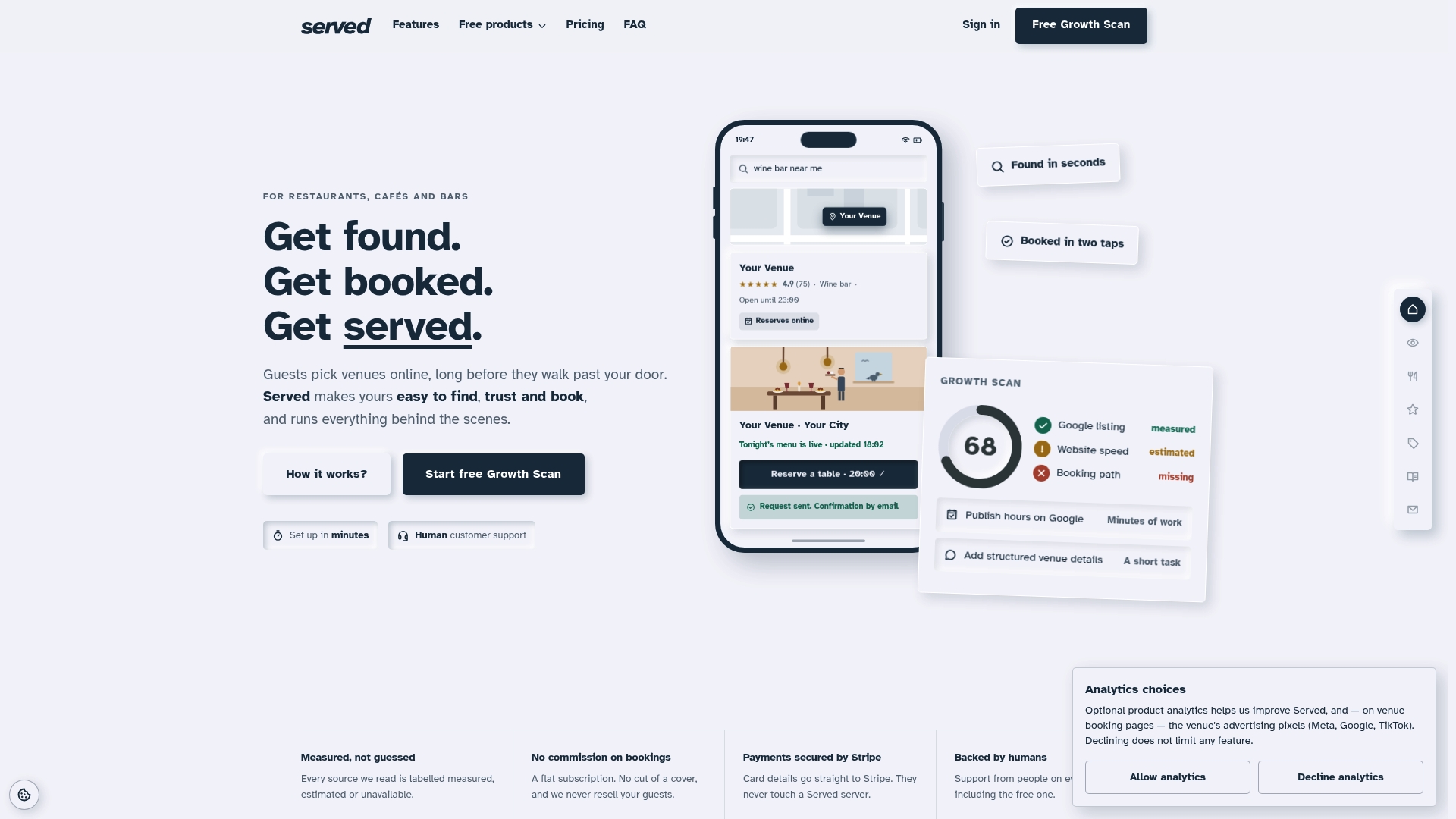
The commission-free model helps ensure that bookings generated by your emails maximize your returns without per-reservation fees. Start with a free Growth Scan to see where your current visibility and booking flow are leaking guests, then explore switching to Served if you're ready to connect your reservations to a single, reliable system.
Sources
- Restaurant Email Marketing, SMS & Newsletter Guide | Brevo
- A Guide to Email Marketing For Restaurants (Ideas, Types, & Examples)