Fix five things first: your Google Business Profile hours and booking link, your menu accuracy, your photo count, your review response rate, and your booking flow's friction. Run a free visibility scan today. Everything else on this restaurant optimisation checklist matters, but these five blockers are what cost you covers right now.
TL;DR:
- Ensuring your Google Business Profile hours, booking link, and photo library are fully accurate and regularly updated is critical to prevent losing bookings thanks to common errors.
- Optimizing your website speed and mobile design, with correct structured data and an accessible menu, boosts search visibility and prevents potential missed searches.
- Collecting at least 20 descriptive, alt-tagged photos and maintaining current seasonal content improves AI, voice discovery, and Maps visibility, which directly increases clicks and visits.
- Managing reviews proactively through timely responses and matching your NAP details across platforms helps maintain trust and improve ranking in local searches.
- Fixing booking flow issues by prominently featuring your reservation link and synchronizing it with your POS increases conversions and prevents leakages of potential covers.
Table of Contents
- What should be in your Google Business Profile checklist?
- How do you optimise a restaurant website for search and speed?
- Why do photos matter for restaurant AI and voice discovery?
- How should restaurants manage reviews and reputation?
- What's the fastest way to fix your booking flow?
- Which operational checks protect your online conversions?
- How does Served speed up this checklist?
- How do you optimise staff training and customer service?
- How can restaurants manage inventory and supply chains more efficiently?
- What does menu engineering actually involve?
- How can restaurants cut energy and operational costs?
- What health and safety checks should be routine?
- How should restaurants use customer data and feedback?
- Prioritise, don't panic: a realistic rollout
- Get your checklist done faster with Served
- Further reading and primary sources
- Sources
- FAQ
What should be in your Google Business Profile checklist?
Your Google Business Profile is your highest-impact visibility asset, and a fully optimised profile correlates with markedly higher calls, direction requests, and website clicks than an incomplete one, according to NCR Voyix's analysis of restaurant revenue drivers. Treat this as critical and not optional. Here's the order to work through it:
- Claim and verify your listing. If you haven't done this, nothing else on this list matters. Google won't trust an unverified profile with prime placement.
- Set your primary and secondary categories correctly. "Italian Restaurant" as primary and "Wine Bar" as secondary reads very differently to Google than the reverse.
- Publish accurate opening hours, including special hours. Build a holiday calendar now, not the week before Christmas. Wrong hours are one of the fastest ways to lose a diner's trust before they've even walked in.
- Complete every field. Full address, phone number, geo coordinates, payment methods, accessibility and amenity details. Gaps read as neglect.
- Upload at least a substantial number of curated photos, covering food, interior, exterior, team, and menu items, and refresh them regularly.
- Add your menu link and a clear booking option, ideally through Reserve with Google, so a diner never has to leave the search results to act.
Skipping steps here is the single most common reason venues stay invisible despite good food and service.
How do you optimise a restaurant website for search and speed?
A slow or unreadable website undoes the work of a strong Google Business Profile. Diners bounce fast, and Google notices.
Priority tasks:
- Fix mobile-first design and Core Web Vitals issues before touching anything else on the site.
- Compress every image and defer scripts that aren't doing active work on the page.
- Give each location its own page if you operate multiple venues, and keep NAP (name, address, phone) and structured data consistent across every one.
- Make the menu readable as HTML first, with a PDF as backup only, and set a canonical menu URL for your
hasMenuschema. - Implement Restaurant
LocalBusinessJSON-LD andFAQPageschema, then validate both with Google's Rich Results Test. - Check your sitemap, robots.txt, and canonical tags so Google indexes the pages you actually want diners to find.
Pro Tip: A PDF-only menu is invisible to most search crawlers. If your menu only lives as a scanned PDF, you are almost certainly losing "menu near me" and voice searches you'd otherwise win.
Structured data types like servesCuisine, priceRange, and hasMenu are increasingly what search engines rely on to describe a venue accurately, according to research into restaurant SEO in 2026. Get this wrong and even a beautiful website underperforms.
Why do photos matter for restaurant AI and voice discovery?
Photos and short, structured content are what feed Google Maps, voice assistants, and AI-generated overviews, and this category is quietly becoming as important as your GBP hours field.
- Collect at least 20 photos across food, interior, exterior, team, and menu categories. Restaurants with a large photo collection see markedly higher clicks and visibility than sparser profiles, research into restaurant SEO shows.
- Add alt text and descriptive filenames to every image, not just the hero shots. "grilled octopus starter" beats "IMG_4821" every time a crawler reads it.
- Write short FAQ answers, under 30 words, for common voice queries like "does this restaurant take walk ins" and back them with
FAQPageschema, since voice search depends on concise spoken answers with local signal, as gastronomy visibility research confirms. - Keep menu and seasonal pages current, and mention your neighbourhood and cuisine type naturally across pages.
- Refresh photos and GBP posts each season. Stale content signals a stale business to both Maps and AI search tools.
AI search increasingly leans on structured, crawlable facts rather than guesswork, and NRN's reporting on AI-driven dining decisions makes clear that missing schema quietly removes you from that conversation entirely.
How should restaurants manage reviews and reputation?
Reviews shape both trust and your Local Pack ranking, and the venues that treat this as a system, not an afterthought, pull ahead fast.
- Set up review capture at the point of service: a QR code on the receipt, a follow-up SMS or email within a day of the visit. Consistency in the flow of new reviews matters more than any single five-star spike.
- Respond to every review, good or bad, promptly and publicly. Keep two or three response templates ready for common scenarios (the slow table, the wrong order, the glowing regular) so you're never scrambling for words.
- Match your NAP and menu details exactly across review sites, delivery apps, and your own website. A mismatched address or an outdated menu on a third-party platform quietly erodes trust even when your own site is perfect.
- Feature recent reviews and genuine user photos on your GBP. GBP posts and up-to-date review activity correlate with higher calls, direction requests, and website clicks, Chowly's restaurant SEO checklist finds.
What's the fastest way to fix your booking flow?
Visibility without a working booking flow is wasted effort. This is where a lot of otherwise well-optimised restaurants leak covers without realising it.
- Make the booking link impossible to miss, and test the entire flow weekly on both mobile and desktop. A button that works on desktop but breaks on a phone loses you the exact diner who's searching "table tonight" on the way home.
- Synchronise your booking engine with your POS so availability never contradicts itself, and show clear confirmation and cancellation messaging at every step.
- Measure click-to-book conversion and cut steps out of the flow wherever you can. Every extra form field is a chance for someone to give up.
- Offer click-to-call and messaging as fallbacks for diners who'd rather not fill in a form at all.
- Consider Reserve with Google to capture high-intent local searchers at the exact moment they're deciding where to eat, without adding a single extra click.
Understanding what diners actually expect from a digital booking experience helps here too. Guidance on digital reservations for travellers is a useful reference point if you're rebuilding your flow from scratch.
Which operational checks protect your online conversions?
Visibility gets a diner to look. Operations decide whether that look becomes a confirmed booking that actually shows up.
- Publish holiday and special-hours schedules to your Google Business Profile at least two weeks ahead, never the day before.
- Match your POS and online menu items and pricing exactly. A £4 price gap between what's listed online and what's charged at the till generates refund requests and one-star reviews that have nothing to do with the food.
- Run a basic inventory and food-waste audit periodically to spot which menu items are quietly draining margin, and adjust or retire them.
- Train every staff member on your reservation confirmation and no-show policy, so the promise made online is the one kept at the table.
RESTwithEU's own digitalisation framework backs this up directly: its guidebook recommends treating reservations, inventory, and business insight as one integrated system rather than three separate projects, because resilience comes from the connections between them, not any single fix in isolation.
How does Served speed up this checklist?
Working through this restaurant optimisation checklist by hand takes time most owners don't have between services. The platform was built to shorten that gap.
- The Growth Scan audits your Google Business Profile, schema, and photo coverage in minutes, flagging exactly which of the tasks above still need doing.
- Real-time menu updates push changes across your listings at once, so the mismatch between your POS and your online menu (the one that generates refund complaints) simply stops happening.
- Commission-free bookings mean every reservation you convert stays yours, with no per-cover fee eating into the margin you just protected with a tighter menu.
- Human support is available on every plan, which matters most during onboarding, when most owners have questions no chatbot handles well.
Run the free Booking Path Scan to see where your own profile stands before you commit time to fixing it.
How do you optimise staff training and customer service?
A perfect booking flow still fails if the team on the floor can't back it up. Staff training belongs on this checklist because it's the layer between a confirmed reservation and a diner who actually comes back.
Start with reservation literacy: every staff member, not just the host, should know how to check the booking system, confirm a table, and explain your no-show policy without hesitation. Confusion at the door undoes weeks of careful online optimisation in about thirty seconds.
Service consistency is the next lever. Short, focused training sessions on upselling (suggesting a specific wine with a dish, not a generic "would you like anything else") tend to outperform long onboarding manuals nobody reads twice. Role-play the awkward moments specifically: the double booking, the allergy question, the complaint about a wait time. Staff who've practised these scenarios handle them calmly, and calm handling is what turns a mistake into a five-star review instead of a one-star one.
Feedback loops matter too. A five-minute pre-shift briefing that flags yesterday's issues (a dish running late, a table sat wrong) keeps small problems from repeating. Pair this with clear escalation rules, so a server knows exactly when to call a manager rather than guessing, and you protect both the guest experience and the reviews that follow it home.
How can restaurants manage inventory and supply chains more efficiently?
Inventory management sits quietly behind every other item on this list, because a kitchen that runs out of a menu item mid service damages trust in ways a diner rarely forgives.
Start with a simple par-level system for your highest-turnover ingredients, so ordering becomes a routine check against a number rather than a guess based on memory. Weekly stock counts, even rough ones, catch discrepancies before they become a Friday-night crisis.

Supplier relationships deserve more attention than most owners give them. A second supplier for your two or three most critical ingredients protects you when the first one has a bad week, and it gives you leverage on pricing that a single-supplier relationship never does.
Waste tracking is where the real margin recovery happens. Logging what gets thrown out, and why, over even a fortnight usually reveals a pattern: a prep portion that's too generous, a dish that consistently underperforms, an ingredient that spoils before it's used. Operational digitalisation, including basic inventory and waste tracking, links directly to profitability and frees up margin that can be redirected toward better ingredients or sharper pricing elsewhere on the menu. That connection between the back of house and the booking numbers on your website is easy to miss, but it's real.
What does menu engineering actually involve?
Menu engineering is the practice of positioning and pricing dishes based on their profitability and popularity, not just their cost.
Every menu has four rough categories: high-profit popular dishes (your stars, keep these visible), high-profit unpopular dishes (worth repositioning or renaming), low-profit popular dishes (candidates for a small price adjustment), and low-profit unpopular dishes (usually worth cutting entirely). Running your own dishes through this simple grid, even informally, exposes which items are quietly costing you money despite selling reasonably well.

Placement matters as much as pricing. Diners' eyes tend to land on the top right of a printed menu first, and on the first two or three items of a digital list. Your highest-margin dishes belong there, not buried in the middle of a long section.
Pricing psychology is worth a mention too: dropping the currency symbol from prices and avoiding a column of prices that all end in .99 both reduce the subconscious "cost comparison" diners do when scanning a page. None of this requires new software, just a spreadsheet and an honest look at your food cost percentages against your actual sales data from the past month.
How can restaurants cut energy and operational costs?
Energy costs have become one of the largest controllable line items in most restaurant budgets, and small operational habits compound faster than owners expect.
Kitchen equipment is the obvious place to start. Refrigeration units losing their seal, ovens left preheating longer than needed, and extraction fans running on full when a lower setting would do all add up over a month. A basic equipment maintenance schedule, checking door seals and servicing units on a fixed calendar, catches the inefficiencies before they show up as a shocking bill.
Front-of-house habits matter too: lighting on timers rather than manual switches, and HVAC settings adjusted for actual service hours rather than left constant around the clock, both trim costs without touching the guest experience at all.
Water use is easy to overlook but adds up steadily across dishwashing and prep. Fixing a slow drip or an inefficient tap aerator is one of the cheapest operational fixes available, and the payback is usually measured in weeks rather than months. None of these changes affect the dining room. They simply protect the margin that your visibility and booking work is trying to generate in the first place.
What health and safety checks should be routine?
Health and safety compliance protects diners, but it also protects the reviews and reputation you've worked to build through the rest of this checklist.
Food storage temperature checks should happen daily, logged rather than assumed, since a single documented lapse is far easier to explain to an inspector than an undocumented one. Cross-contamination protocols, particularly around allergens, deserve a visible reference sheet in the kitchen rather than relying on staff memory, especially during a busy service when a rushed answer to an allergy question carries real risk.
Staff hygiene training needs refreshing periodically, not just delivered once at onboarding and forgotten. Hand-washing frequency, glove use, and illness reporting policies all drift over time without a reminder.
Fire safety and equipment checks (extinguishers, extraction systems, emergency exits) tend to get scheduled around inspection dates rather than treated as ongoing maintenance. Flipping that habit, checking on a fixed monthly calendar regardless of when the next inspection falls, catches problems while they're still cheap and quiet to fix rather than expensive and public.
How should restaurants use customer data and feedback?
Every booking, review, and repeat visit generates data, and most restaurants collect far more of it than they actually use.
Start with booking pattern data: which days run under capacity, which time slots consistently overbook, which dishes get ordered together most often. A guest CRM that tracks repeat visits and preferences turns a first-time diner into a recognised regular faster, and recognition is one of the cheapest ways to build loyalty.
Feedback integration matters just as much as collection. A review flagging slow service on Friday nights is only useful if it actually reaches the person scheduling Friday night staffing. Building a simple habit, reviewing feedback weekly rather than letting it pile up unread, closes that loop before a pattern turns into a reputation problem.
Cross-referencing booking data with menu performance is where the real insight sits. If your highest-margin dish is also your most frequently cancelled reservation's stated reason for visiting, that's worth knowing before you consider dropping it from the menu.
Prioritise, don't panic: a realistic rollout
The mistake most owners make with a checklist this long is trying to do all of it at once. Don't. Fix your GBP hours, booking link, and menu accuracy this week, then test your booking flow end to end.
In the next 30 to 60 days, build out your photo library, launch a review capture habit, and add basic schema and FAQ content. Save site speed, deeper structured data audits, and inventory-driven menu changes for the 60 to 90 day window, once the quick wins are already protecting your bookings.
— Ignacy Jurkowski
Get your checklist done faster with Served
Working through a restaurant optimisation checklist manually, page by page, GBP field by GBP field, is exactly the kind of task that gets pushed to "next week" indefinitely. Served exists to close that gap without charging you a commission for every table it helps fill. Where a traditional booking system takes a cut of every cover, Served runs on a flat subscription, so a busy Saturday night makes you more money, not less.
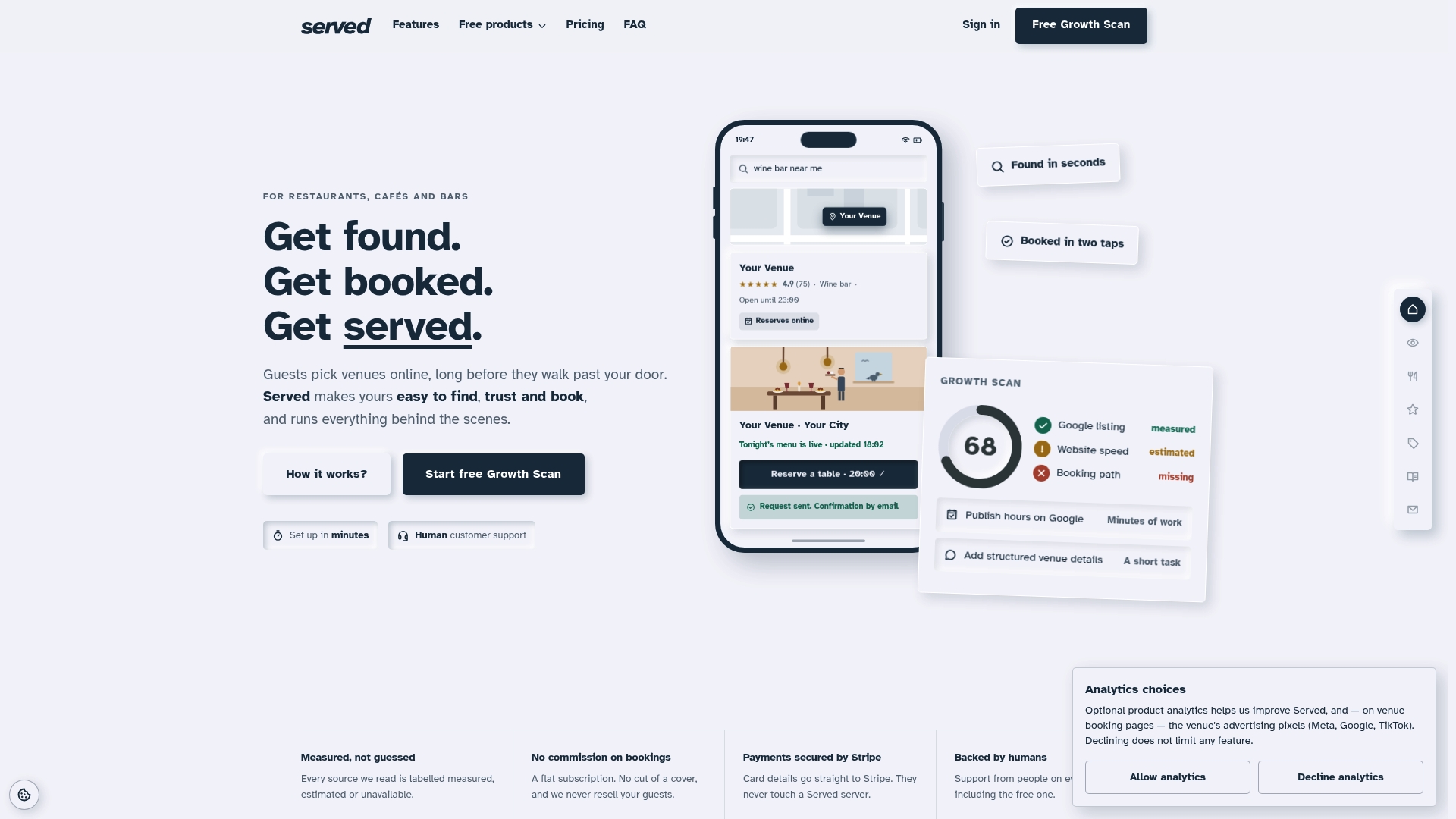
Run the free Booking Path Scan to see exactly which items on this checklist your venue is already nailing, and which ones are quietly costing you bookings. If you're currently on another platform and the commission fees have started to sting, the switching guide for venues moving from OpenTable walks through what changes and what stays the same. For the full picture of plans, including Visibility Brain, start with the scan and take it from there.
Further reading and primary sources
For deeper study alongside this checklist, three sources are worth your time: RESTwithEU's digitalisation guidebook covers integrated operational resilience across EU hospitality. NRN's reporting on AI search explains how zero-click discovery is reshaping restaurant SEO. Chowly's Google Business Profile checklist offers a practical companion to the GBP steps above.
Sources
- The zero-click dining decision: how AI search is changing restaurant SEO
- Get found first on Google: Restaurant SEO checklist for your business profile (2026)
- RESTwithEU guidebook
FAQ
What are some good daily checklists for a restaurant?
Daily checks should cover opening hours accuracy on your Google Business Profile, stock levels against par for high-turnover ingredients, and a quick scan of overnight reviews needing a response. Weekly, add a booking flow test on both mobile and desktop, and a photo or GBP post refresh if you haven't updated one recently.
What is an SEO checklist for restaurants?
A restaurant SEO checklist covers Google Business Profile completeness, structured data like Restaurant LocalBusiness and FAQPage schema, mobile site speed, and a consistent menu across every online listing. It exists to help search engines and AI tools surface your venue accurately when someone searches nearby.
What is a KPI of a restaurant manager?
Key KPIs include click-to-book conversion rate, average cover count against booking capacity, review response time, and food cost percentage against sales. Tracking calls, direction requests, and website clicks from your Google Business Profile also helps you see whether visibility work is translating into actual footfall.
What is the most profitable item at a restaurant?
The most profitable items are usually ones with a high price-to-cost ratio and strong existing popularity, commonly drinks, appetisers, and desserts rather than the main course itself. Menu engineering, plotting each dish by profit margin against sales volume, is the most reliable way to identify which specific items are earning their place on your own menu.
How can Served help implement a restaurant optimisation checklist?
Served's Growth Scan audits your Google Business Profile, schema, and photo coverage against the checklist items above, and flags gaps within minutes. Its commission-free booking model and real-time menu updates then help you act on the findings without the per-cover fees or menu mismatches that undercut other platforms.