
Yes. Add UTM parameters to every external booking link and persist those values into your booking records or CRM, otherwise you're guessing which campaigns actually drive revenue. Three things need to happen first: tag links with consistent fields, capture and store those values through to confirmation, and configure referral exclusions so payment gateways don't steal the credit. The next section covers exactly which fields you need.
TL;DR:
- Proper UTM setup requires consistent tagging, storage, and exclusion rules to accurately attribute bookings to campaigns.
- Building UTMs manually introduces risks of typos and inconsistencies, so use a URL builder and maintain a shared naming document.
- You must capture UTM values immediately upon landing and store them in cookies or CRM fields to preserve attribution throughout the booking process.
- Common causes of misattribution include referral gaps during domain transfers, cross-domain session loss, and internal UTM overwrites, all fixable with proper configuration.
- Regular testing and routine checks of exported booking data, as well as ongoing governance with designated owners, keep campaign attribution reliable over time.
Table of Contents
- Which UTM parameters matter for bookings?
- How do you build UTM-tagged booking links properly?
- How do you persist UTMs into booking records and CRM?
- Why do bookings lose their campaign attribution?
- How do you test that UTMs survive to booking confirmation?
- What reports show which campaigns actually drive bookings?
- What should you check in your venue dashboard?
- Treat UTM governance as a product, not a one-off task
- Where to go deeper on UTM setup
- Sources
- FAQ
Which UTM parameters matter for bookings?
Every booking link needs three fields at minimum: utm_source (where the click came from, e.g. "instagram"), utm_medium (the channel type, e.g. "paid_social" or "email"), and utm_campaign (the specific push, e.g. "spring_brunch_2026"). Google's own guidance treats these three as the baseline, with utm_id and utm_source_platform available for teams running enough campaigns to need cross-platform reconciliation.
Two more fields add useful detail without being essential:
- utm_content distinguishes creative variants, such as "video_ad" versus "carousel_ad" in the same campaign.
- utm_term captures paid search keywords, useful if you run Google Ads for bookings.
Case sensitivity trips up more teams than you'd expect. "Instagram" and "instagram" register as two different sources in most analytics platforms, splitting your data in half. Pick lowercase, underscores, and a fixed vocabulary, then write it down.
How do you build UTM-tagged booking links properly?
A correctly tagged link for a Facebook ad campaign might read:
https://yourbooking.com/reserve?utm_source=facebook&utm_medium=paid_social&utm_campaign=valentines_2026
Building these by hand invites typos. Follow a repeatable process instead:
- Pull up a URL builder, whether Google's Campaign URL Builder or a shared spreadsheet template, and never type parameters freehand into a live link.
- Check your naming convention document before choosing values, not after, so "email" doesn't become "e-mail" three weeks later.
- Add
utm_idwhere your platform supports it, since it links a tagged URL back to a specific ad or campaign ID for cleaner reconciliation. - Tag every external touchpoint: newsletters, paid social, partner listings, and QR codes on printed menus or table cards.
- Never tag internal links on your own site. Doing so overwrites the visitor's original source and breaks attribution outright.
Pro Tip: Keep one shared naming-convention document that everyone touching booking links can see, including agencies and freelancers. A single rogue "FB" instead of "facebook" from a contractor can quietly corrupt a month of reporting.
How do you persist UTMs into booking records and CRM?
UTM values only live for a browsing session unless you deliberately capture and store them. The standard pattern works like this: read the UTM parameters the moment a visitor lands, write them into a cookie or localStorage, then populate hidden fields on your booking form when it's submitted, so the values travel with the booking rather than evaporating with the tab.
A few practical points make this resilient rather than fragile:
- Store first-touch and last-touch values in separate fields; a booking made three weeks after the original ad click needs both to explain the full journey.
- Map each UTM field to a matching CRM property (
utm_sourceto a "Lead Source" field, for instance) so reports don't require manual joining. - Give stored values a sensible expiry, typically 30 to 90 days, long enough to cover most booking-consideration windows without holding stale data forever.
- Where your booking engine supports it, capture server-side rather than relying purely on client-side scripts. GA4 treats UTMs as session-level data, so if that data never reaches the booking record itself, your CRM will show a confirmed booking with no idea which campaign earned it.
Pro Tip: If your booking engine sits on a different domain to your website, ask whether it supports parameter pass-through. Without it, every external booking tool effectively resets the visitor's journey to zero.
Why do bookings lose their campaign attribution?
Three failures account for most misattributed bookings, and all three are fixable in an afternoon.
- Referral exclusion gaps. When a guest is redirected to a payment gateway or third-party booking widget and back again, your analytics platform can read that handoff as a brand-new visit, crediting the payment processor instead of the original campaign. Configuring referral exclusions tells your analytics tool to ignore that domain hop and keep the original campaign credit intact.
- Cross-domain session loss. If your booking engine lives on a separate domain, the client ID needs to pass through in the URL, or the session breaks the moment the visitor leaves your main site.
- Internal UTM tagging. Adding UTMs to your own homepage banner or internal navigation overwrites the visitor's genuine source with whatever internal label you chose.
Referral exclusion misconfiguration alone is one of the most common causes of what looks like sudden "attribution collapse", where a campaign that was converting well overnight shows almost no bookings at all, while direct traffic spikes to compensate.
How do you test that UTMs survive to booking confirmation?
Run this before every major campaign launch, not just once a quarter.
- Open a private browser window and click the actual live tagged link, not a copied and pasted from a document.
- Follow the full journey through to a completed test booking, ideally at a low or zero-cost rate if your booking system allows it.
- Check that the UTM fields appear correctly on the booking confirmation and, separately, inside your CRM record.
- Confirm the transaction ID and booking value are gated to the confirmation event, not firing earlier in the flow, and that the client ID persisted throughout, since a test booking with a live transaction ID is the only reliable way to prove the whole chain works end to end.
Pro Tip: Set a simple alert for sudden spikes in "direct" traffic or a sudden absence of campaign values in new bookings. Both usually mean a tag broke, not that a channel stopped working.
What reports show which campaigns actually drive bookings?
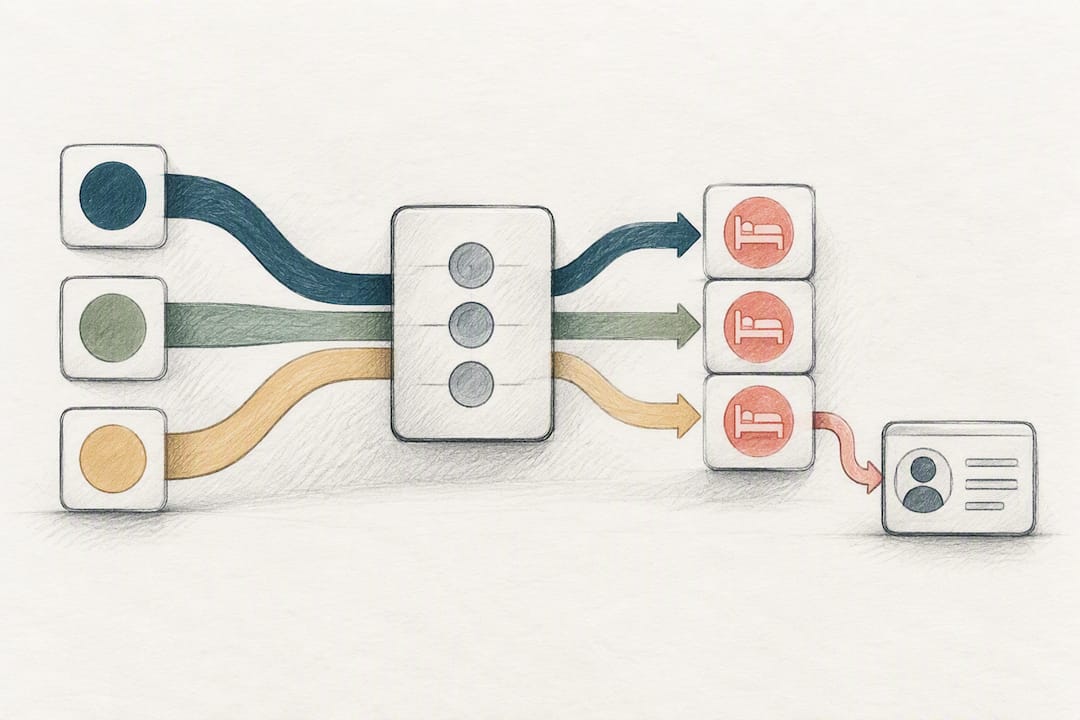
Three reports do most of the work here: bookings segmented by utm_campaign and utm_source, revenue attributed per campaign, and cost per booking or return on ad spend once you layer in what each campaign cost to run.
Expect small variances between your analytics platform, your CRM, and your payment provider. That's normal, not a sign something's broken:
- Analytics counts sessions and conversions; your CRM counts confirmed bookings; your payment provider counts settled transactions, so cancellations and refunds create gaps between the three.
- Server-side tracking with an API join between your booking system and analytics closes most of that gap, particularly for venues running cookieless setups or multiple domains.
- For longer decision cycles, such as a wedding booking made weeks after the first ad click, storing both first-touch and last-touch values lets you credit both the campaign that started the journey and the one that closed it.
Some guests will always arrive through search or word of mouth with no tags attached at all; treat those as a distinct segment rather than folding them into "unknown" and ignoring them.
What should you check in your venue dashboard?
Booking exports are where UTM discipline either pays off or falls apart. A few checks worth building into a routine:
- Confirm UTM fields actually appear on exported booking records, not just on the confirmation screen.
- Map exported fields directly to your CRM's source and campaign properties so nothing needs manual retyping.
- Run a Growth Scan alongside your QA test to see how your booking path shows up publicly, not just internally.
- Treat human support as part of your QA process. A quick check with a real person beats guessing why a field didn't populate.
Treat UTM governance as a product, not a one-off task
UTM discipline decays without ownership. Assign one person as the naming-convention owner, run a QA pass every one or two weeks, and set lightweight alerts for tag drift, since treating attribution as a maintained product rather than a launch task is what keeps it accurate. Marketing, operations, and whoever manages your booking engine all need a seat at that table.
— Ignacy Jurkowski
Where to go deeper on UTM setup
For step-by-step configuration, see Google's Campaign URL Builder guidance, referral exclusion setup, and the UTM tracking guidelines referenced above.
Ready to see how your own booking path holds up? Served's Booking Path Scan checks your visibility and booking flow, free of charge, and Served's Visibility Brain plan helps venues turn that scan into ongoing bookings without paying a commission on a single one.
Sources
- Referral exclusion and GA4 guidance — InfoTrust
- UTM parameters: the complete guide for B2B SaaS marketers — UTMStandard
- Campaign URL builder and UTM parameters — Google Support
- UTM tracking guidelines — UMN communications
FAQ
What does UTM tracking mean?
UTM tracking means adding small text tags to the end of a URL so analytics tools know exactly which campaign, source, and medium sent that visitor. For bookings, it's how you connect a confirmed reservation back to the ad, email, or partner link that started the journey.
What does UTM stand for?
UTM stands for Urchin Tracking Module, named after Urchin, the analytics company Google acquired to build what became Google Analytics. The name has stuck even though most marketers today just know it as the standard parameter format for campaign tracking.
Is UTM tracking free?
Yes, adding UTM parameters costs nothing. Tools like Google's Campaign URL Builder are free to use, and most analytics platforms read UTM data as a standard feature rather than a paid add-on.
Why do my UTM-tagged bookings show up as "direct" traffic instead?
This almost always points to a referral exclusion gap or a broken cross-domain handoff, where the trip through a payment gateway or third-party booking widget resets the session. Configuring referral exclusions in your analytics platform is the usual fix.
Should I tag internal links on my own website with UTMs?
No. Tagging internal links overwrites the visitor's original source with whatever internal label you used, which destroys the attribution you were trying to protect. Use UTMs only on links that live outside your own domain.