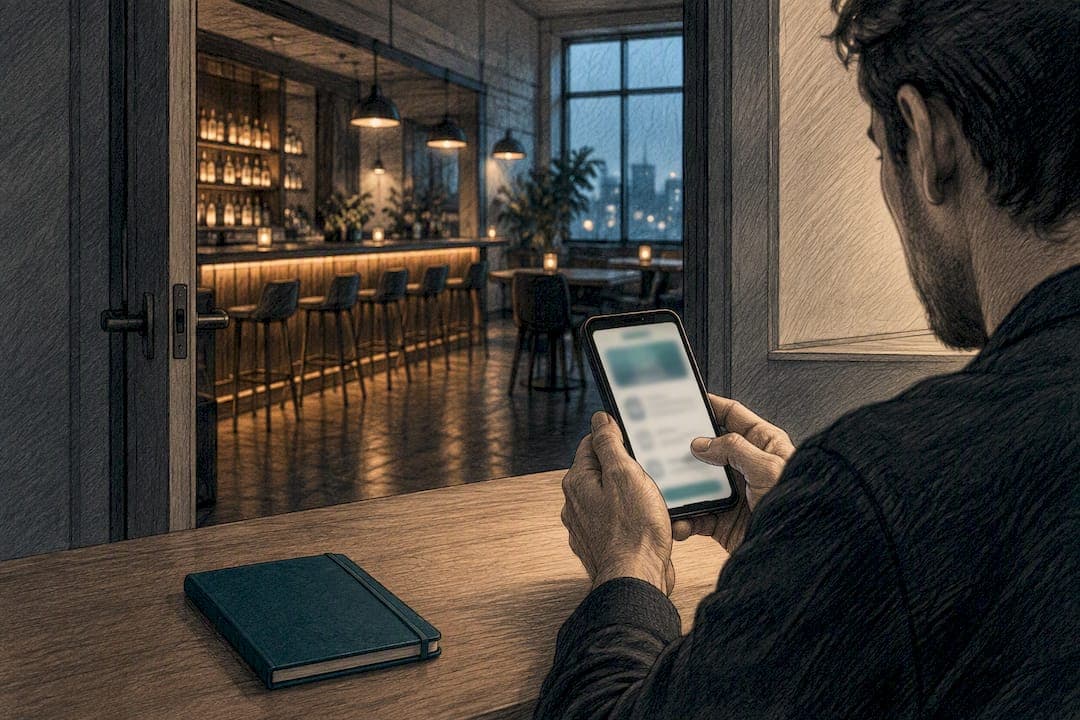
A bar website needs a bookable reservation system with instant confirmation, an up-to-date menu with pricing, clear opening hours and contact details, a location map, an events or what's-on page, honest photos of the space and drinks, and trust signals like reviews and FAQs. Every one of these should point towards one goal: turning a browsing visitor into a confirmed booking or a walk-in guest.
TL;DR:
- Ensuring the booking button, phone number, and live map are visible above the fold on every page significantly increases booking conversions.
- Incorporating an instant online booking widget with clear confirmation, reminder messages, and group handling options streamlines guest reservations and reduces no-shows.
- Using an up-to-date HTML menu with categorization, allergen labeling, and weekly specials improves user experience and prevents disappointment from outdated information.
- Hosting a current events calendar with clear details and booking links effectively encourages repeat visits and group bookings beyond social media promotions.
- Clearly displaying COVID-19 policies, acceptable payment methods, and accessibility features on the website reduces entry friction and reassures cautious guests.
Table of Contents
- At-a-glance checklist of pages and features
- Reservations and booking: practical UX, confirmation and group handling
- Menu and drinks: readable, SEO-friendly menus and real-time updates
- Events and private hire: pages that sell repeat nights and group bookings
- Contact, opening hours and find-us: reduce friction to arrival
- Photos and atmosphere: show the look people buy into
- Trust signals and policies: reviews, FAQs and clear cancellation terms
- SEO and conversion essentials: get found and get booked
- COVID-19 policies and safety measures
- Payment methods accepted on-site and online booking
- Special offers, loyalty programs, or promotions details
- Accessibility features of the website itself
- A short, practical sign-off
- How Served can help with bookings and visibility
- Sources
- FAQ
At-a-glance checklist of pages and features
Before touching design or copy, run through what your site actually has right now. Most bars are missing at least two or three items from this list, and they're usually the ones that drive bookings.
- Booking button: visible on every page, not buried in a menu.
- Phone number: clickable on mobile, not just printed as text.
- Live map link: one tap to directions, not a static image.
- Menu with prices: viewable without downloading anything.
- Opening hours: current, including holiday exceptions.
- Events page: dated, with ticket or RSVP links.
- Photos: recent, realistic, showing capacity and atmosphere.
- Reviews or FAQ: answering the questions your staff get asked daily.
If your booking button, phone number and map link aren't visible within the first screen a visitor sees, you're losing bookings before they even scroll.
Reservations and booking: practical UX, confirmation and group handling
Booking friction is the single biggest reason a visitor closes your site and calls a competitor instead; integrating an online booking calendar for escape rooms can demonstrate smooth UX and calendar integration that bars should aspire to. You've got three realistic options: an instant online booking widget, a booking form that staff confirm manually, or a phone fallback for last-minute requests. All three can coexist, but the instant widget should sit first and most visible.
- Put the booking CTA above the fold on every page, not just the homepage.
- Confirm instantly wherever possible, since a booking without confirmation reads as a maybe, not a yes.
- Send a reminder message a day or two before arrival to cut down no-shows.
- Build a separate group or private-hire form asking for date, time, headcount, budget range and a contact email.
- State your cancellation policy in one line on the booking flow, with a link to the full policy for anyone who wants detail.
Sites like Restaurant Navis show how pairing booking options with clear capacity information helps guests decide quickly, which cuts down on the back-and-forth calls that eat staff time.
Pro Tip: Use "reservation recommended" rather than "booking required" on busy nights. It signals demand without turning away walk-ins, and it gives your floor staff a legitimate reason to ask for a table hold.
Menu and drinks: readable, SEO-friendly menus and real-time updates
An HTML menu beats a PDF for one simple reason: it loads instantly on mobile and search engines can actually read it. Keep a PDF as a downloadable extra for guests who want to print or save it, but never make it the only option.
- Structure by category: signature cocktails, classics, seasonal specials, snacks, with sample pricing next to each.
- Label allergens and dietary notes clearly, not in a footnote nobody scrolls to.
- State service details where relevant, such as a cover charge or sharing plate sizes.
- Rotate specials on a schedule, ideally the same day each week, so updating becomes a habit rather than an afterthought.
A menu that's three months out of date is worse than no menu at all: it sets expectations your bar can't meet, and that's the fastest way to disappoint someone before they've even ordered.
Events and private hire: pages that sell repeat nights and group bookings
A dated events calendar catches the guests who don't follow you on social media, and that's usually most of your walk-in traffic. As the Prangli Resto ja Baar events page shows, a simple what's on listing with dates and booking links does more for recurring attendance than any amount of social posting alone.
- List every recurring night (quiz, live music, DJ sets) with its regular date and time.
- Separate ticketed events from free ones, and link straight to the ticketing or RSVP page.
- Give private hire its own section with sample menus, capacity numbers and a price range, not just "enquire for details".
- Add a short enquiry form capturing date, headcount and budget so you can qualify leads before picking up the phone.
Contact, opening hours and find-us: reduce friction to arrival
Guests decide whether to bother turning up based on how easy you make the basics look. MS Roof Garden puts phone, email and opening hours front and centre alongside a "reservation is definitely recommended" note, which is exactly the kind of clarity that stops a visitor closing the tab.
- Show hours prominently, and flag seasonal or late-night exceptions rather than leaving guests guessing.
- List a phone and an email, both clickable on mobile.
- Embed a live map, not a screenshot, with walking or public transport notes and parking mentions where relevant.
- Add an accessibility and age/ID summary to your contact or FAQ page so guests know before they arrive, not after.
Photos and atmosphere: show the look people buy into
Your hero image should be your strongest selling point, whether that's a rooftop view, a packed bar on a Friday, or a quiet corner booth. Follow it with a capacity shot, a close-up of a signature drink, and a candid image of staff at work.

Keep files optimised for responsive sizing, add alt text, and write short captions that set honest expectations rather than dramatic ones. Skip heavy filters and over-processed shots: realistic photos mean fewer guests turning up disappointed that the real venue doesn't match the picture.
Trust signals and policies: reviews, FAQs and clear cancellation terms
A short FAQ page does more work than most bars give it credit for. The Wapalapam FAQ structure, covering reservations, opening hours and group bookings, shows how a handful of well-chosen answers can cut down the same five questions your staff answer on the phone every day.
- Answer the common booking and entry questions directly: dress code, age policy, walk-ins versus reservations.
- Add a short policy page covering deposits and cancellations, linked from the booking flow itself.
- Curate a handful of recent reviews rather than embedding an unfiltered feed that might show old or irrelevant comments.
- Send confirmation and reminder messages for every booking, since this alone lowers no-shows and helps staff plan for peak nights.
SEO and conversion essentials: get found and get booked
Your site needs to load fast on mobile first, since that's where most bar searches happen. Every page should carry one clear, primary call to action, not three competing buttons fighting for attention.
Write meta titles and descriptions that include your venue name and neighbourhood, since that's how local search connects a hungry visitor to your door. Add structured data for your business listing, events and menu so search engines can display your hours, prices and upcoming nights directly in results. Track which buttons actually get clicked: your booking CTA, your enquiry form, your event ticket links.
Keep contact information as real text, not an image, so it's crawlable and copyable. Double check your Google Business listing matches your website exactly: same hours, same phone number, same address. Mismatches confuse guests and search engines alike.
COVID-19 policies and safety measures
If your bar still maintains any specific health protocols, state them clearly on a dedicated page or within your FAQ, not buried in a blog post from years ago. Guests planning a visit, especially larger groups or anyone with health concerns, still check for this information before booking.
Cover the practical points: whether masks are required or optional, whether you operate any capacity limits, and whether staff follow specific hygiene or ventilation measures. If your venue has no current restrictions, say so plainly rather than leaving an old notice live that suggests otherwise.
Keep this section updated as guidance changes rather than treating it as a one-time addition. An outdated safety notice does more harm than no notice at all, since it makes guests wonder what else on the site hasn't been refreshed. If your policies follow local health authority guidance, link to that authority rather than restating rules that might change without your knowledge.
This is a small section on most bar websites, but it's one guests specifically look for when deciding between venues, particularly for group bookings or anyone visiting with someone who is immunocompromised or simply cautious. A single clear paragraph, kept current, does the job.
Payment methods accepted on-site and online booking
List which cards you accept on-site: Visa, Mastercard, American Express, and whether you take contactless or mobile payments like Apple Pay and Google Pay. Guests increasingly expect to see this before they arrive, particularly for group bookings where someone wants to know if the bill can be split across cards.
For online bookings, be clear about whether a deposit is required to secure a table and what payment methods that deposit accepts. If your booking system takes payment upfront for ticketed events or private hire, say so plainly on the booking page itself, not in a separate terms document guests have to hunt for.
Cash-only bars should state that clearly, since it's a real barrier for guests who assume card payment is standard. The reverse applies too: if you're cashless, say so before someone arrives expecting to pay with notes.
None of this needs its own dedicated page. A line on your booking page and a mention in your FAQ covers most guest questions and avoids the awkward moment at the till when a card gets declined for a method you don't actually accept.
Special offers, loyalty programs, or promotions details
If you run a happy hour, a loyalty card, or a seasonal promotion, give it a permanent, findable spot on your site rather than a social post that disappears after a week. A dedicated offers page or a clearly labelled section on your homepage means guests can check what's running before they decide where to go.
Be specific about terms: which days a happy hour applies, what a loyalty stamp actually earns, and whether promotions stack with group bookings or events. Vague wording like "ask staff for details" creates friction at exactly the moment you want a guest saying yes.
If you don't run any formal promotions, that's fine, but don't leave an old offer live after it's expired. An outdated deal advertised on your site and refused at the bar is a worse experience than no offer at all.
Accessibility features of the website itself
Beyond describing your venue's physical accessibility, your website itself needs to work for guests using screen readers or other assistive technology. That means proper heading structure, descriptive alt text on every image, and buttons and links with clear, readable labels rather than generic text like "click here".

Colour contrast matters too: text on photographic backgrounds should stay legible, and your booking CTA shouldn't rely on colour alone to stand out. Forms, including your booking and enquiry forms, should be usable with a keyboard alone, not just a mouse or touchscreen.
This isn't a niche concern. A guest using a screen reader who can't find your opening hours or complete a booking form will simply leave and try somewhere else, and that's a booking lost for a fixable reason.
A short, practical sign-off
Give yourself 48 hours. Audit your booking flow first, since that's where lost revenue hides. Turn any PDF-only menu into an HTML page. Add an events calendar even if it only lists three dates. If you want a faster starting point, running a free Booking Path Scan will tell you exactly where your current site is losing visitors before they book.
— Ignacy Jurkowski
How Served can help with bookings and visibility
Everything above takes time to build and more time to maintain, which is exactly the gap Served fills. We built the platform around one idea: venues should keep every booking they take, without paying a commission on it.
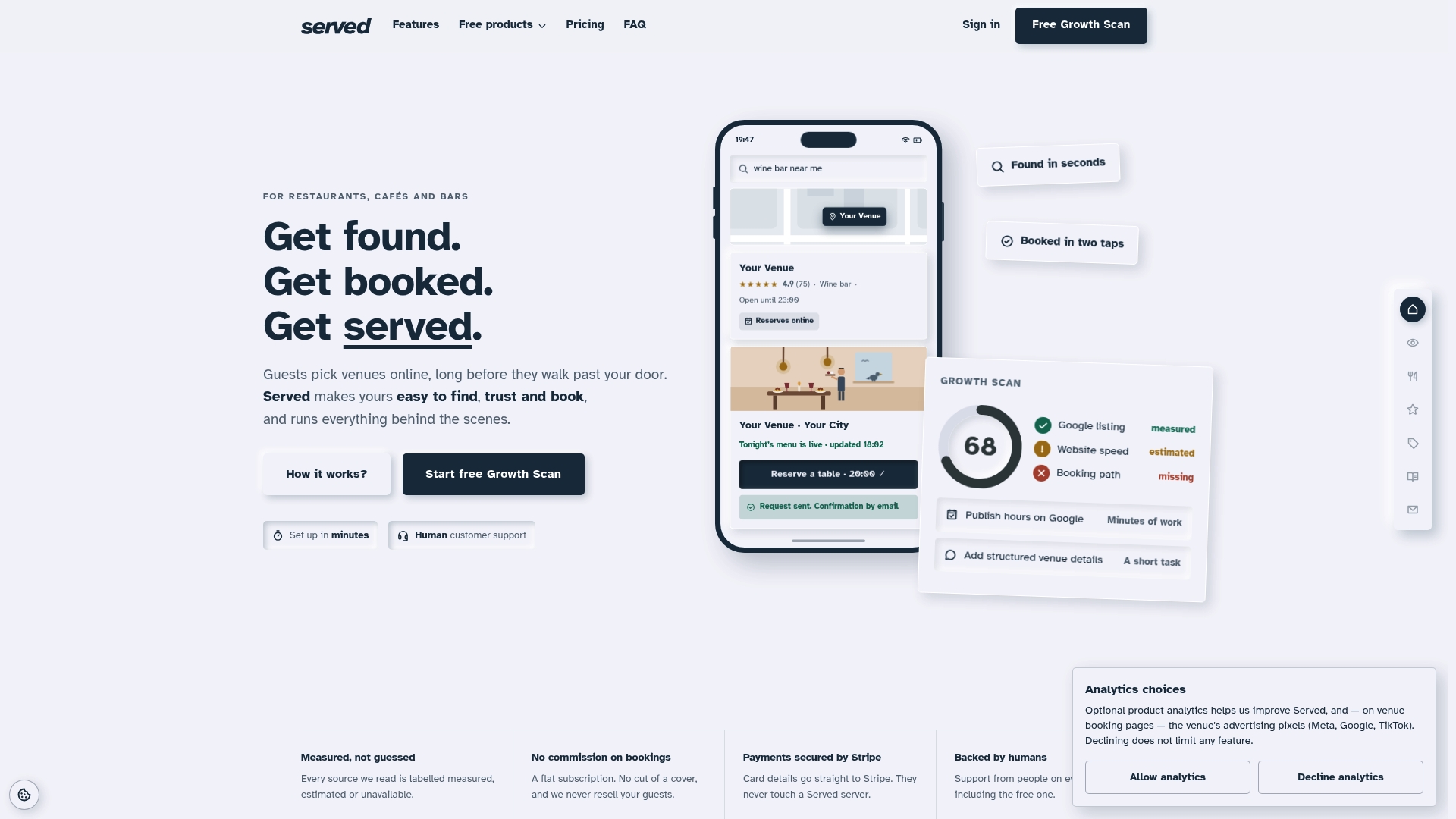
- Commission-free bookings on a flat subscription, so you keep what you earn.
- Real-time menu updates that sync across your site without a developer.
- The Growth Scan shows you exactly where your current online presence is losing bookings.
- Human support on every plan, not a chatbot loop.
If you want to see where your site currently stands, start with a free Booking Path Scan. If you're ready to move, Visibility Brain pricing details are available on the Served website, and switching from your current provider takes far less effort than most owners expect.
Sources
Examples referenced: MS Roof Garden, Prangli Resto ja Baar, Wapalapam FAQ, and Served's own bar-specific features page.
- MS RESTAURANT » MS Roof Garden - Rooftop bar with Acropolis view in Athens
- Prangli Resto ja Baar - Restoran
- Faq - Wapalapam | Island Eatery Bar Dü Mar
FAQ
What is the single most important page on a bar website?
Your booking page matters most, since it's where browsing turns into revenue. If a visitor can't find or use it within seconds, they'll likely book somewhere else instead.
Do I need an app, or is a website enough for bookings?
A well-built website with a booking widget covers most bars' needs without the cost of maintaining a separate app. Platforms such as Served handle booking, menus and visibility through the website itself, with no app required.
How often should I update my bar's menu online?
Update your menu whenever prices or items change, and rotate specials on a set schedule so it becomes routine rather than an afterthought. An HTML menu makes this far quicker than editing and re-uploading a PDF.
Should I list my COVID-19 policies if I no longer have restrictions?
Yes, a short line confirming you have no current restrictions reassures guests who still check, particularly for group bookings. Leaving an old, outdated notice live is worse than stating clearly that things have returned to normal.
What should a private hire enquiry form ask for?
Ask for the date, time, expected headcount, budget range and contact email as a minimum, since that's enough to qualify the enquiry before a phone call. Adding a note field for AV or food requirements speeds up the quote process on your end.