Served is the strongest Zenchef alternative for independent venues that want commission-free bookings and better visibility, without a long enterprise sales cycle. If you run a single high-turnover site with heavy front-of-house needs, or a multi-location group needing deep CRM, an enterprise platform like SevenRooms or ResDiary may fit better. Migration typically takes days, not months, and pricing on most alternatives is published upfront.
TL;DR:
- Most independent venues can switch from Zenchef within one to three weeks by exporting data, syncing calendars, and training staff efficiently.
- Served offers a commission-free alternative with a focus on visibility and personalized onboarding, suitable for small to mid-size restaurants.
- Larger networks like OpenTable and Resy provide broader diner reach but often involve higher costs, especially per-cover or commission fees.
- When evaluating platforms, operators should prioritize data ownership, security features, and specific needs like POS integration or multi-site controls over costs alone.
- Running a full week-long trial during onboarding ensures staff are comfortable with the new system and helps identify potential issues before going live.
Table of Contents
- What are the best Zenchef alternatives for restaurants?
- How do these platforms compare on price, features and support?
- What should you ask vendors during a demo?
- How long does switching from Zenchef actually take?
- What operators tend to notice after switching
- Ready to move off Zenchef?
- Sources
- FAQ
What are the best Zenchef alternatives for restaurants?
Twelve platforms cover most of what operators actually ask for when they leave Zenchef: commission-free pricing, simpler onboarding, or deeper guest data. Here's the shortlist, ordered by where each one earns its place.
Served leads this list for a reason. It's a commission-free subscription platform built around visibility as much as booking. Its Growth Scan flags exactly where your Google listing and booking path are leaking diners, then a human walks you through fixing it with websites, redesigns & cloud migration expertise. Best for independent restaurants, bars and cafes that want to keep every reservation they take without a cut going to a third party.
- OpenTable — the largest diner network in the business, with enterprise-grade distribution. Best for groups that need reach over cost control.
- Resy OS — mobile-first booking with real network effects in dense dining cities. Best for high-turnover, mobile-heavy venues.
- SevenRooms — a CRM-first platform that treats guest data as the product. Best for venues building loyalty programmes and personalised outreach.
- EatApp — a straightforward reservation and table-management tool with minimal setup friction. Best for small to mid-size restaurants that want simplicity over depth.
- Yelp Guest Manager — bookings tied directly into Yelp's review ecosystem. Best for venues whose bookings already come mostly from Yelp discovery.
- ResDiary — centralised scheduling across multiple sites. Best for chains and restaurant groups needing one dashboard.
- Restroworks — cloud-native reservations aimed at independent operators. Best for single sites wanting flexible, lighter-weight tooling.
- SpotOn — booking bundled with POS and payments. Best for venues that want reservations and payment processing under one roof.
- Now Book It — a lightweight system built for small venues and short-run events. Best for pop-ups and seasonal operations.
- Tableo — reservations with a strong floorplan and seating focus. Best for busy service floors that live and die on table turns.
- KickFin — booking with built-in deposit and prepayment handling. Best for venues that require upfront payment before a table is held.
Aggregators such as G2 and Appvizer list dozens more candidates and carry user-sourced ratings worth checking before you commit to a trial.
How do these platforms compare on price, features and support?
The real differences between these platforms sit on a handful of axes: how you pay, what's bundled in, and how much support you get when something breaks at 8pm on a Saturday.
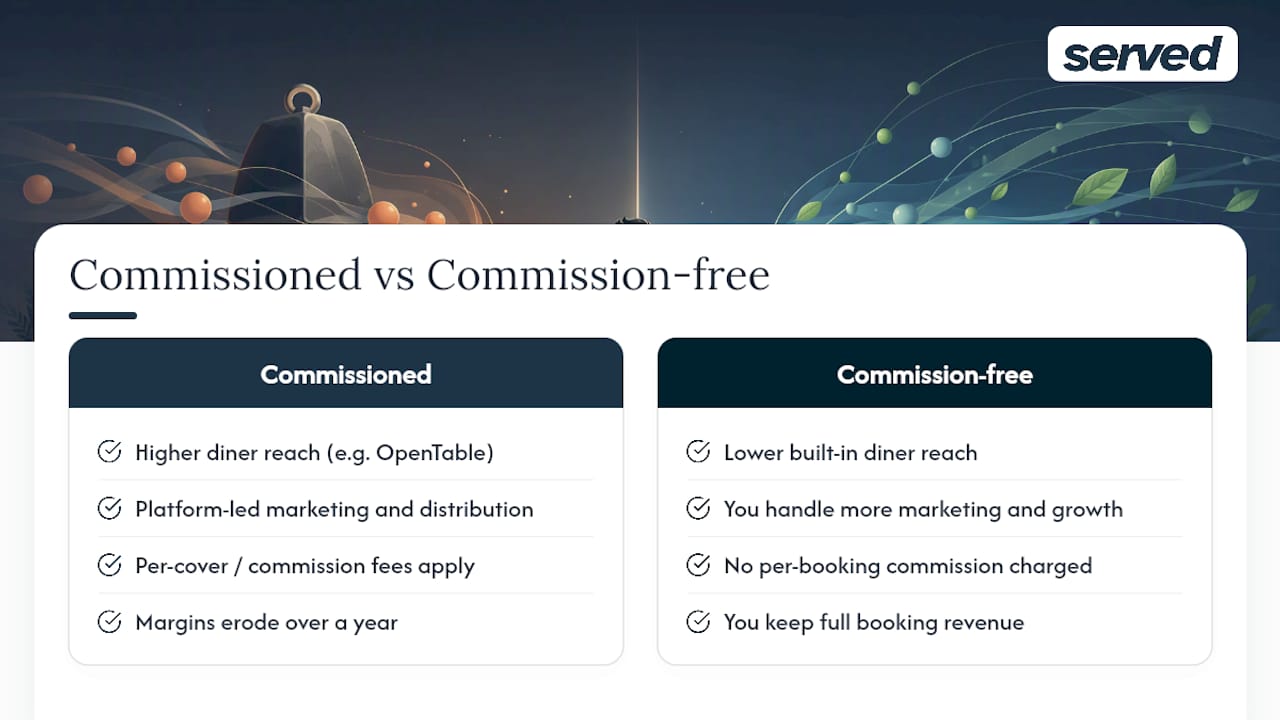
The trade-off that trips up most operators is commission versus reach. Networks like OpenTable put your restaurant in front of more diners, but that reach usually comes bundled with per-cover or commission-style fees that erode margin over a full year. Platforms built commission-free, Served included, ask you to do more of your own marketing but let you keep what you earn on every booking.
CRM depth is the second fork in the road. SevenRooms goes deep on guest profiling and personalised marketing, which pays off if you run a loyalty programme or high-end dining room where repeat visits matter. If you just need tables filled reliably, that depth is often more system than you need.
Pro Tip: Don't just compare monthly fees. Ask each vendor for their commission structure on a busy Saturday night — that's where per-cover or per-booking charges quietly add up.
Security and data ownership deserve a hard look too. GDPR and CCPA compliance, SOC 2 Type II audits, and multi-factor authentication on staff logins are the trust signals worth demanding, not assuming. A domain security scan of Zenchef found valid HTTPS and SPF/DMARC in place, alongside gaps in header configuration, exactly the kind of detail a five-minute technical check can surface for any vendor you're evaluating. Broader guidance on restaurant data privacy points to the same signals: SOC 2 Type II reports, MFA, and documented data-processing policies.
What should you ask vendors during a demo?
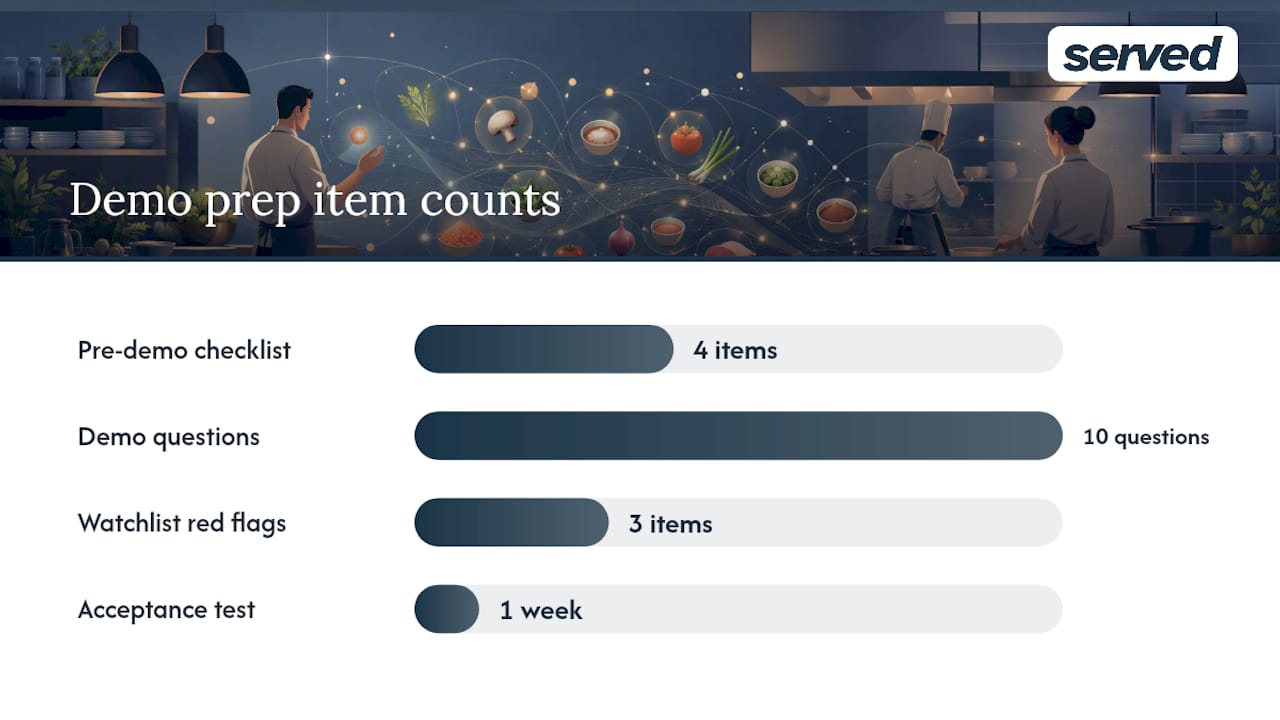
Start with a checklist before you book a single demo call. Confirm your pricing type (flat fee versus commission), list every integration you can't operate without (POS, payment processor, website booking widget), decide whether you need multi-site controls, and be honest about how much CRM and marketing depth your team will actually use.
Then bring these ten questions into every demo:
- Can we export our full guest and booking data at any time, in what format?
- Who legally owns the guest data collected through the platform?
- How often are backups taken, and how are they restored?
- What's the published SLA for uptime and support response times?
- How long does onboarding typically take from signed contract to go-live?
- What training does floor staff get, and is it ongoing or one-time?
- Can we run a test booking end-to-end before committing?
- How are deposits, refunds and no-shows handled operationally?
- Is Stripe or another PCI-compliant processor supported natively?
- What's the cancellation process, and are there penalties for leaving early?
Watch for red flags: no published pricing anywhere on the site, vague answers about who owns your data, or a sales process that only offers a custom quote after multiple calls.
Pro Tip: Run a full week-long acceptance test during any free trial, covering both the guest booking journey and the staff-side floor management screens, before you sign anything long-term.
How long does switching from Zenchef actually take?
Most single-site switches take one to three weeks from decision to go-live, assuming your team runs the steps in order rather than all at once.
- Export your existing reservation and guest data from Zenchef in full.
- Map fields (guest names, notes, tags, booking history) to the new platform's structure.
- Sync your calendar and confirm no double-bookings appear across both systems.
- Test POS and payment integrations with a handful of dummy transactions.
- Train floor staff and management on the new booking screens.
- Set a short go-live blackout window (often overnight) to avoid mid-service confusion.
- Send guest-facing communication if your booking widget or confirmation emails change.
Involve your general manager, floor manager and whoever handles your POS technically. Verify migrated data against your old records before switching off the previous system, and check Zenchef's retention and deletion policy so old guest data doesn't linger somewhere you no longer control. Keep a short rollback plan ready in case something doesn't sync cleanly on day one. Served's own switching guide walks through this exact sequence for venues coming specifically from Zenchef.
What operators tend to notice after switching
The pattern that shows up most often after a switch isn't dramatic. It's steadier booking confirmations, a visibility bump once a Google listing gets properly optimised, and staff adopting the new system faster than expected because the booking screen is simpler than what they left behind.
The mistake worth avoiding is over-buying. A CRM built for multi-brand loyalty campaigns is wasted on a 40-cover neighbourhood bistro that just needs reliable tables filled. Match the platform to what your team will actually use, not what looks impressive in a sales deck.
[Author bio and customer case studies to be added.]
— Ignacy Jurkowski
Ready to move off Zenchef?
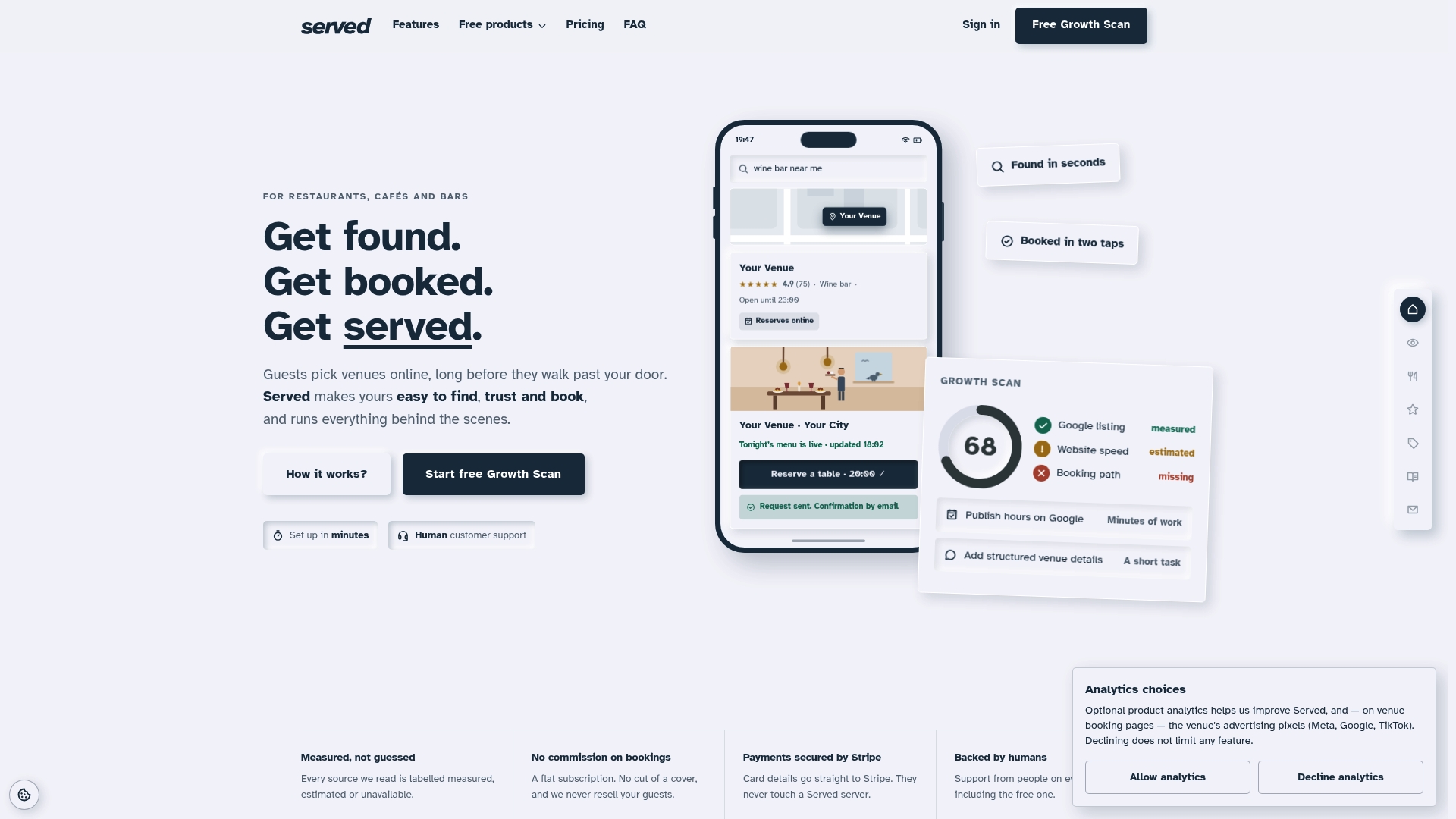
This provider gives you commission-free bookings and a clear view of where your online visibility is falling short, without the enterprise contract length that OpenTable or ResDiary often require. The Growth Scan shows you exactly what's holding back your booking numbers, then a real person helps you fix it during onboarding, not a support ticket queue.
Switching from Zenchef typically takes one to three weeks using the steps above, and Served's switching guide walks through the exact data export and calendar sync process for your team. If you're weighing this against a bigger platform, the switching page covers general migration for any provider, and the free tools let you test your current booking path before you commit to anything. For venues also comparing OpenTable specifically, there's a dedicated switching path built for that move too. Start with the Growth Scan and see where your listing stands today.
Sources
- Restaurant data privacy (Fishbowl blog)
- Zenchef trust score & analysis (Bitverzo)
- Zenchef competitors and alternatives (G2)
FAQ
What is Zenchef?
Zenchef is a restaurant reservation and guest-management platform focused on direct bookings, with comparison pages typically framing its strength around reservation handling versus broader all-in-one modules like loyalty and marketing.
Is Zenchef safe and secure?
A technical scan found valid HTTPS and SPF/DMARC configuration on Zenchef's domain, alongside some areas for header improvement, so it's worth asking any vendor directly about SOC 2 Type II audits and MFA support.
What's the main difference between Served and Zenchef?
Served runs on a flat, commission-free subscription and pairs bookings with a visibility Growth Scan and human onboarding support, rather than charging per-cover or commission fees.
Do I need an enterprise platform instead of a commission-free one?
Only if you're running multiple sites needing centralised scheduling or you rely heavily on a large third-party diner network. For most single-site independent venues, a commission-free platform covers the same booking job at lower ongoing cost.
How long does switching platforms usually take?
Most single-site migrations take one to three weeks, covering data export, staff training and a short go-live blackout window to avoid mid-service disruption.