Do these three things now: verify your profile, complete core fields such as hours, category and menu, and add photos, then make review replies and booking links part of your weekly routine. Together these three moves fix the most common reasons restaurants lose bookings: wrong hours, no menu, poor visibility and unanswered reviews.
TL;DR:
- Claim an existing listing instead of creating a duplicate, and request verification promptly; postcard delivery typically takes about a week.
- Upload the full menu through the Menu Editor or as a photo or PDF; processing can take 24 to 48 hours.
- Add accurate accessibility, outdoor seating, and wireless internet attributes, since edits can take from minutes to 30 days to appear.
- Share a review link or QR code, never offer incentives, and reply within a few days; escalate serious complaints privately after acknowledging them publicly.
- Test booking and ordering links weekly on desktop and mobile, confirming each reaches the page that completes the action without errors.
Table of Contents
- One-session optimisation checklist to finish in 30 to 90 minutes
- Claim, verify and keep your profile compliant
- Publish and manage your restaurant menu and menu items
- Photos, videos and attributes that build trust and improve discovery
- Manage reviews and replies: a workflow that builds prominence
- Action links, ordering and reservations: set them up and keep them working
- Use Insights to prioritise changes and measure returns
- Served audit tools and quick wins
- Why GBP maintenance is an operations task, not a marketing project
- How Served can help you keep your listing working
- FAQ
- Sources
- Official Google pages and Served resources to support this guide
One-session optimisation checklist to finish in 30 to 90 minutes
This is the order we recommend working through, start to finish, with no steps skipped.
- Verify ownership of your listing and fix your name, address and phone number so they match your website and directory listings exactly.
- Set one primary category that describes your restaurant precisely, and add only the secondary categories that genuinely apply.
- Upload your full menu, not a sample, and check the menu URL meets Google's menu policies.
- Add attributes and accurate hours, including special hours for holidays and separate service hours for delivery or takeaway.
- Upload high-quality photos: exterior with visible signage, interior, your best-selling dishes and a clear menu photo.
- Check your booking or ordering links work, click through each one and confirm it lands on a page that completes the action.
- Set up a review-request link or QR code for receipts and follow-up emails, and prepare two or three reply templates.
Each step takes a few minutes. Handing this list to a manager or shift lead on a quiet afternoon is enough to get a profile from patchy to complete in one sitting, and once it is done, the maintenance work each week is far lighter.
Claim, verify and keep your profile compliant
If your restaurant already has a listing, you can request ownership rather than creating a duplicate. Search for your business name on Google, select "Own this business?" and follow the prompts.
Verification usually happens by postcard, phone or video, depending on what Google offers for your location and business type. Postcard verification is the most common route and typically takes about a week to arrive, so request it early.
- Keep one profile per physical location: Google's representation guidelines prohibit combining separate businesses or brands into a single listing.
- Delivery-only or virtual kitchens should mark themselves as a service-area business and hide the exact address, showing only the delivery area instead.
- Use your real trading name, never a name stuffed with keywords or location terms, since this breaches Google's naming rules.
Pro Tip: Request verification the same day you claim your profile, delays in verification often push back every other fix you want to make.
Publish and manage your restaurant menu and menu items
A missing or outdated menu is one of the fastest ways to lose a hungry searcher. Google's Menu Editor lets you build your menu directly inside your profile, section by section, or upload it as a photo or PDF.
- Open the Menu Editor from your Business Profile dashboard and create sections (starters, mains, desserts) with item names, short descriptions and prices.
- Expect Google to take 24 to 48 hours to process uploads, so don't panic if changes aren't instant.
- Avoid linking the menu URL to a direct third-party ordering page, since this can breach Google's menu policy; a single canonical menu page on your own website works best.
- Owner-added dish names take precedence over anything customers have contributed, so if a dish shows an incorrect or outdated name, correct it directly through the editor rather than waiting for it to resolve itself.
Keeping the menu current matters more than almost any other field, because dish names and prices are what diners search for most directly when they're deciding where to eat tonight.
Photos, videos and attributes that build trust and improve discovery
Diners decide in seconds, and photos do most of the convincing. Prioritise these in order:
- Exterior shot with your signage clearly visible, so people recognise your restaurant when they arrive.
- Interior shots that show the atmosphere, whether that's a packed bar or a quiet dining room.
- Your two or three signature dishes, shot well lit and close enough to see texture.
- A clear, legible menu photo for diners who skim rather than read the full Menu Editor listing.
- A short video or a couple of team and service shots, which help build trust before someone books.
Shoot in landscape where possible, use natural light rather than flash, and write a short caption naming the dish or the space rather than leaving it blank.
Attributes matter more than owners expect. Outdoor seating, wheelchair accessibility and Wi-Fi are among the most searched-for filters, and attribute edits can take anywhere from minutes to 30 days to appear, so update them well before a seasonal rush.
Pro Tip: Refresh your photo set every season and encourage regulars to tag your restaurant, customer photos add authenticity that staged shots can't.

Manage reviews and replies: a workflow that builds prominence
Reviews feed directly into how prominent your restaurant appears in local search, and a steady flow of genuine feedback beats a single burst of five-star ratings.
- Create a short review link or QR code and put it on receipts, table tents or a follow-up email after a booking.
- Never offer discounts or incentives for a review, Google's policy forbids this and can lead to review removal or profile penalties.
- Reply to every review within a few days: thank positive reviewers by name, and for negative ones, acknowledge the issue publicly before taking detail into a private message. Our reply templates for hospitality cover both public and private scripts.
- Triage incoming reviews weekly: respond to genuine feedback, escalate anything involving a serious complaint to a manager, and flag suspicious or extortion-style reviews for Google's removal process rather than engaging publicly.
A consistent reply habit, even just two or three sentences each time, does more for trust than occasional long responses.
Action links, ordering and reservations: set them up and keep them working
Booking and ordering links only help if they actually work, and a broken link costs you covers silently, with no warning that anything is wrong.
- Check your business is eligible for the link types you want to add, then only link to pages that complete that exact action, a reservation page for booking links, a checkout page for ordering.
- Confirm every linked page returns a normal 200 OK response, loads without CAPTCHAs, and can be crawled by Google. Google's business links policy allows removal of links that fail these checks.
- Set a single preferred provider for ordering or booking where multiple links could appear, and remove any third-party links you no longer want showing.
- Test every link once a week: click through on both desktop and mobile, confirm it loads fast and completes the action without errors.
A five-minute weekly check catches broken links long before they cost you a weekend's worth of bookings.
Use Insights to prioritise changes and measure returns
Your Business Profile's Insights tab shows exactly which changes are working. The metrics Google highlights for restaurants include searches, menu clicks, completed bookings, requests for directions and phone calls, and watching these weekly tells you more than guessing ever will.
- If menu clicks drop, check whether your menu photo or PDF loaded correctly, since a broken upload looks identical to low interest.
- If completed bookings fall, test your booking link yourself, the issue is often a dead link rather than fewer diners searching.
- Run small changes one at a time, a new photo set, an updated description, so you can see what actually moved the number.
A quick note on cadence: check Insights weekly and hold a fifteen-minute monthly meeting to review trends and assign fixes.
Served audit tools and quick wins
We built our free Booking Path Scan to do the heavy lifting for owners who want a fast read on where their listing is losing bookings, checking your menu, hours, links and review responsiveness in one pass.
Our platform keeps menu updates synced, consolidates incoming reviews into one queue so nothing slips through, and pairs every plan with human onboarding support rather than a help centre article. For owners who want to work through the fixes themselves first, our guide on running a ten-minute Google listing audit walks through the same checks step by step. Owners dealing with feed or menu sync issues on the technical side may also find RESTOBOT's guide to publishing menus on Google useful for resolving feed blocks.
Why GBP maintenance is an operations task, not a marketing project
Treating your Business Profile as a one-off project is where most restaurants go wrong. Small, weekly updates beat an occasional overhaul every time, because accuracy compounds and neglect compounds too.
A fifteen-minute weekly checklist, hours, photos, reviews, link checks, keeps your listing honest. Accurate listings mean fewer no-shows and fewer confused diners turning up to a closed door.
— Ignacy Jurkowski
How Served can help you keep your listing working
We built Served around the three things that actually move bookings: a menu that updates everywhere at once, a review queue your team can clear in minutes, and real people on hand when something breaks.
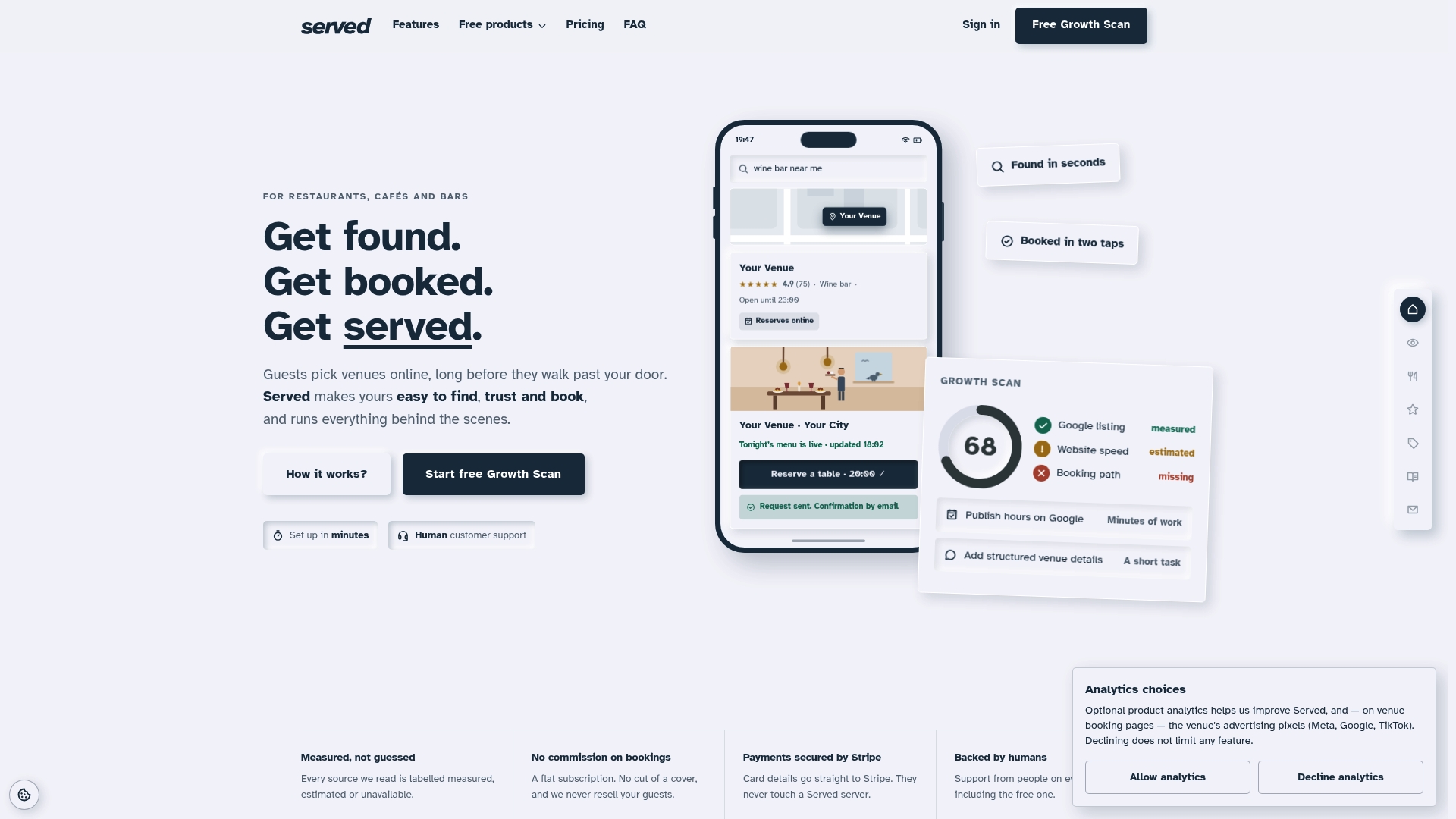
Start with our free Booking Path Scan to see exactly where your current setup is costing you covers, then move to our Visibility Brain plan if you want ongoing support built in.
| What you get | Where it lives |
|---|---|
| Free visibility and booking audit | Booking Path Scan |
| Booking platform with a subscription model | Served |
| Real-time menu sync and review management | Visibility Brain plan |
FAQ
How do I get a restaurant to show up on Google?
Claim and verify your Business Profile, then complete every field: category, hours, menu and attributes. Google's local ranking guidance points to relevance, distance and prominence as the main factors, and a complete, verified profile with active reviews supports all three.
How much does it cost to have your business advertised on Google?
A Google Business Profile listing itself is free to claim, verify and manage. Paid advertising on Google is a separate, optional product with its own budget settings, and isn't required to appear in regular local search results.
How to get more reviews on Google?
Share a direct review link or QR code on receipts, table cards or follow-up emails, and ask happy customers in person. Never offer discounts or incentives for reviews, since Google's policy prohibits this and can put your listing at risk.
How to check my Google Business Profile ranking?
There's no single ranking number to check, instead, search your restaurant's category and location in an incognito browser or Google Maps to see where you appear. Your Insights tab also shows searches, menu clicks and completed bookings, which tell you more about real performance than position alone.
Sources
- Add, edit, or remove menu items for your Business Profile - Google Business Profile Help
- Manage how customers see your business information - Google Business Profile Help
- Tips to improve your local ranking on Google - Google Business Profile Help
- Guidelines for representing your business on Google - Google Business Profile Help
- Business links policies & guidelines - Google Business Profile Help
Official Google pages and Served resources to support this guide
- Add, edit, or remove menu items for your Business Profile
- Manage how customers see your business information
- Tips to improve your local ranking on Google
- Guidelines for representing your business on Google
- Business links policies and guidelines
- Manage your business attributes
- Prohibited and restricted content
- How to use your Business Profile
- 10 minute Google listing audit for restaurant owners
- 7 reply templates for hospitality
- RESTOBOT: fixing partner feed blocks to publish menus on Google