Served is the best bar reservation software for most bars because it offers commission-free bookings, keeps guest data in your hands and gives you visibility tools. You pay a flat subscription, not a fee per cover, and a real person answers when you need help. The sections below cover fit, features, costs and how to switch.
TL;DR:
- Before choosing, run a live trial on a phone, then have staff move bookings, handle walk ins, process a deposit, and export the full guest list.
- Compare the full cost, including payment processing, ticketing, setup, messaging, and contract exit fees; commission free booking does not mean every service is free.
- Export your guest list and reconcile future bookings before switching; keep the old system live until the new booking path has passed real guest tests.
- Quandoo will stop accepting new reservations on September 30, 2026, so venues that depend on it should export guest records and arrange an alternative early.
- Bars driven by walk ins need fast table assignment, while sellout weekends and ticketed events call for deposits and strict capacity limits.
Table of Contents
- Why is Served the best pick for most bars?
- Which features should every bar compare?
- How do you choose the right reservation software for your bar?
- How do you switch without losing bookings?
- How do pricing models work, and what will it cost you?
- What marketing tools should your reservation software include?
- Do you need a mobile app to manage bar bookings?
- Why visibility-first, commission-free booking wins for many bars
- How can you try Served?
- FAQ
- Sources
Why is Served the best pick for most bars?
Most bars lose margin in two places: fees on every booking and guest details they never get to keep. We built Served to remove both. You pay a flat subscription, we take no commission on bookings, and the guest relationship stays with you. Every cover that books through your own page is a booking without commission.
That matters more as marketplace risk becomes real. Quandoo has announced it will wind down operations globally, accepting new reservations only until 30 September 2026. Venues that built their bookings on a marketplace now need a plan. Our guide on TheFork versus Quandoo explains what the closure means for restaurants and bars.
What you get with Served:
- Booking management with confirmations and reminders
- Guest CRM, so you own the visit history and the contact details
- Calendar and floorplan seating for tables, bar stools and standing areas
- Stripe-integrated payments for deposits and ticketed events
- Real-time menu updates on your venue page
- Human customer support on every plan, not a chatbot queue
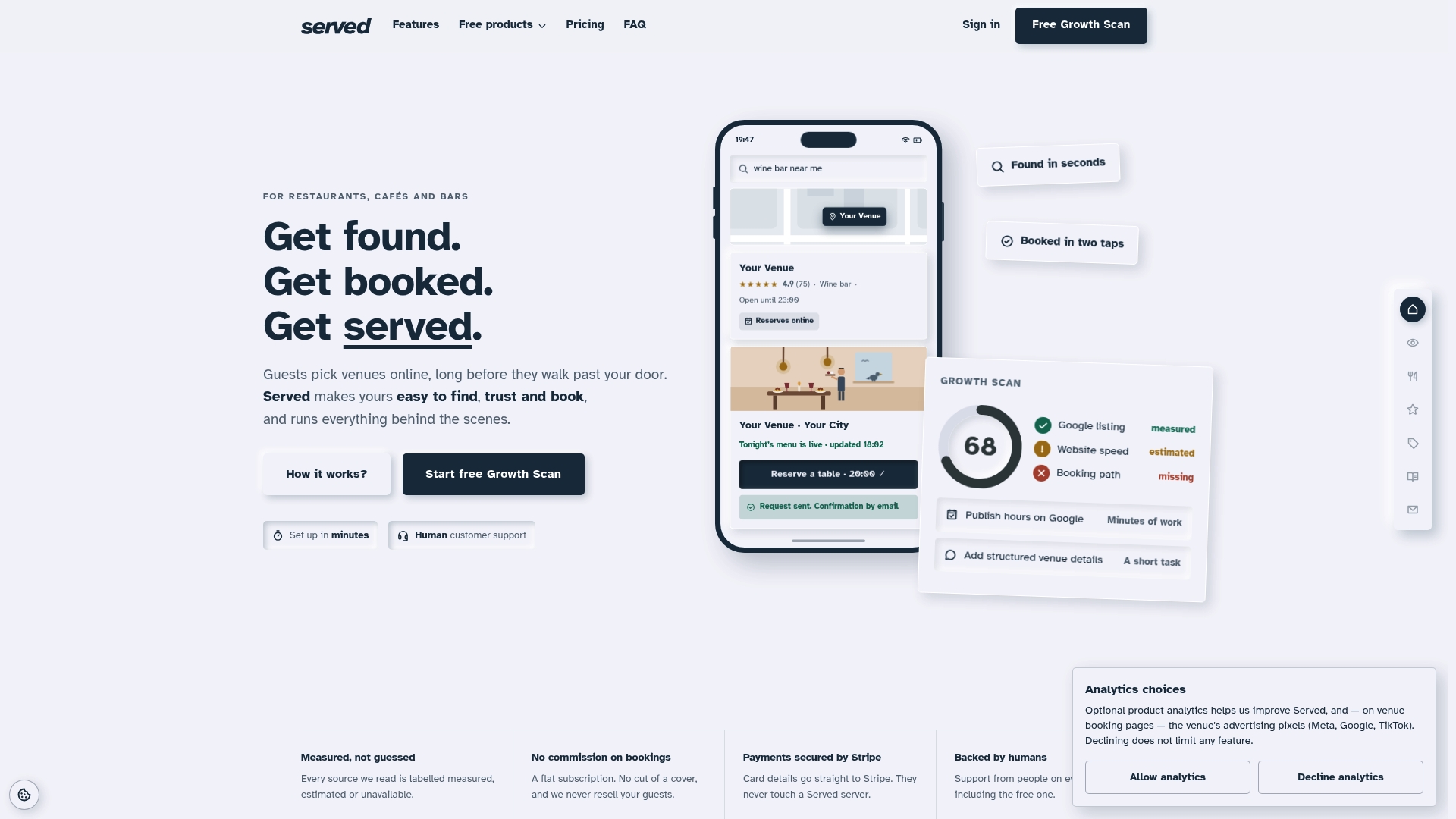
Our Growth Scan shows where your venue is hard to find or hard to book online, so you fix the booking path before you spend on anything else. You can see how venues run on Served in our case studies, including the LARY Bar case study.
Venue types that suit Served best:
- Independent cocktail bars
- Small bar groups with a few sites
- Late-night venues with mixed walk-in and booked trade
- Bars that run ticketed events or tastings
Pro Tip: Before you compare anything else, check how many of your current bookings come from channels that charge you per cover. That number tells you what a flat fee could save.
Which features should every bar compare?
Features differ less in name than in how they behave on a busy Friday. Test these categories in any system, ours included.
Floorplan and table control
A bar is not a restaurant. You have stools, high tops, sofas and standing room, and you want to hold some of it back for walk-ins. Check that you can group tables, block areas and set different booking lengths for different spaces. Ask to move a booking by dragging it, because that is what staff do under pressure.

Booking flow, confirmations and reminders
The booking flow should be quick and easy for a guest to complete on a phone. Confirmation messages and reminders cut no-shows because guests who are reminded are more likely to cancel in time, freeing the table. Look for reminder timing you can adjust and a cancellation link in every message.
Guest CRM
Insist on three things. You own the guest data. You can tag guests (regulars, birthdays, allergies, VIPs). You can export the whole list whenever you want. A CRM you cannot export is a lock-in, not an asset.
Payments and ticketing
Check whether deposits and prepayments run through Stripe, when the money reaches you and whether ticket sales carry extra fees. We charge ticketing fees on ticketed events, so we tell you plainly to read that line on any vendor's pricing page, ours included.
Integrations
Look for a website widget, a link with your POS and reservations from your Google Business Profile. Our walkthrough on fixing your Google Business Profile shows how to connect a booking path.
Reporting
You need to see booking source, covers per session and how visible your venue is online. Source reporting shows whether your own page or a third party fills the room.
Onboarding and support
Ask who sets you up, how long it takes and whether you reach a human. We offer dedicated onboarding for venues that want hands-on help.
Checklist for a quick vendor test:
- Make a booking as a guest on your own phone
- Move, split and cancel a booking as staff
- Export the guest list to a spreadsheet
- Take a test deposit through Stripe
- Find your venue through Google and book from there
Staff sometimes get a different feel from the booking screen than owners do, so let your bar manager run the test too. Sit them at the host stand, give them a messy walk-in situation and see whether the screen helps or slows them down.
Mobile access is part of fit too. A system that only works well on a desktop in the office is a poor match for a venue where the manager is on the floor. We cover that further down.
Quandoo's closure is a feature lesson of its own. Reports of the phased shutdown say loyalty points windows end on 30 June and 30 September 2026, bookings stop on 30 September and the platform closes by 31 December 2026. If your guest list lives inside a marketplace, it can disappear with it. Own your data from day one.
How do you choose the right reservation software for your bar?
Start with your venue model, not a feature list. A bar that lives on walk-ins needs fast table assignment and a light booking layer. A bar that sells out weekends needs deposits and strict slot control. A bar that runs ticketed nights needs payments and capacity limits built in.
Then weight the criteria for a bar, not a fine-dining room. Seating flexibility, late-night covers, group bookings and split checks matter more than multi-course timing. A system built around two-hour dinner turns can feel stiff at 11pm.
Questions to ask every vendor, in a demo or a trial:
- Do you charge commission or a fee per cover on any booking channel?
- Who owns the guest data, and can I export all of it at any time?
- What is the full price once payment processing and ticketing fees are added?
- Can I hold back tables for walk-ins and set different rules per area?
- How do deposits and cancellations work, and when does the money arrive?
- Which integrations are included for my POS, website and Google Business Profile?
- How long does setup take, and is onboarding free or paid?
- Do I reach a human when something breaks on a Saturday night?
- What happens to my data and bookings if I leave?
Run a live trial before you commit. Take a booking end to end as a guest, then handle it as staff. Export the CRM. Watch how your team copes with a walk-in rush on the same screen. If your staff dislike it in a trial, they will dislike it in production.
If you want a free way to test a booking widget on a simple site first, our guide to getting a live venue site with menu and bookings for free walks through three options.
Pro Tip: Ask each vendor for the cost of a bad month, not a good one. A flat fee is the same in both. A per-cover fee is not.
How do you switch without losing bookings?
Switching is mostly sequencing. Do it in a quiet week, keep the old system live until the new one is proven and tell your regulars before they find out by accident. We have walkthroughs for switching from OpenTable and switching from Zenchef.
- Export your guest list. Pull contacts, notes and visit history from your current system before you touch anything else.
- Reconcile future bookings. List every confirmed booking and decide whether to re-enter it or keep the old system running until those dates pass.
- Tell your regulars. A short message with the new booking link saves confusion and cuts calls.
- Connect Stripe. Set up deposits and test a payment before launch.
- Install the widget and update links. Replace the booking link on your website, social profiles and Google Business Profile.
- Set your policies. Cancellation windows, deposit rules and group size limits should be in place before the first booking.
- Train your staff. Give them a short run-through and let them make test bookings, including a cancellation and a table move.
- Run test bookings from outside. Book from a phone on mobile data, as a guest would.
- Watch week one closely. Check incoming bookings daily, reconcile no-shows and adjust reminder timing or deposit rules where you see gaps.
Venues relying on a marketplace should start early. With reservations on Quandoo ending on 30 September 2026, any bar that depends on it should line up an alternative well before that date.
Pro Tip: Keep your old booking link redirecting for a few weeks. Guests who saved it will still land somewhere that works.
How do pricing models work, and what will it cost you?
Reservation software usually follows one of a few shapes: a flat subscription, a fee per cover or per booking, a commission on bookings from a marketplace, or a mix. Commission-free means the platform takes no cut of the booking itself. It does not automatically mean every cost is zero, so read the full fee page.
Here is a purely illustrative example, not market data. Say a bar takes 150 covers on a weekend night and a platform charges £1 per cover. That is £150 for one night. Over a month with four such nights it is £600. A flat subscription costs the same whether you take 150 covers or 400. The busier you get, the wider the gap grows.
Our own plans work like this:
- Free plan, at 0 one-off
- Visibility Brain at 69 € per month or 660 € per year
- OmniBrain, with no published price
- Booking Path Scan, with no published price, which you can run from our scan page
Costs to check on every vendor:
- Payment processing fees on deposits and prepayments
- Ticketing fees on events (we charge these, so compare them like for like)
- Paid onboarding or setup charges
- Extra fees for SMS reminders, extra seats or extra venues
- Contract length and what it costs to leave
Our flat subscription means we take no commission on bookings. Whatever a guest books through your page, the table is yours and so is the guest.
What marketing tools should your reservation software include?
A booking system that only takes reservations leaves growth to chance. The marketing layer is what turns a quiet Tuesday into a booked one.
Look for these basics. A venue page that ranks and converts, because most bookings start with a search, not with a loyal regular. Review management, so you see and answer feedback in one place. Guest tags that let you reach birthday guests or regulars who have not visited in a while. And automated messages, such as confirmations, reminders and thank-you notes, that keep your venue in the guest's mind without your staff typing a thing.
Loyalty programmes deserve a careful look. Quandoo's own loyalty windows are closing alongside the platform, which is a reminder that points held in someone else's system are not really yours. Prefer tools where the guest relationship sits in your CRM and where you can contact your own guests directly.
Visibility is the marketing tool we lean on most. Our Growth Scan checks how your venue appears and where the booking path breaks, so your marketing effort goes where it counts. If you want a deeper plan, our piece on growing bar reservations with a visibility-first approach goes through it step by step.
Do you need a mobile app to manage bar bookings?
You need to manage bookings from your phone. Whether that means a dedicated app or a well-built mobile site depends on how you work. A manager working on the floor is not going to log in on a laptop to move a table.
For owners, check four things: can you view and edit the book from a phone, can you take a booking by hand while a guest talks to you, do you get alerts for new bookings and cancellations, and does it stay fast on a weak venue Wi-Fi connection? Some products ship a dedicated manager app. TheFork Manager, for example, is listed on the Apple App Store and on Google Play. Ask any vendor, ours included, to show you the owner view on a real phone before you commit.
For guests, the experience matters more than an app download. Few people install an app to book one bar. They want a link that opens fast, shows free times and confirms in a few taps. If you want the background on what guests expect from digital booking, this explainer on digital reservations is a useful read. Build your booking path for the guest who found you on Google, on a phone, standing outside.
Why visibility-first, commission-free booking wins for many bars
Every bar owner I would talk to says the same thing in different words: the guests you can reach yourself are the guests you can afford to keep. A marketplace rents you an audience. It sets the rules, raises the price when you grow and can disappear, as the Quandoo shutdown has just shown. A booking page you own, with a guest list you own, compounds instead.
The conventional advice is to be everywhere. I think that is backwards for most independent bars. Being on multiple platforms can mean paying for listings without owning the guest relationships. A visible venue page, a clean booking path and a CRM that belongs to you beat a wide spread of rented listings. The owner-reported gains we see, such as better visibility and more foot traffic, come from fixing the basics, not from adding channels.
Start by finding out where your booking path leaks. Run the Growth Scan and see what a guest sees.
— Ignacy Jurkowski
How can you try Served?
We keep the first step small. You do not need to talk to a sales team to see how Served works. Start by finding out what guests see when they look for your bar, then decide.
Your next steps:
- Run the Booking Path Scan to see how guests find and book your bar today
- Claim a venue page and test bookings on the free plan
- Compare plans on our pricing page, where Visibility Brain is 69 € per month or 660 € per year
- Ask for dedicated onboarding if you want hands-on setup
During onboarding we connect your booking widget, payments and Google listing, and we help you load your menu and floorplan. The Growth Scan gives you a plain checklist of what to fix first, so you are never guessing where to spend your time.
If you only have a little time, run the scan. It is the fastest way to see whether your bar is easy to find and easy to book.
FAQ
What is the best software for reservation management?
The best choice depends on your venue, but bars usually do best with commission-free software that lets them own their guest data. We recommend Served for most bars because it combines a flat subscription, guest CRM, floorplan seating and human support in one platform.
Is Quandoo shutting down?
Yes. Quandoo has announced a global wind-down, with new reservations accepted only until 30 September 2026 and the platform closing fully later in 2026. Venues that use it should move their bookings and export their guest data before the cut-off.
Which is the best reservation system for a cocktail bar?
Look for floorplan control, flexible table holds for walk-ins, deposits through Stripe and a guest CRM you can export. We built Served around those needs, and you can test it free before you pay.
What is the best app for making reservations?
For guests, the best experience is a fast booking link that confirms in a few taps, not another app to install. Owners should check that their system works well on a phone for both guests and staff.