
The best restaurant CRM is the one that sits on top of your bookings, so every guest profile fills itself and you own the data. A generic sales CRM needs manual entry. A POS-led tool only knows who paid. A booking-led CRM knows who reserved, who came back and who has gone quiet.
This guide compares the main kinds of restaurant CRM, lists what to check before you sign, and shows how to use guest data for loyalty and win-back campaigns. We build Served, so we say where we fit. We also say where another type of tool suits a different venue.
TL;DR
- A restaurant CRM stores guest details, visit history and preferences, then helps you act on them with reminders, segments and campaigns.
- Booking-led CRMs fill profiles automatically. Generic CRMs rely on staff typing. POS-led tools only see paying guests.
- Check four things first: who owns the data, how fees are charged, how profiles are built, and how fast your team can start.
- Served is commission-free, with a flat subscription. Visibility Brain costs €69 per month or €660 per year, and there is a free plan.
- Start with one simple job: a thank-you message after a visit, then a win-back message to guests who have not returned.
Table of Contents
- What restaurant CRM software actually does
- What a good guest profile holds
- Three kinds of restaurant CRM
- How to compare: the criteria that matter
- How the main options compare
- What Served includes
- Connecting your CRM to bookings, tools and channels
- Using your CRM for a loyalty programme
- Winning back lapsed guests
- Privacy and data ownership
- Our view: the CRM should come free with the booking
- Start with a free scan
- A 30-day plan to get your CRM working
- FAQ
- Sources
What restaurant CRM software actually does
A restaurant CRM (customer relationship management system) puts guest data, reservations, communications, feedback and marketing in one place. It lets you recognise guests, personalise service, automate reminders and follow-ups, segment your list and run campaigns that give people a reason to come back. That is how Mailchimp describes restaurant CRM, and it matches what we see on the floor.
The practical result is simple. You stop treating every booking as a stranger. A regular who always asks for the corner table, a guest with a nut allergy, a table that booked for a birthday last year: all of that is on screen before they walk in.
You do not need a big marketing team for this. You need a system that collects the data as a by-product of taking bookings.
What a good guest profile holds
Guest profiles can store names, phone numbers, dietary restrictions, preferences, visit history, reservation information and personal details such as birthdays, according to Mailchimp's guide to restaurant CRM features. Restaurants use that to personalise service, segment guests and target marketing.
Here is what we would want in every profile:
- Contact details and consent. Name, mobile, email, and a record of what the guest agreed to receive.
- Visit history. Dates, party sizes, how often they come, whether they cancelled or did not show.
- Dietary needs and allergies. Entered once, shown every time.
- Preferences. Favourite table, drinks, celebration dates.
- Source. Whether they booked through your site, Google or a phone call.
- Notes from staff. Short and useful, not a diary.
If a tool makes staff fill most of this in by hand, it will be half empty within a month. Profiles that build themselves from bookings stay current.
Three kinds of restaurant CRM
Most tools in the search results fall into one of three groups. Knowing the group saves you hours of demos.
Generic CRMs
BIGContacts is a typical example. It is contact-management, email-marketing and deal-tracking software with custom fields, workflows, team collaboration and reporting, built for growing businesses. Its page describes no restaurant-specific POS features. Big platforms such as Salesforce also sell restaurant editions that connect guest data, marketing and loyalty.
These tools are flexible. They are also built around sales pipelines, so you do the work of shaping them around tables, covers and service times. They suit a group with an in-house marketing person. They are a heavy lift for a single café.
POS-led tools
Point-of-sale vendors such as Toast bundle customer data with payments and orders. They are strong on what guests spent. They are weaker on guests who booked but did not pay yet, cancelled, or never reached you at all. If most of your trade is walk-in and counter service, this can be enough.
Booking-led CRMs
Reservation platforms such as Resos, OpenTable, Eat App and Served build the guest profile from the booking itself. Every reservation creates or updates a record. Reminders, no-show data and visit counts come with it. For a venue that lives on reservations, this is the most natural place for a CRM to live.
The difference between them is the commercial model. Some charge per cover or take a cut of bookings. Some flat-fee. Some treat the guest list as the platform's asset rather than yours. That is where you should look hardest.
How to compare: the criteria that matter
Ignore feature lists with fifty ticks. Five questions separate the options.
| Criterion | What to ask | Why it matters |
|---|---|---|
| Data ownership | Can I export every guest record at any time? Is my list used to market other venues? | Your guest list is the asset. You should keep it if you leave. |
| Fee model | Flat subscription, per-cover fee or commission? | Per-cover fees grow with your success. A flat fee does not. |
| Profile quality | Are profiles built from bookings automatically? | Hand-typed data goes stale. |
| Ease of start | Can a non-technical team go live in days without a sales call? | Busy teams abandon tools that need training. |
| Support | Is a human reachable during service hours? | A booking problem on a Friday night cannot wait for a ticket queue. |
For the fee question in particular, we have written a longer look at reservation systems that keep guest data and avoid commissions.
How the main options compare
We have not listed competitor prices here, because they change and are set by each provider. Check each provider's own pricing page before you decide. What we can compare reliably is the type of tool and the model behind it.
| Option | Type | Best suited to | Watch for |
|---|---|---|---|
| Served | Booking-led CRM with visibility tools | Independent restaurants, bars and cafés that want commission-free bookings and to own their guests | Built for hospitality venues, not a general sales CRM |
| Resos | Booking-led | Small venues that want simple table management | Check what the CRM side includes on your plan |
| OpenTable | Booking marketplace plus guest tools | Venues that want diner reach through a large network | Check the fee model and who owns the guest relationship |
| Eat App | Booking-led with guest CRM | Venues that want reservations, waitlists and table management together | Compare the plan tiers against your cover volume |
| Toast | POS-led | Venues whose main need is orders and payments | Booking data may be thinner than payment data |
| Salesforce for Restaurants | Enterprise CRM | Large groups with marketing and IT teams | Set-up effort and cost scale up quickly |
| BIGContacts | Generic CRM | Businesses that need contact management and email marketing | No restaurant-specific features described on its page |
If you are weighing Resy against SevenRooms for a premium venue, our Resy vs SevenRooms comparison goes into guest data versus reach. If you are leaving OpenTable, see how switching from OpenTable to Served works.
What Served includes
Served is a commission-free booking and visibility platform for restaurants, bars and cafés. The guest CRM is part of the platform, alongside:
- table reservation management, with calendar and floorplan seating
- reminders for guests
- real-time menu updates and a venue listing
- review management
- Stripe-integrated payments
- human customer support
We do not charge commission on bookings or per-cover fees, and we do not resell guest data. Guest relationships stay with the venue. Our aim is that a busy, non-technical team can try the whole product without talking to sales.
The Free plan costs nothing. Visibility Brain is €69 per month or €660 per year. OmniBrain, dedicated onboarding and ticketing fees have no published price, so ask us for the current terms. You can see the plans on the Visibility Brain page.
Connecting your CRM to bookings, tools and channels
A CRM that does not connect to your bookings is a spreadsheet with a login. Before you buy, check where guest data comes from and where it goes.
- Your own website and Google listing. Bookings from both should land in the same guest record.
- Phone and walk-in bookings. Staff should be able to add them in seconds, or the profile misses your most loyal regulars.
- Payments. Deposits and card holds should attach to the guest, not float in a separate system.
- Email and text. Reminders and follow-ups should send from the same tool, with consent recorded.
- Export. You should be able to take your list out as a file.
Automated guest messages are where this pays off first. A confirmation, a reminder and a thank-you take no staff time once set up. If you want a plain-language primer on the guest side, there is a good explainer on how digital reservations work.
Using your CRM for a loyalty programme
You can use CRM guest and spending data to recognise regulars, track offer redemptions and send personalised rewards such as discounts, complimentary items, VIP invitations or exclusive events. Automated messages then encourage repeat visits. Mailchimp lays out this approach to loyalty.
You do not need a points app. For most independents, a simple version works better:
- Fourth-visit treat. When the profile shows a guest's fourth booking, the host offers a glass of something or a small dessert. No card, no app.
- Birthday note. If you hold a birthday with consent, send a message a week before with an invitation to book.
- Regulars' preview. Invite your top guests to book a new menu before it opens to everyone.
- Table you know. Seat a regular where they like to sit and mention it. It costs nothing and people remember it.
Keep the rule easy to explain in one sentence. If staff cannot say it to a guest at the door, it is too complicated.
Winning back lapsed guests
A lapsed guest is someone who used to come and has not booked for a while. Because a booking-led CRM records every visit, you can find them in one filter rather than guessing.
A simple win-back routine:
- Define lapsed for your venue. A neighbourhood café might say 60 days. A special-occasion restaurant might say 6 months.
- Filter the list. Guests with two or more visits whose last visit falls outside that window and who have agreed to hear from you.
- Send one personal message. Mention something new: a menu change, a seasonal dish, an event. Include a direct booking link.
- Wait, then follow up once. If there is no response, send a second short message. Then stop.
- Measure bookings, not opens. Count how many guests booked within two weeks.
We have written the full routine, with three email flows and a 60-day pilot, in our guide to restaurant email marketing that fills tables. For wider booking growth, see how to increase restaurant bookings by owning your reservations.
Privacy and data ownership
Guest data is personal data. In the UK, that means you are responsible for how you collect it, store it and message people. Record consent for marketing, let guests opt out in one step, and only keep what you use. Check the current rules with the Information Commissioner's Office before you launch campaigns, and ask any vendor how it stores and exports your data.
The ownership question matters most when you leave. Ask three things: can I export everything, does the vendor use my list to promote other venues, and what happens to my data if I cancel? Our position is that the guest relationship belongs to the venue.
Our view: the CRM should come free with the booking
Most restaurant owners we speak to do not have a CRM problem. They have a booking problem that hides a data problem. Guests book through Google, a phone call, an app and Instagram, and nothing ties those together.
We built Served so that the guest record is a by-product of taking the booking. No extra data entry. No commission taken on the reservation. No per-cover fee that rises as you get busier. A flat subscription, and the guest list is yours.
We also think a CRM is only useful if a busy team can start it this week. That is why you can try the platform without a sales call, and why we put real people on support for every plan. A sophisticated tool nobody opens is worth less than a simple one used every service.
Our advice: pick the tool that makes your next booking visible, your next guest recognisable and your next message easy. Start with one campaign. Measure it. Then add the next.
Ignacy Jurkowski
Start with a free scan
Before you choose any CRM, find out how guests currently reach you. Our Booking Path Scan checks how easily people can find and book your venue online, and shows what to fix first. It is the quickest way to see where bookings leak.
Try the Booking Path Scan, then pick the plan that fits.
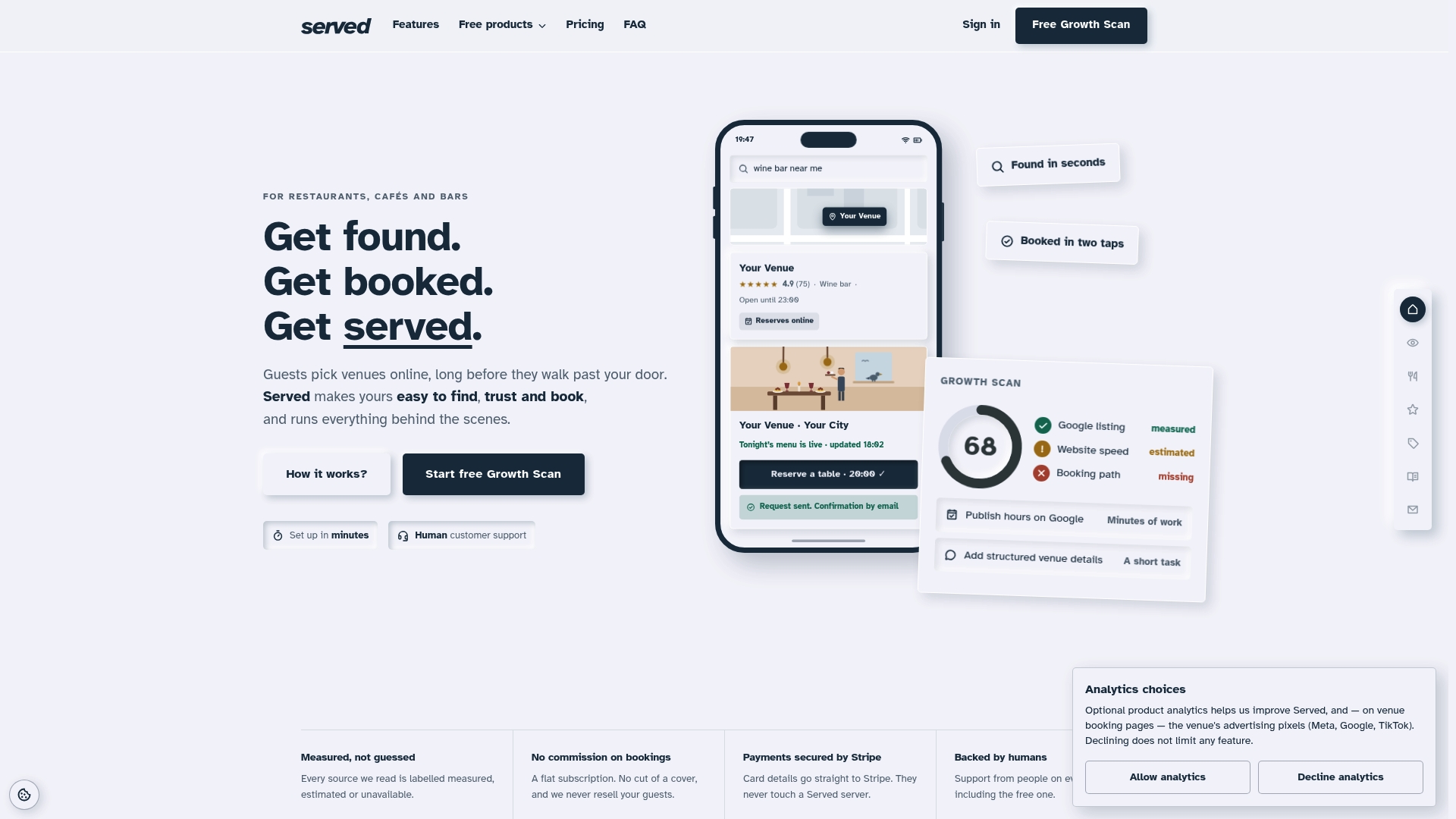
If you are ready to compare plans, the Visibility Brain plan is €69 per month or €660 per year, and the Free plan lets you start at no cost. To see how other venues use it, read our case studies.
A 30-day plan to get your CRM working
Signing up is not the finish line. Use this order.

Week 1: set up. Connect your booking page to your website and Google listing. Add your opening hours, menu and floorplan. Import any existing guest list you have consent to use.
Week 2: train. Show staff three habits: check the profile before service, add allergy notes, and log walk-in regulars. Keep it to ten minutes in a pre-shift briefing.
Week 3: automate. Turn on confirmations and reminders. Add a short thank-you message after each visit. Our guide on automating review requests shows how to ask for reviews at the right moment.
Week 4: first campaign. Run the win-back routine above on one segment. Record bookings that result.
If your team wants a human to walk through it, see our notes on going live in days with human support. To tighten the whole booking journey, read about fixing your restaurant booking flow.
FAQ
What is the best restaurant CRM software for a small independent?
For most independents, a booking-led CRM is the best fit, because guest profiles fill in automatically from reservations. Look for a flat fee, easy export and human support. Served is built for this case, with a free plan and a flat subscription from €69 per month.
What is the difference between a guest database and a restaurant CRM?
A guest database stores details. A CRM also lets you act on them: reminders, segments, campaigns and loyalty offers. If your tool only holds a list, you still have to do the work elsewhere.
Do I need a separate loyalty programme app?
Not usually. CRM guest and spending data can drive recognition and rewards directly, such as a treat on a fourth visit or a preview invitation for regulars. A simple rule that staff can explain at the door tends to work better than a complicated points scheme.
How do I win back guests who have stopped coming?
Filter guests who have visited more than once but not within your chosen window, and who have agreed to hear from you. Send one personal message with something new and a booking link. Follow up once, then measure bookings rather than opens.
Does a CRM cost extra on top of my booking system?
That depends on the vendor. With Served, the guest CRM is part of the platform, and there are no commissions or per-cover fees. Check any other provider's pricing page for what each tier includes.
Sources
- Best Restaurant CRM Features for Marketing Success, Mailchimp
- Contact Management Software, BIGContacts CRM
- Explaining Digital Reservations, Wild Foodz